Question
Can Bosch camera move with specific speed to a certain PAN & Tilt Position Coordinate (RCP command)?
Answer
Moving at own defined speed can ONLY be done by
-
Send PAN/TILT coordinate separately + speed
-
Or use continues move+speed, followed by stop command.
When using predefined presets, this ALWAYS happens at fastest speed.
How to get PAN and Tilt value:
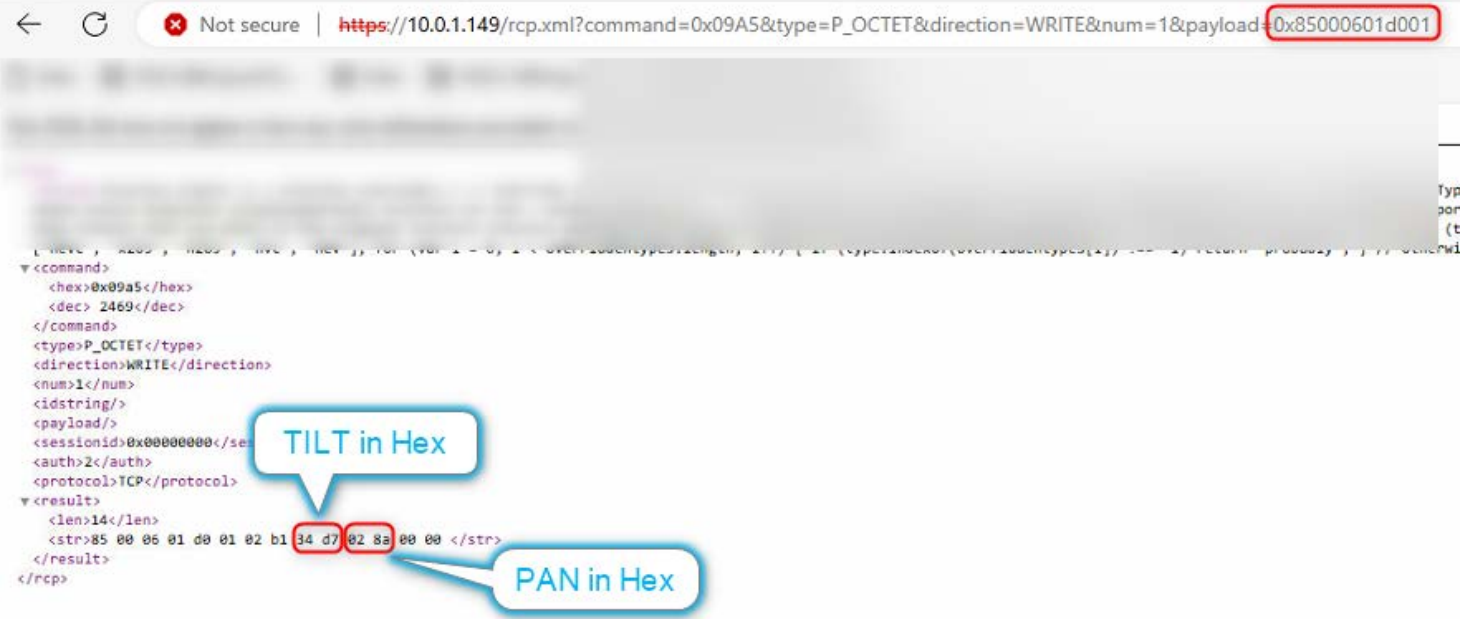
Turn the camera in any direction or call a preset, now send below URL to read back the HEX coordinate value
-
10.0.1.149/rcp.xml?command=0x09A5&type=P_OCTET&direction=WRITE&num=1&payload=0x85000601d001
OR
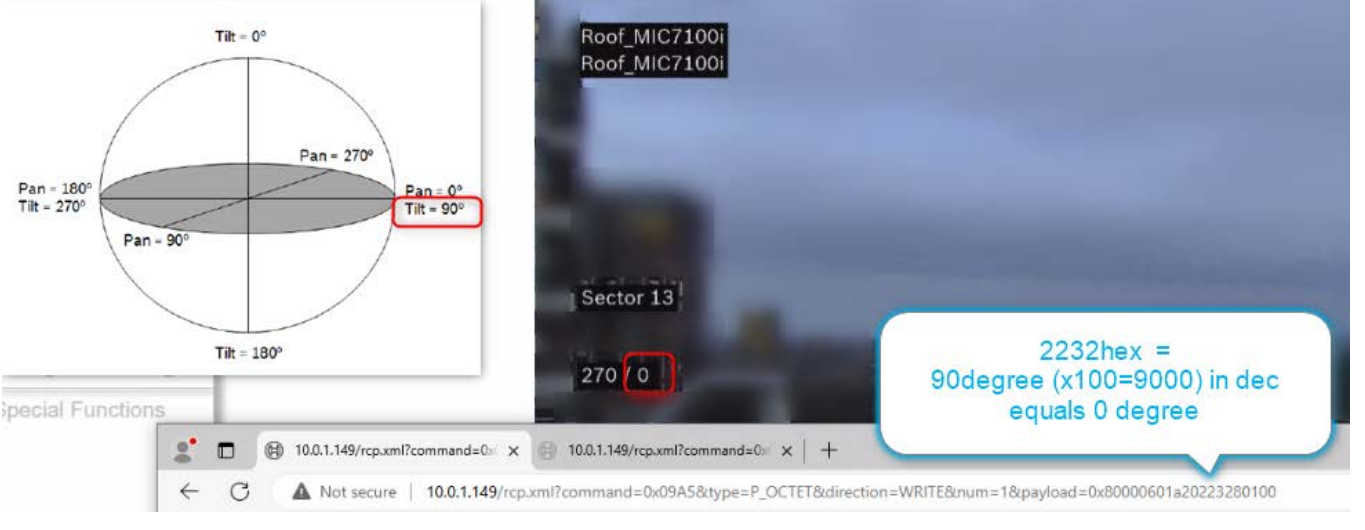
Convert the Position Coordinate from below globe into a HEX value so it can be used in the URL
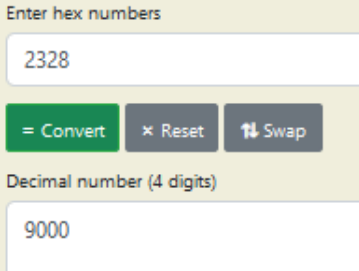
Example of 90° in HEX:
Note that 90° tilt from below globe is 0° tilt in the OSD-reading (turn on Azimuth in PTZ menu)
Example how the command is built up:
-
0x80 flag for No Return_Payload
-
0006 Bicom PTZ Server ID
-
01a2 Object ID - PositionCoordinate
-
01a1 for PAN(0°-270°)
-
01a2 for TILT(0°-180°)
-
02 Operation mode SET
Payload built up:
payload [Byte 0] = Position Upper byte
payload [Byte 1] = Position Lower byte
payload [Byte 2] = Speed Upper Byte
payload [Byte 3] = Speed Lower Byte
payload [Byte 4] = Direction Byte (00:Left, 01:Right)
-
2328 Bicom Data - Position is Degrees x 100 (90° x100 = DEC 9000 to HEX 2328)
-
0014 Bicom Data - Speed is Deg/s x 100 (slowest move is 0.20° x100 = DEC 20 to HEX 0014)
-
Pan Speed Range is 0.20°/second - 120.00°/second
-
Tilt Speed Range is 0.20°/second - 90.00°/second
-
01 PAN Direction Byte ([empty]:fastest direction, 00:Left, 01:Right)

When sending to PositionCoordinate with a certain speed you need to send PAN and TILT separately
Below there are some examples (adapt the red text with your details):
Tilt
-
45° speed of 0.20°/sec:
-
http://10.0.1.149/rcp.xml?command=0x09A5&type=P_OCTET&direction=WRITE&num=1&payload=0x80000601a20234d80014
-
-
90° (globe) is 0° (OSD-read)/slow speed of 0.20°/sec:
-
http://10.0.1.149/rcp.xml?command=0x09A5&type=P_OCTET&direction=WRITE&num=1&payload=0x80000601a20223280014
-
Pan
-
270° slowest speed of 0.20°/sec - fastest direction:
-
http://10.0.1.149/rcp.xml?command=0x09A5&type=P_OCTET&direction=WRITE&num=1&payload=0x80000601a102697a0014
-
-
270° speed of 1°/sec – pan right:
-
http://10.0.1.149/rcp.xml?command=0x09A5&type=P_OCTET&direction=WRITE&num=1&payload=0x80000601a102697a006401
-
Send PAN&TILT Position Coordinate RCP command via curl command line Password example:
-
curl "http://username:password@10.0.1.149/ rcp.xml?.....................
Example:
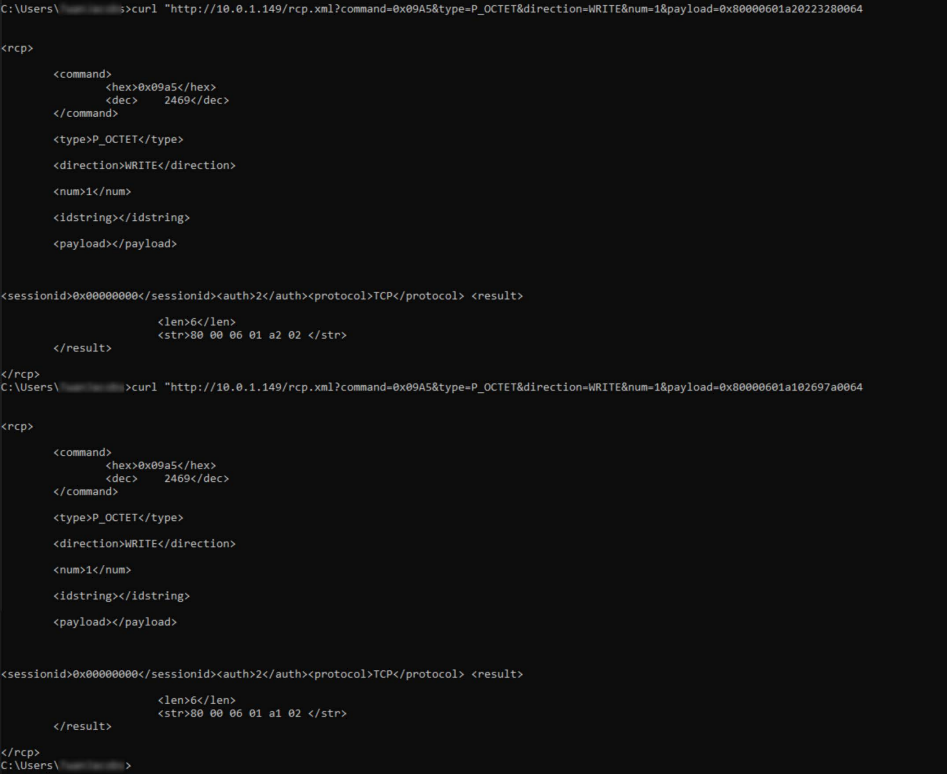
Copy/Paste below at ones in CMD (CommandLine), and the camera will also move diagonal. Both commands will parallel be processed by the camera, not serial
-
curl "http://10.0.1.149/rcp.xml?command=0x09A5&type=P_OCTET&direction=WRITE&num=1&payload=0x80000601a20223280064
-
curl "http://10.0.1.149/rcp.xml?command=0x09A5&type=P_OCTET&direction=WRITE&num=1&payload=0x80000601a102697a0064
How to check if the camera reached its position:
-
Use the very first point of this document and read back if the coordinate has been reached
-
Other way is to check the motor status

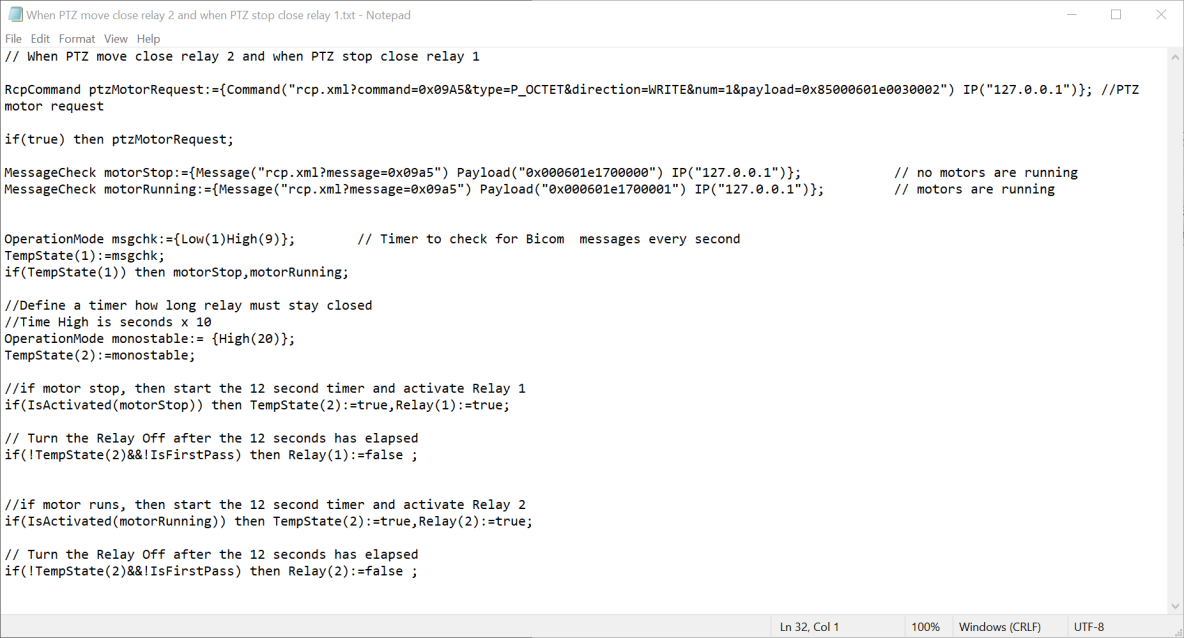
Below it is an example about how this command is used in a script: