
Question
How can the day/night mode be switched simultaneously on multiple cameras using a script?
Answer
It is possible to force multiple cameras to switch their day/night mode at the same time by using RCP commands. This can be implemented in two practical ways, depending on how much flexibility is required.
Option 1: Directly force the day/night mode on all cameras via RCP commands
A script (for example, using BVMS SDK) can send RCP write commands to each camera to explicitly set the desired mode. By iterating through all cameras in the script, they can be switched simultaneously.
The following RCP commands can be used:
-
Color
https://<camera-ip>/rcp.xml?command=0x09A5&type=P_OCTET&direction=WRITE&num=1&payload=0x8500040140030000
-
Monochrome (Black & White)
https://<camera-ip>/rcp.xml?command=0x09A5&type=P_OCTET&direction=WRITE&num=1&payload=0x8500040140030001
-
Set Auto day/night mode
https://<camera-ip>/rcp.xml?command=0x09A5&type=P_OCTET&direction=WRITE&num=1&payload=0x8500040140030002
By embedding these commands into a script and executing them for all cameras, the day/night state can be changed consistently across the entire system.
Option 2: Use one reference camera to control the switch timing
A more flexible approach is to designate one camera with optimal lighting conditions as the reference. This camera determines when to switch between day and night.
The key steps are:
-
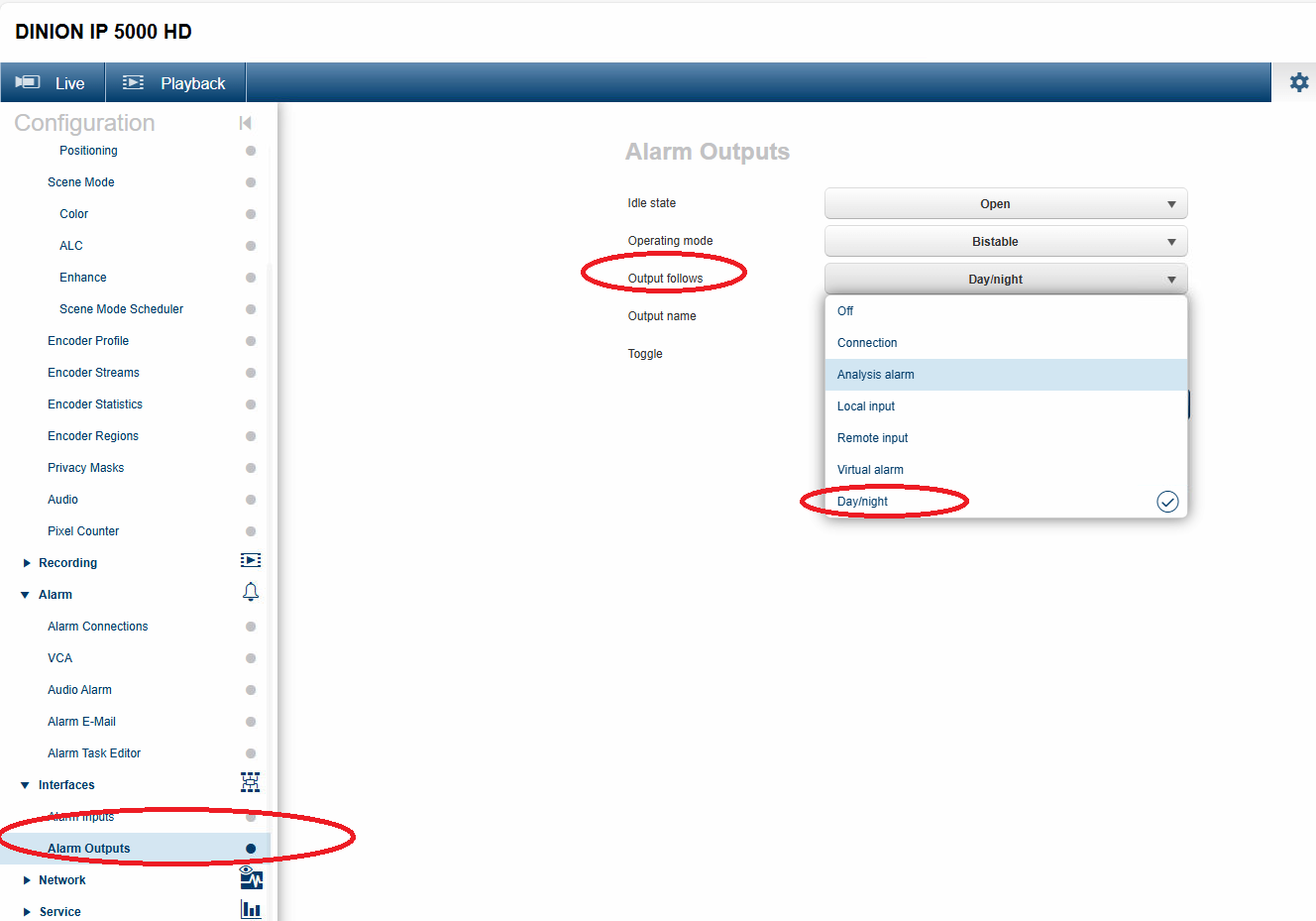
Configure an alarm output on the reference camera so that its output follows the Day/Night state.
-
Use relay events (relay on / relay off) from that camera as triggers.
-
When the relay state changes, call a script that sends the appropriate RCP commands to all other cameras to switch them to Color or Monochrome mode.
This method ensures that all cameras switch together based on real lighting conditions, even in mixed-light environments, without relying on fixed schedules.
Both approaches allow centralized control of day/night switching: the first enforces a fixed mode instantly, while the second enables synchronized switching driven by one camera’s real-time conditions.