
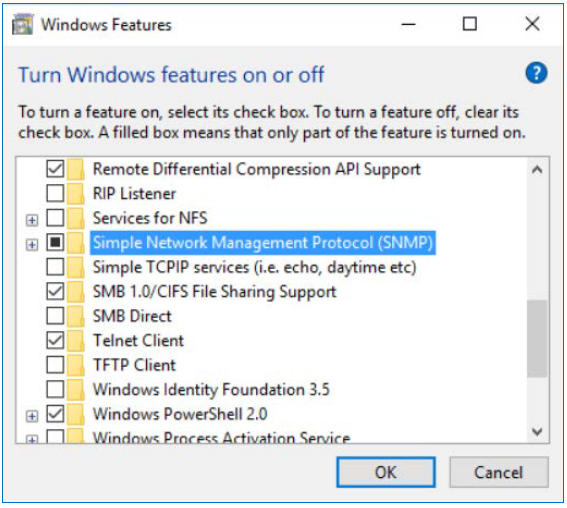
Before configuring SNMP alarms in BVMS, make sure that SNMP protocol support is enabled on the server.
During the BVMS software installation, you will have the option to enable SNMP protocol support.
If this option was not enabled during the initial installation, you can enable it manually in Windows Features, as shown in the image below.
Step-by-step guide
To add an SNMP alarm in BVMS, follow the steps below:
-
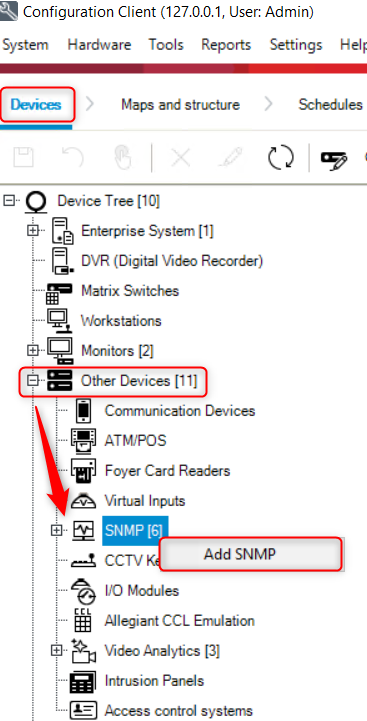
Open Configuration Client and click on the Devices page.
-
In the device tree, expand Other Devices.
-
Right-click on SNMP and select Add SNMP.
-
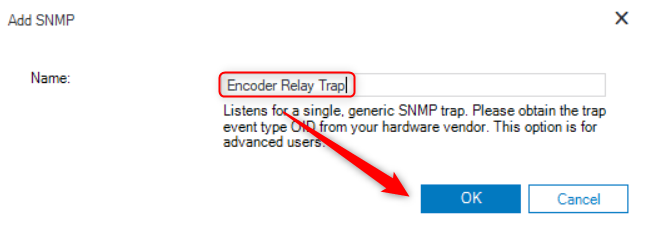
The Add SNMP dialog box will appear. Enter a name for the alarm, then click OK.
-
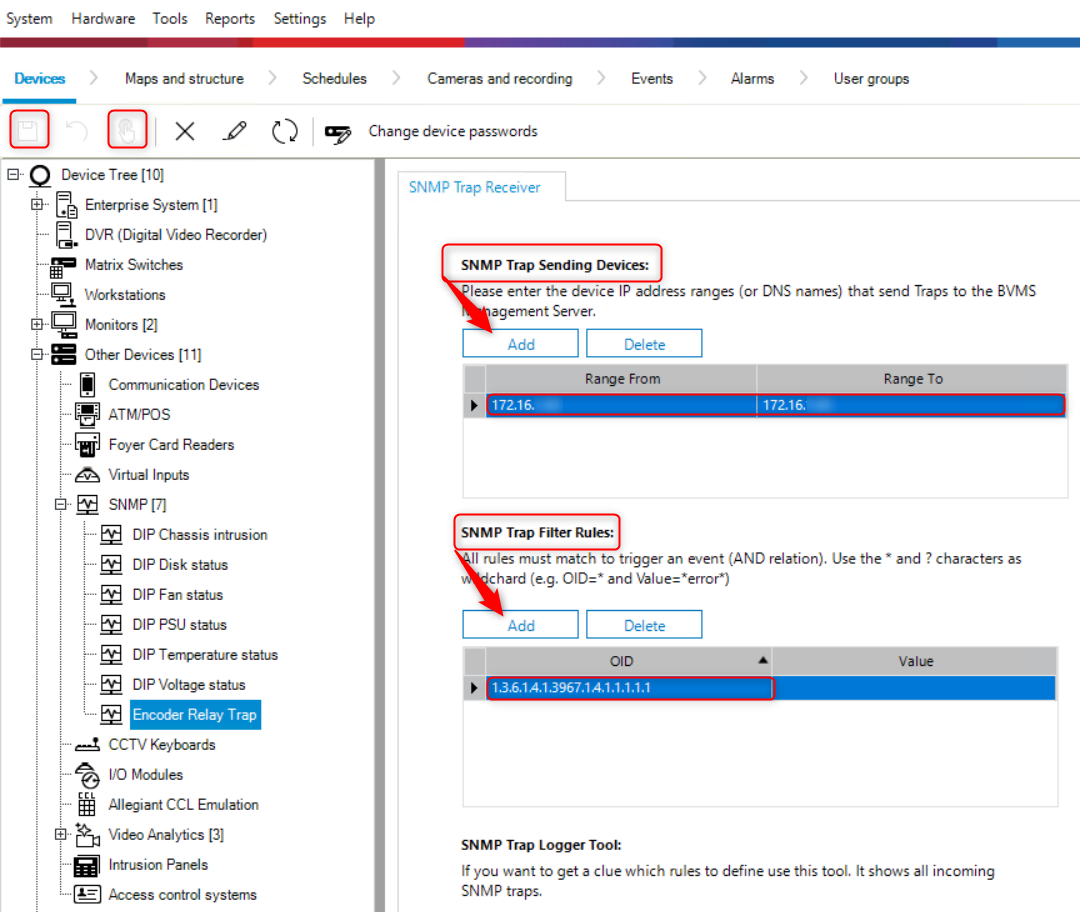
Select the SNMP alarm you just created.
-
Under SNMP Trap Sending Devices section, click the Add button
-
Enter the IP address range of the devices authorized to send alarms to the management server. As an example, use the IP address of your camera.
-
Under SNMP Trap Filter Rules section, click the Add button. To monitor the relay status, enter the following values: OID = 1.3.6.1.4.1.3967.1.4.1.1.1.1.1 / Value = * 1 = closed; 0 = open
-
For an overview of available SNMP traps, including OID, trap level, description, and values, refer to the BVMS - SNMP documentation document within this article.
-
Click the Save icon.
-
Navigate to Events → Network Devices → expand SNMP Receiver, then select SNMP Trap Received
-
Configure the event as desired
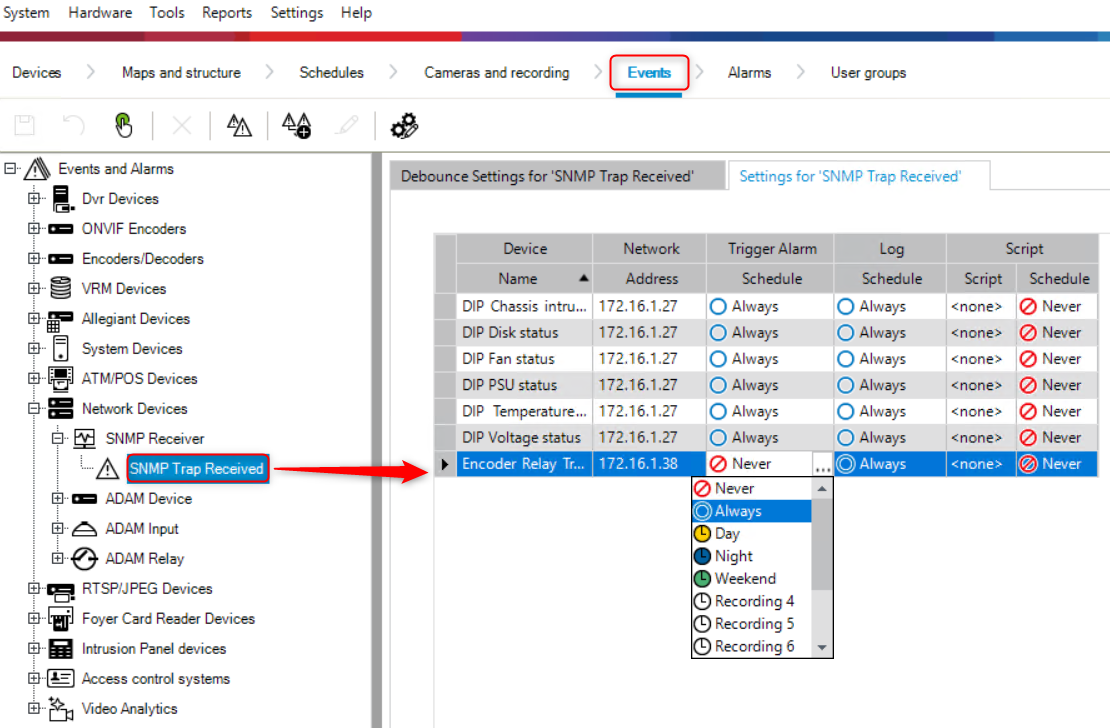
-
Click Save, then click the Activate icon.
-
Finally, go to Alarms and check whether the alarm appears in the list.
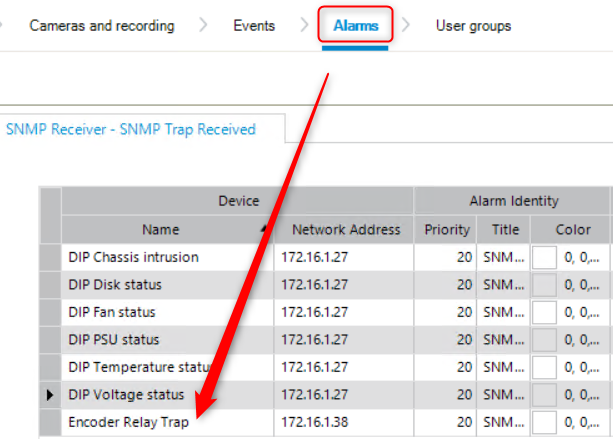
Additional information:
BVMS includes a configurable SNMP server that allows monitoring of all devices within your system.
The Trap Logger tool, included free of charge with the BVMS Client Configuration, allows you to verify, for testing purposes, whether SNMP traps from configured devices are correctly received by the Management Server.
The MIB file is located at: <installation_directory>\Bosch\VMS\bin\BVMS.mib
SNMPv1 and SNMPv2 are not fully compatible. Therefore, it is recommended not to use them simultaneously.
