
What to do when there are Thermal shutter issues and horizontal stream duplication on CPP7 cameras?
Question
What to do when there are Thermal shutter issues and horizontal stream duplication on CPP7 cameras?
Answer
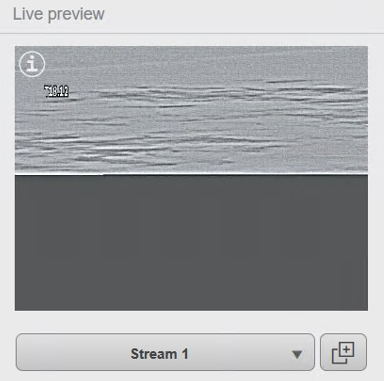
Some DINION IP Thermal 8000i CPP7 cameras (model NHT-8001-F65VF) may exhibit symptoms related to a thermal shutter malfunction. Affected units can display:
Thermal shutter irregularities
Horizontal image duplication, where the video stream appears doubled across the frame
Temporary recovery only after a hard power cycle, with the issue returning later
Even when using the diagnostic script described in the Knowledge Base article “MIC 9000i – How to Identify Thermal-Shutter Symptoms”, the issue may reappear after some time.
To address the behavior, the following steps are recommended:
Install an older firmware version
Use the following firmware or an earlier version:
CPP7_H.264_7.89.0030.fw
(Download available from: https://downloadstore.keenfinity-group.com/FILES/CPP7_H.264_7.89.0030.fw)
Perform a Factory Reset After Firmware Installation
A factory reset must be completed after loading the older firmware.
Without this step, the updated configuration will not fully take effect, and the issue may persist.Reconfigure settings after the reset, as all parameters will revert to default.
Expected Result
After applying an older firmware version and performing a full factory reset, affected cameras should return to normal operation without recurring shutter issues or duplicated streams.