Intro
This is a small instruction how to update the DICENTIS wireless.
All settings and license will not be affected from the update and can be used like before again.
Software update
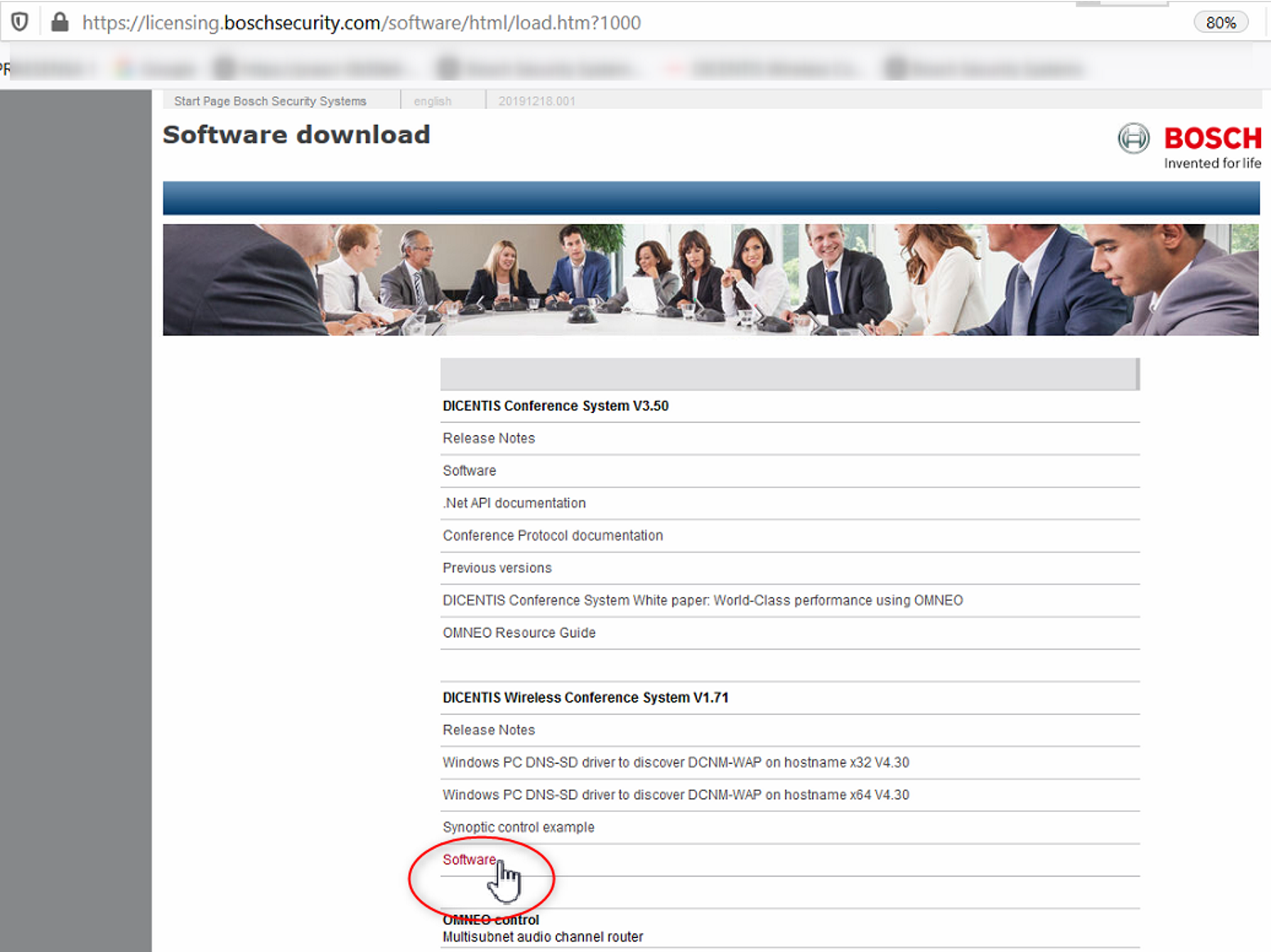
First download the newest Software from the link below.
https://software-download.keenfinity-group.com/conference/default.aspx
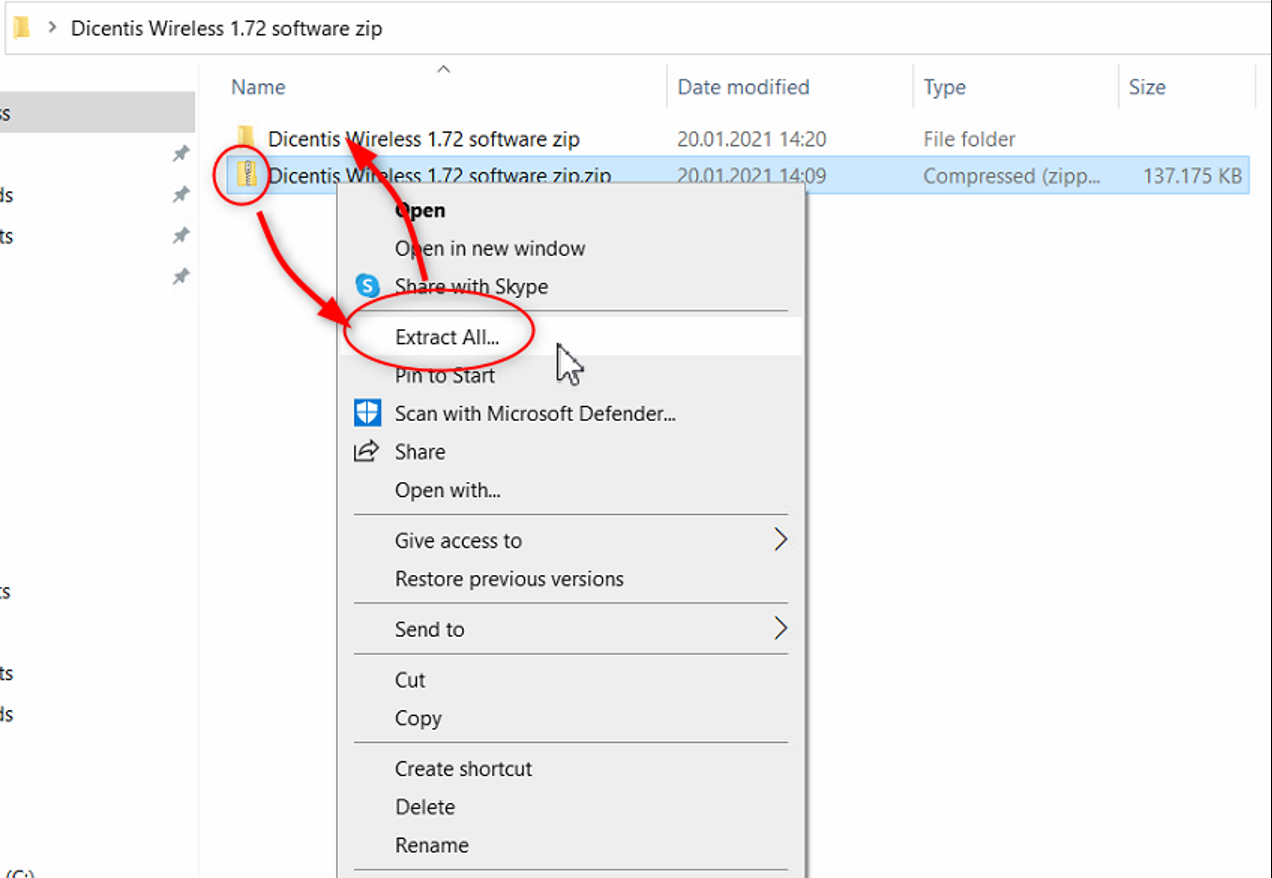
Extract the zip file.
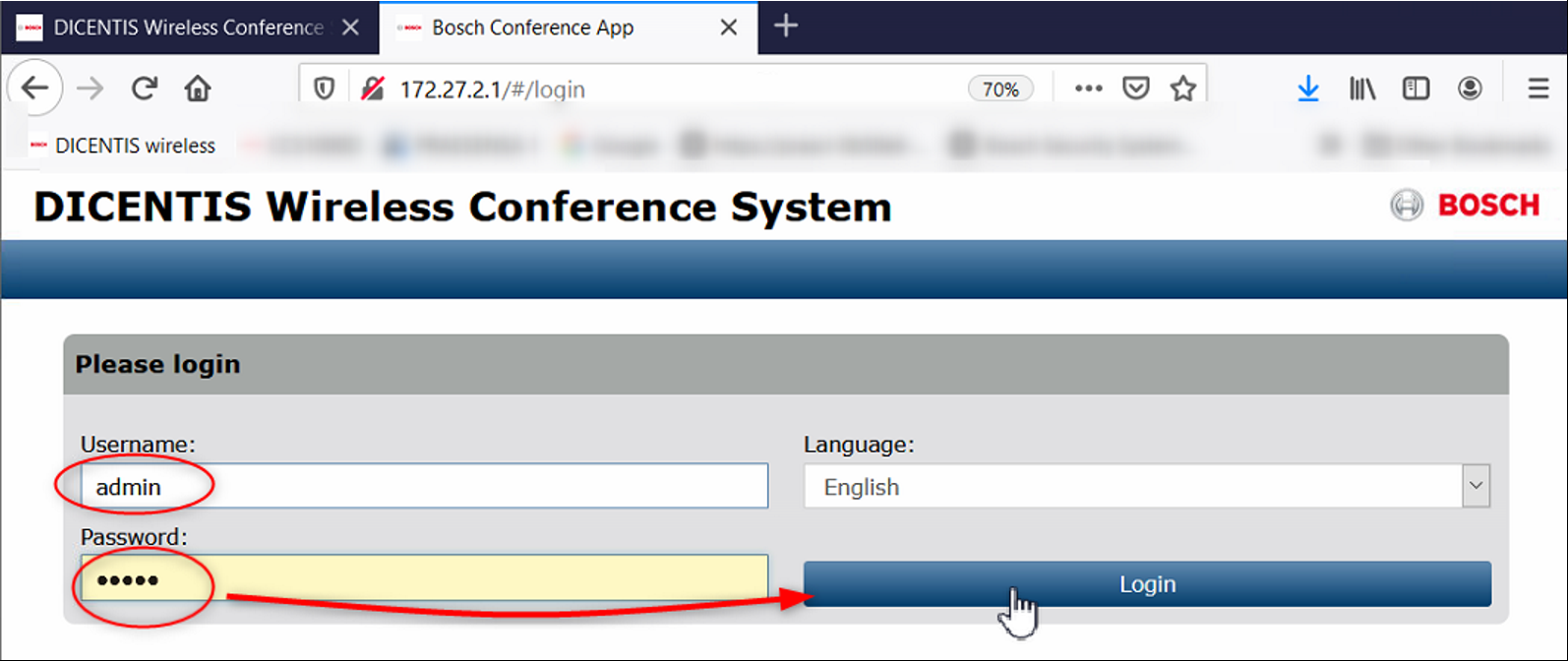
Power up the whole system and login into your DICENTIS wireless. You also have to press once the talk button of the DCNM-WDx to activate it or add them to your system via System setting under Seats. (see manual for that)
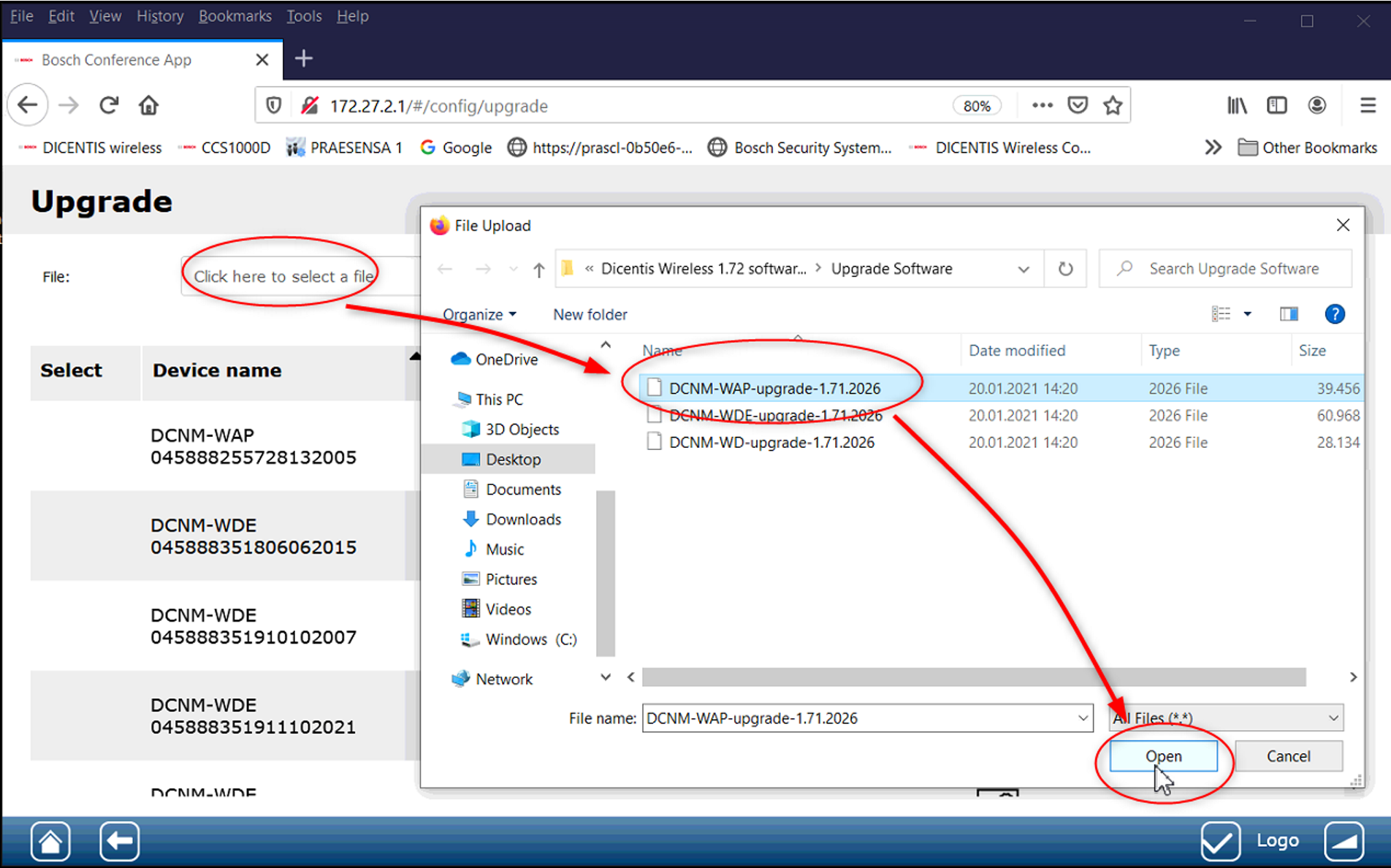
Power up as well the discussion units. You also have to press once the talk button of the DCNM-WDx to activate them or add the units first to your system via System setting under Seats. (Please see manual for that)
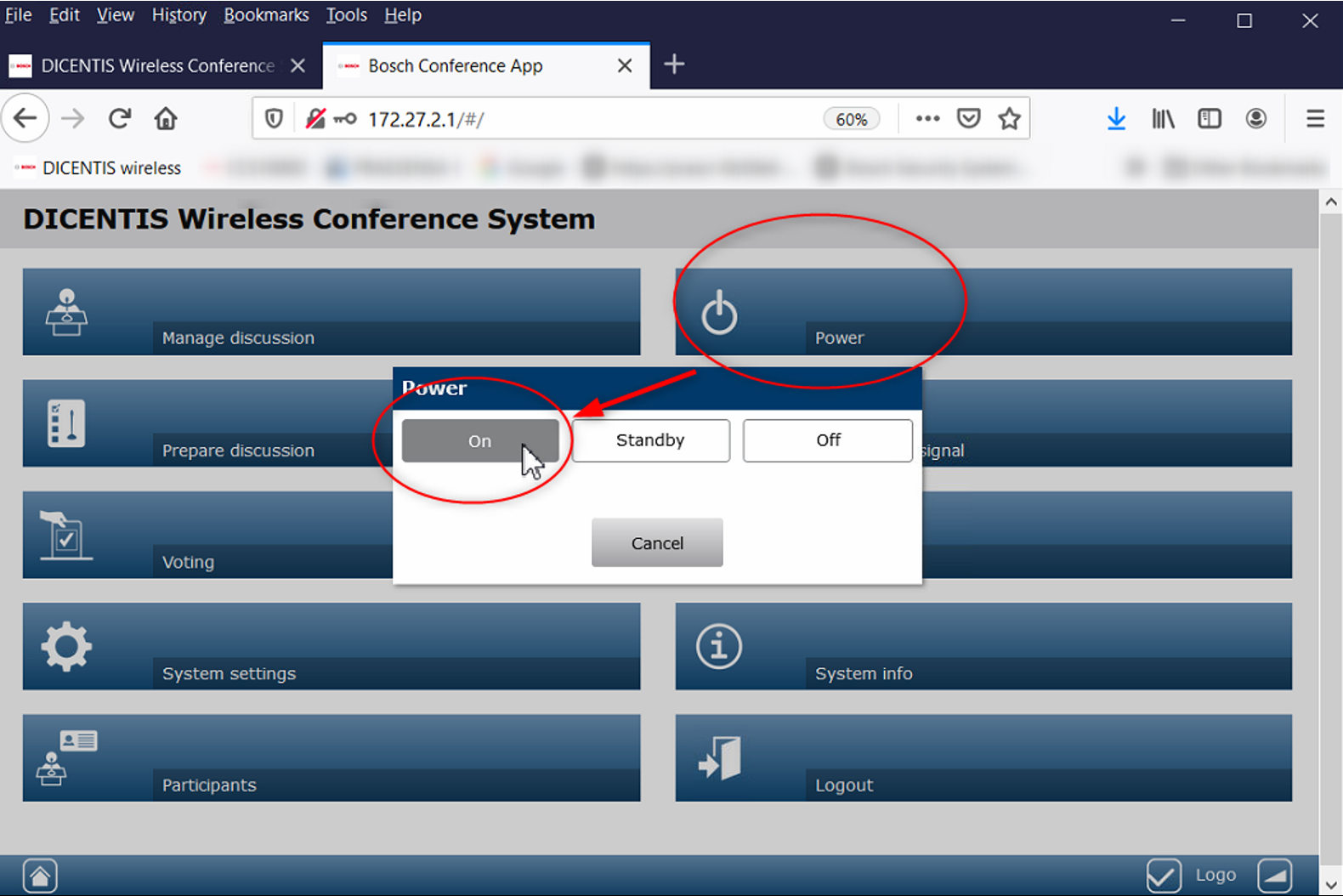
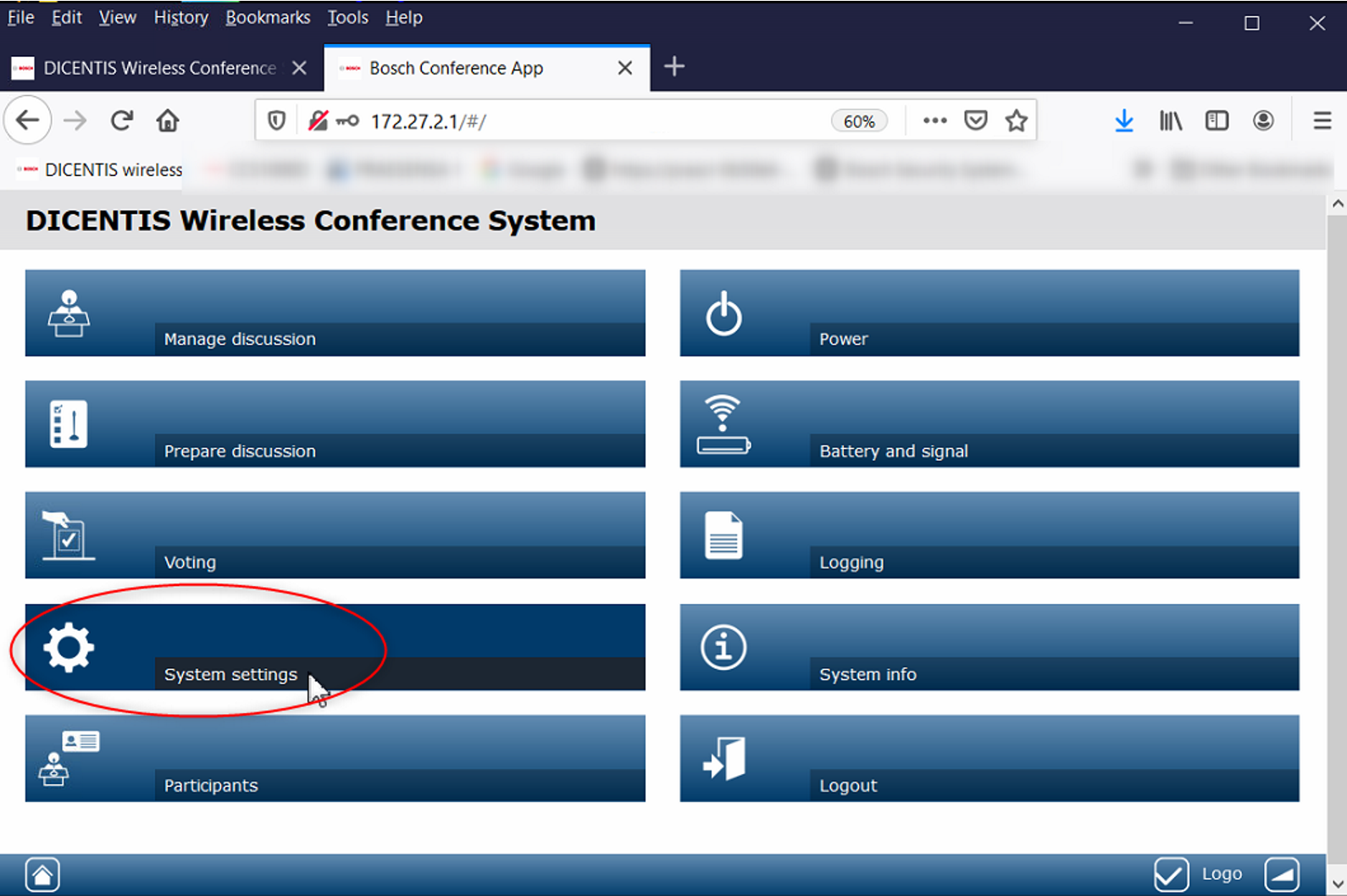
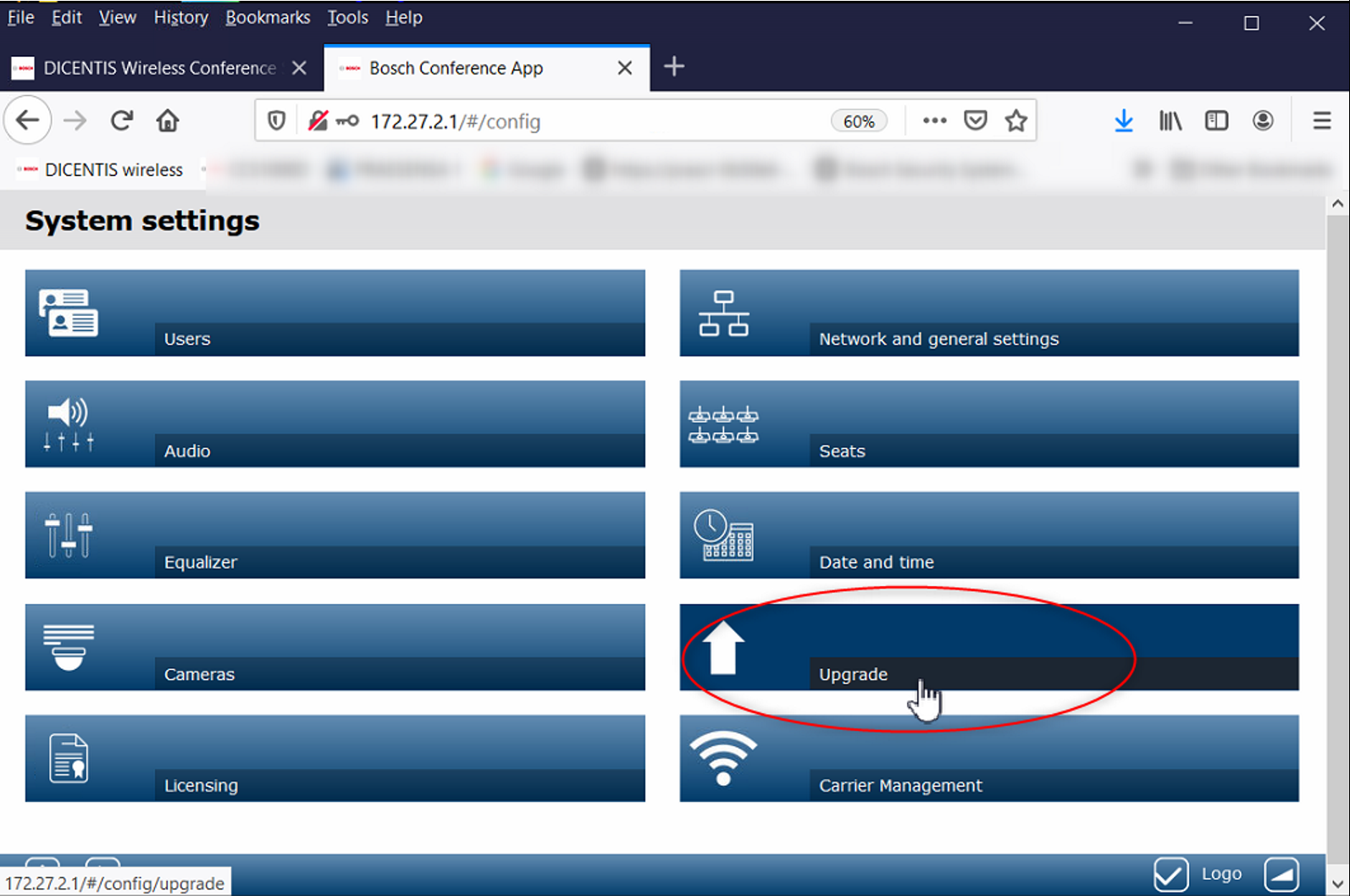
Always start upgrade with DCNM-WD and DCNM-WDE units and the last step should be to upgrade the DCNM-WAP. Different versions between the devices can lead to a misbehavior.
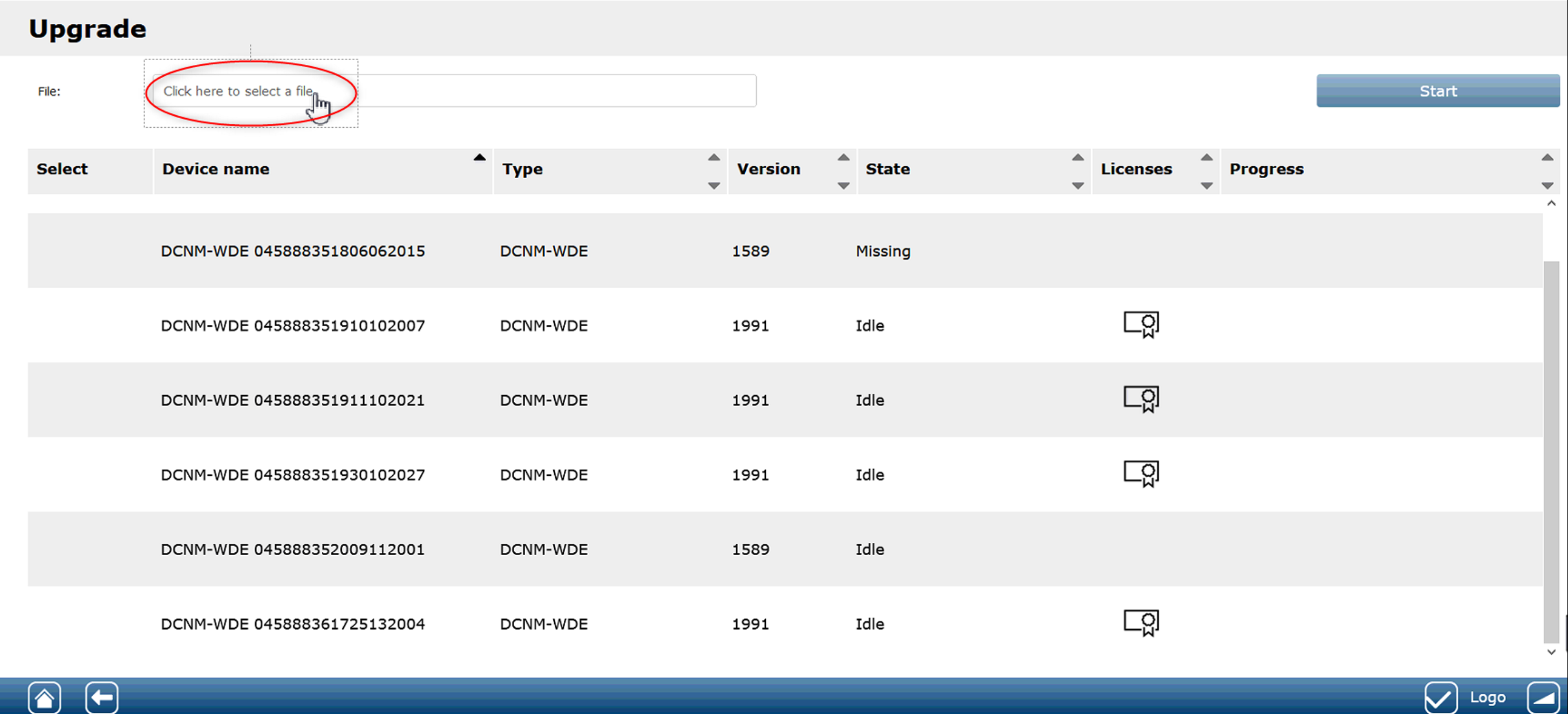
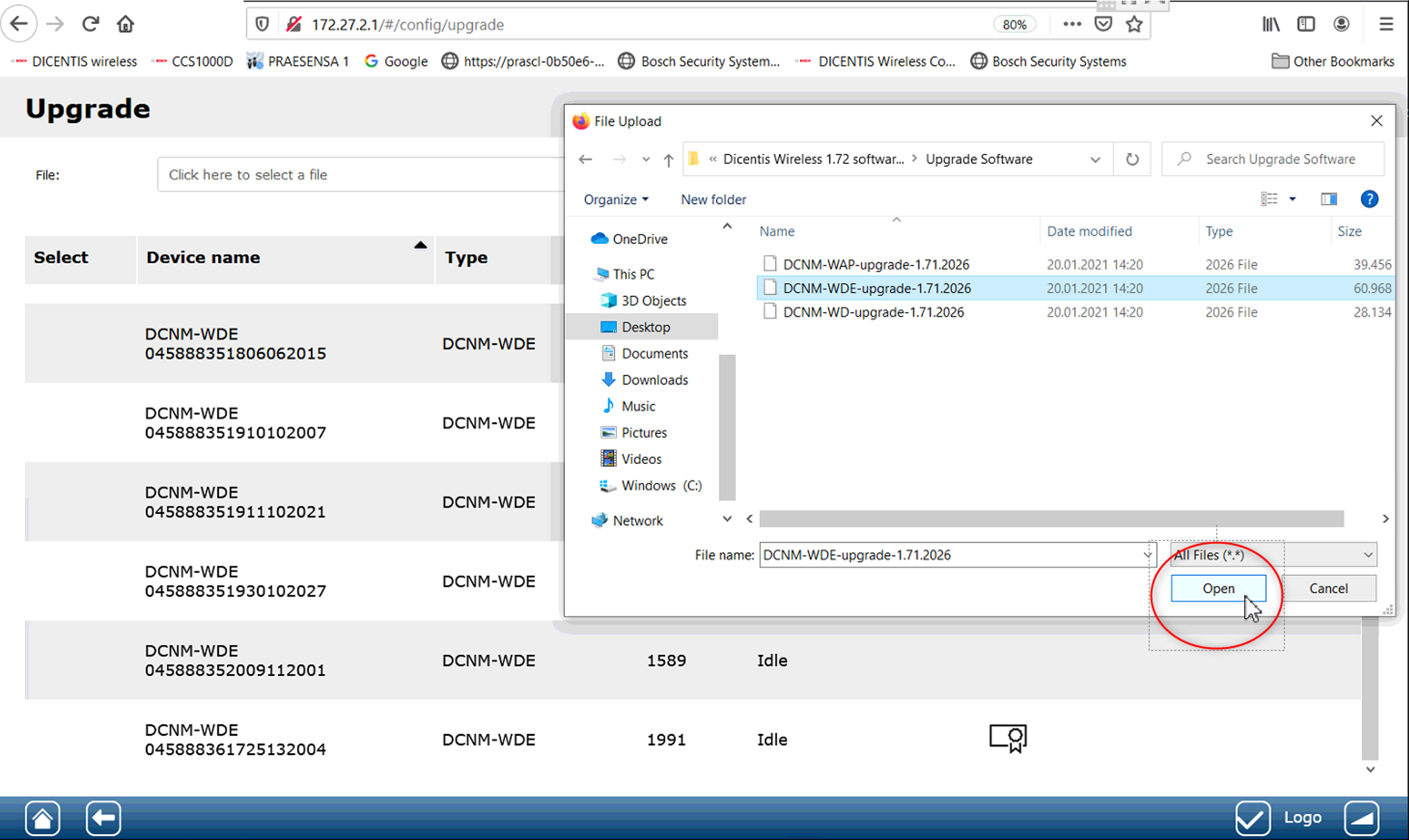
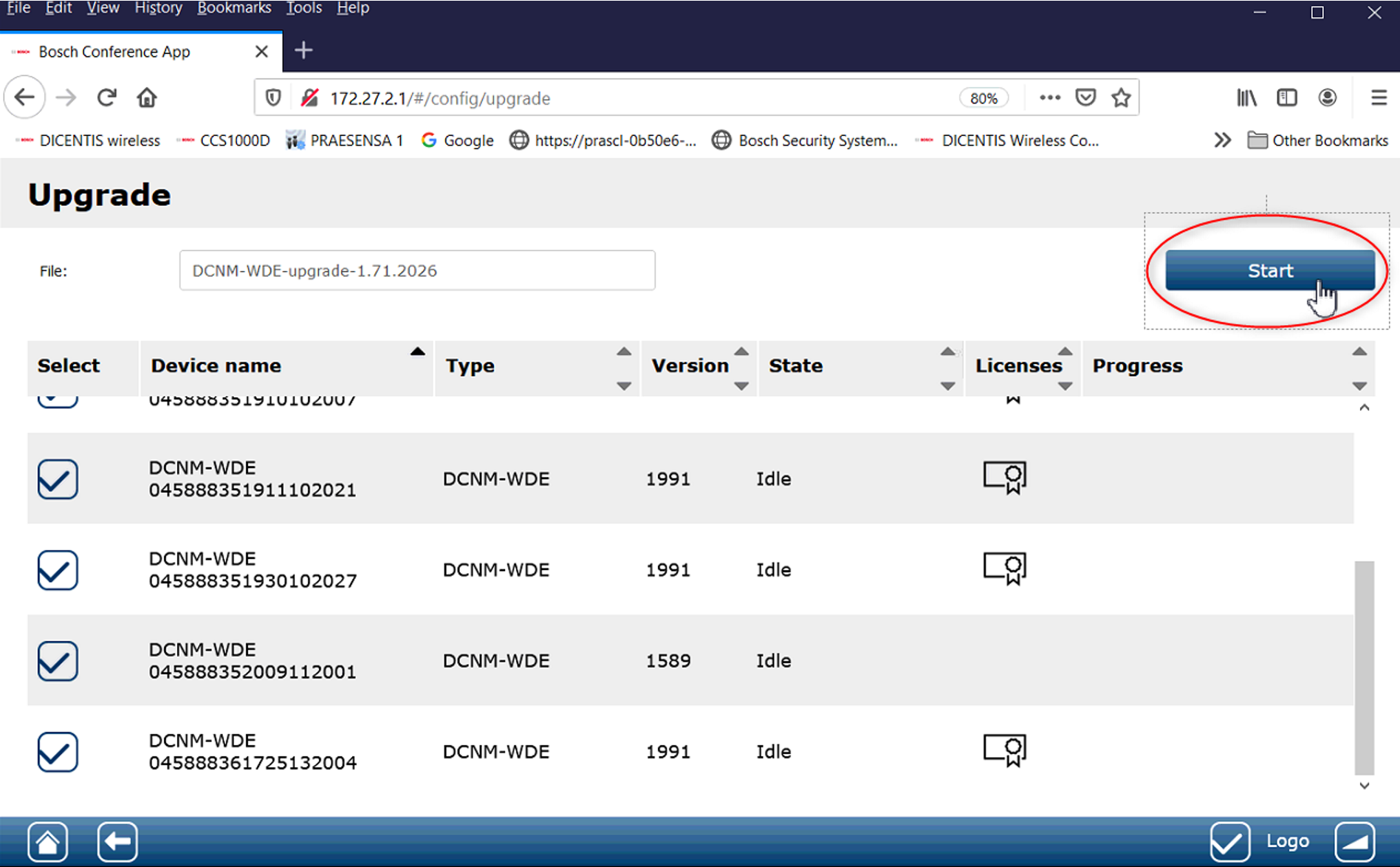
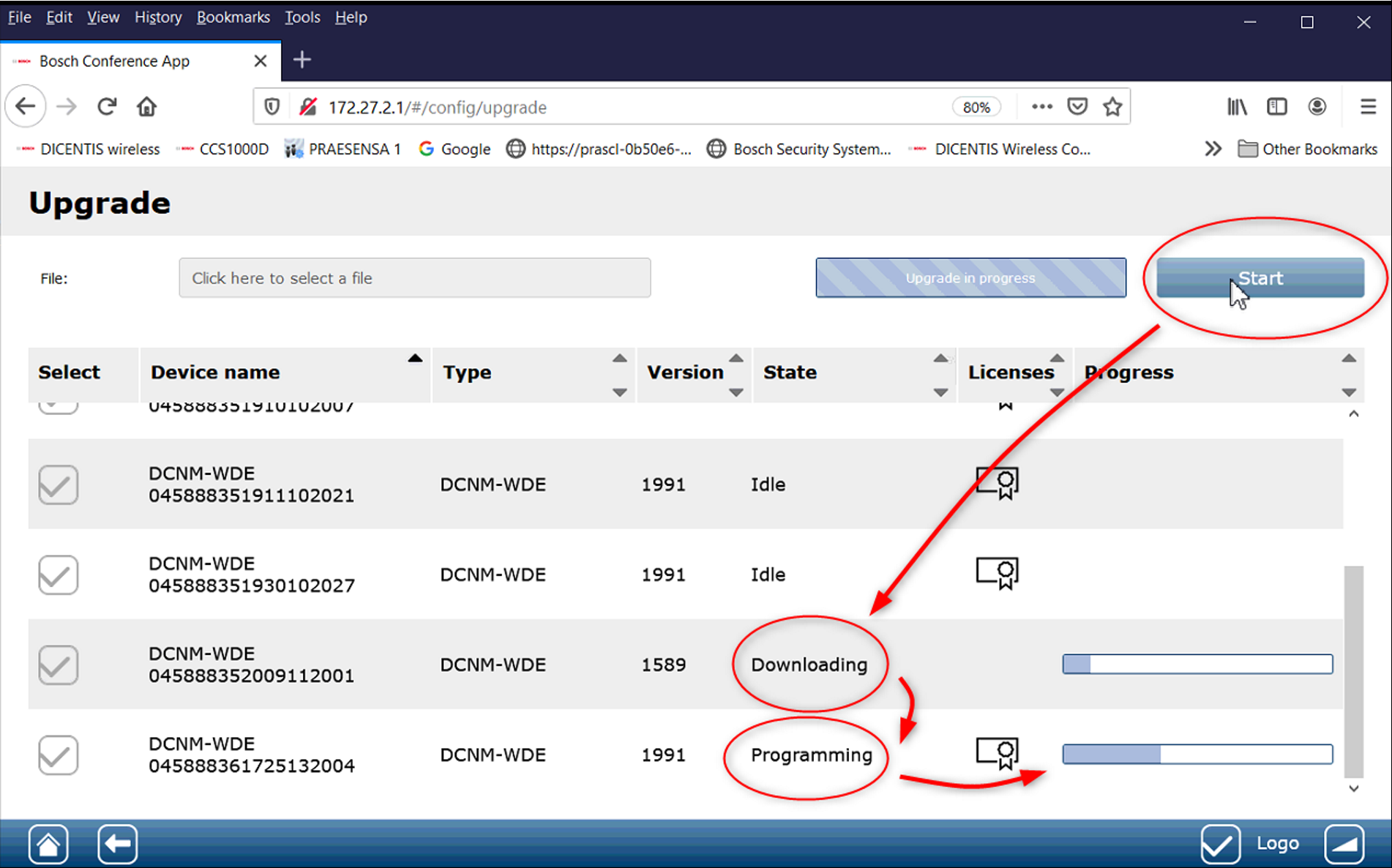
The last step is to update the DCNM-WAP. Please select the correct update file and press "Start" like before with the DCNM-WDE units. The install and reboot process of the WAP will need around 5 minutes.
Reconnect manually your Wi-Fi to WAP and login again after that time.