Description:
If accidentally a wrong country code is chosen during setup, there is no other way to change it in except for re-doing the setup, which in effect erases all prior changes made to the configuration.
This article describes a way to set the country code without having to re-run the setup completely.
Solution:
There is a way to make changes to the country setting after the fact by using the system’s RESTful API.
In order to do this, a REST Client is required. There are many freeware choices, usually the easiest is to choose a browser app, like for instance Postman for Chrome which was used for this document.
The REST code is as follows:
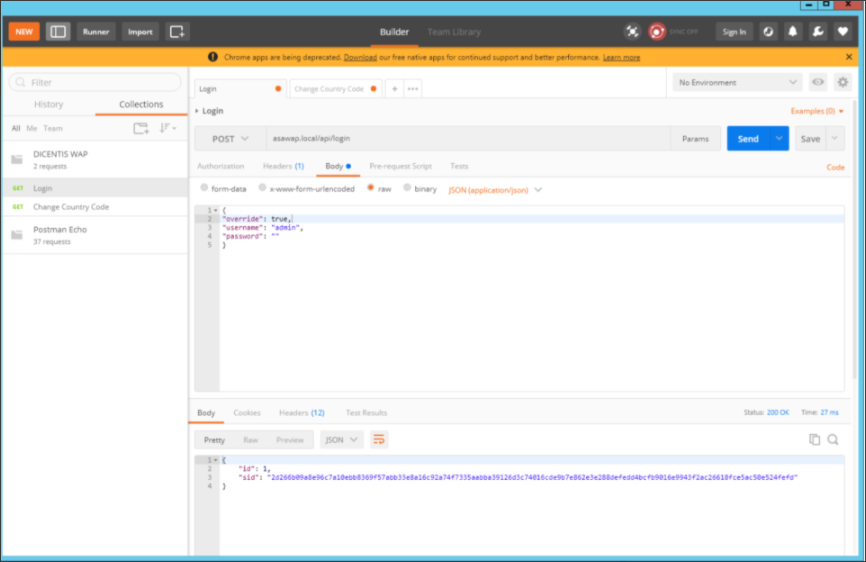
First log in:
POST [waphostname]/api/login { "override": true, "username": "[username]", "password": "[password]" }
then change the country code:
PUT [waphostname]/api/country { "country": "GB" }
For further country codes, check the following websites: https://countrycode.org/
To make these changes using Postman, follow the following steps: