How to configure Access via PIN code alone AMS 3.0


  • Step 1: Create your door model and select ¨wiegand reader, keyboard¨
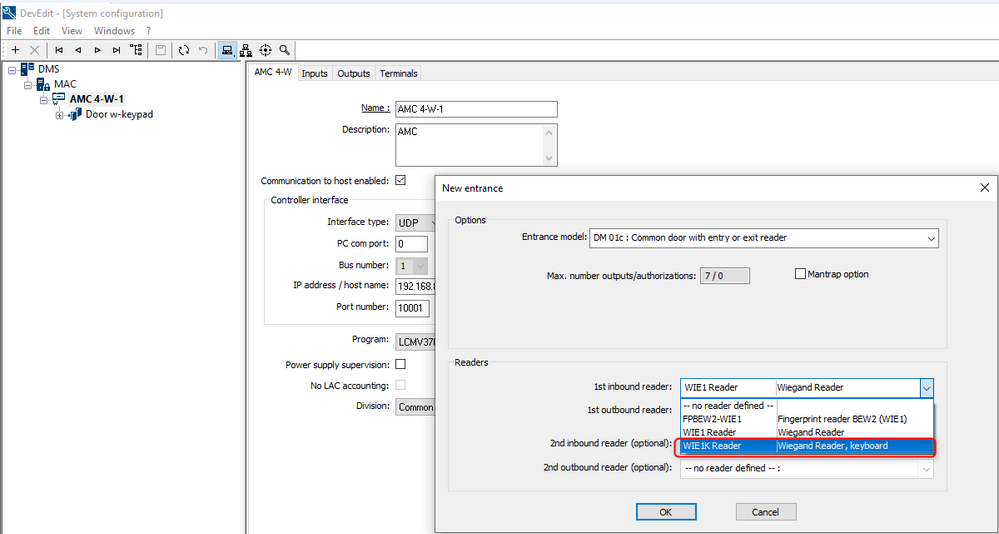
https://community.boschsecurity.com/t5/image/serverpage/image-id/5427iA8FB1C9162D9EE60/image-size/large?v=v2&px=999


  • In case that the door was created previously without keyboard, it can be modified under the reader settings select type and select WIE1K reader
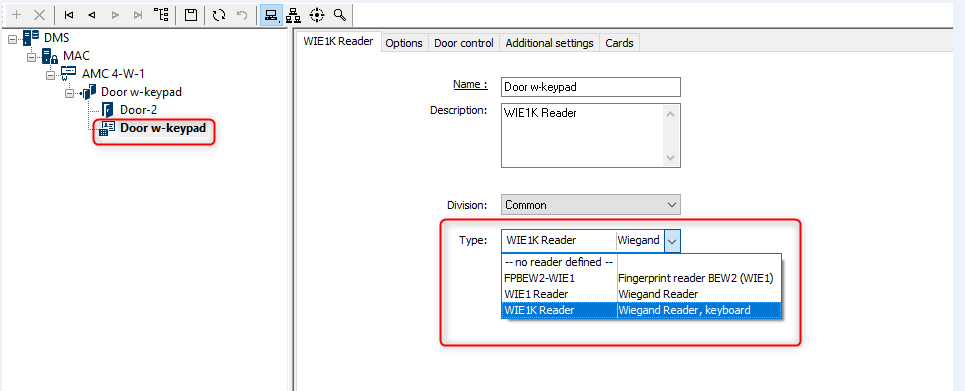
  https://community.boschsecurity.com/t5/image/serverpage/image-id/5428i954F1C0CDCCB5F69/image-size/large?v=v2&px=999

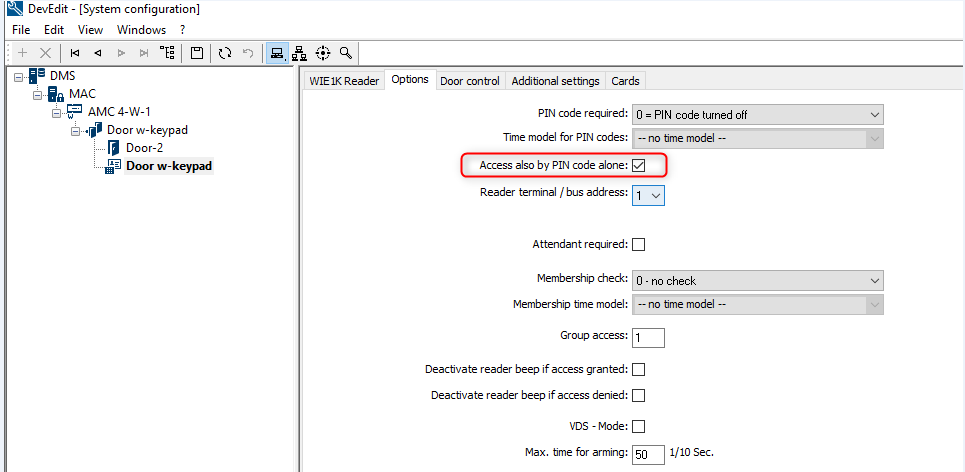
  • Step 2: Under options enable ¨access also by PIN code alone¨
https://community.boschsecurity.com/t5/image/serverpage/image-id/5429i2914673751436BEA/image-size/large?v=v2&px=999


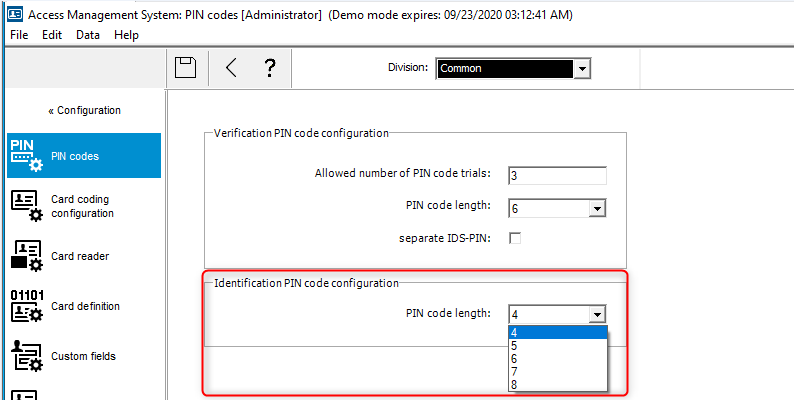
  • Step3: Go to configuration, Options, PIN codes and select the desired PIN code length
https://community.boschsecurity.com/t5/image/serverpage/image-id/5430iC7C1047A860A62D1/image-size/large?v=v2&px=999


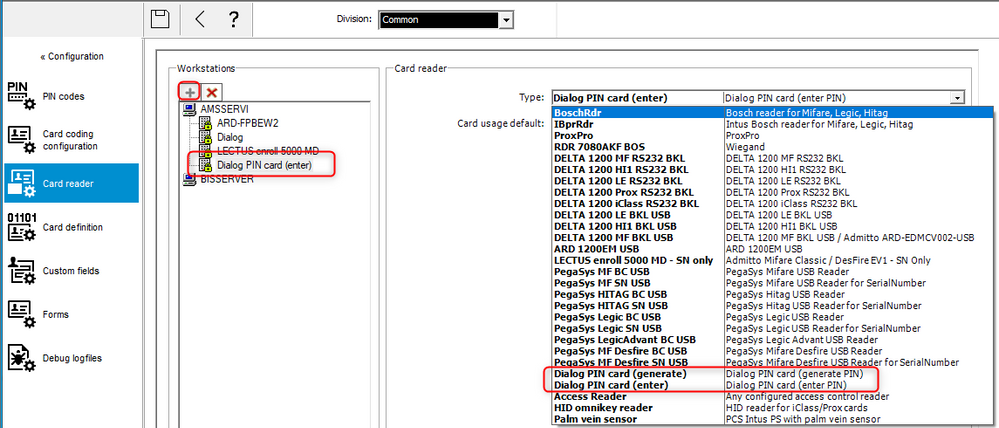
  • Step 4: Go to Card reader and create type Dialog PIN card, two options available ¨Generate PIN¨ (I will generate a random PIN code) or ¨enter PIN¨ (user can enter customized PIN code)
https://community.boschsecurity.com/t5/image/serverpage/image-id/5431iC2A8F49B00B7D907/image-size/large?v=v2&px=999


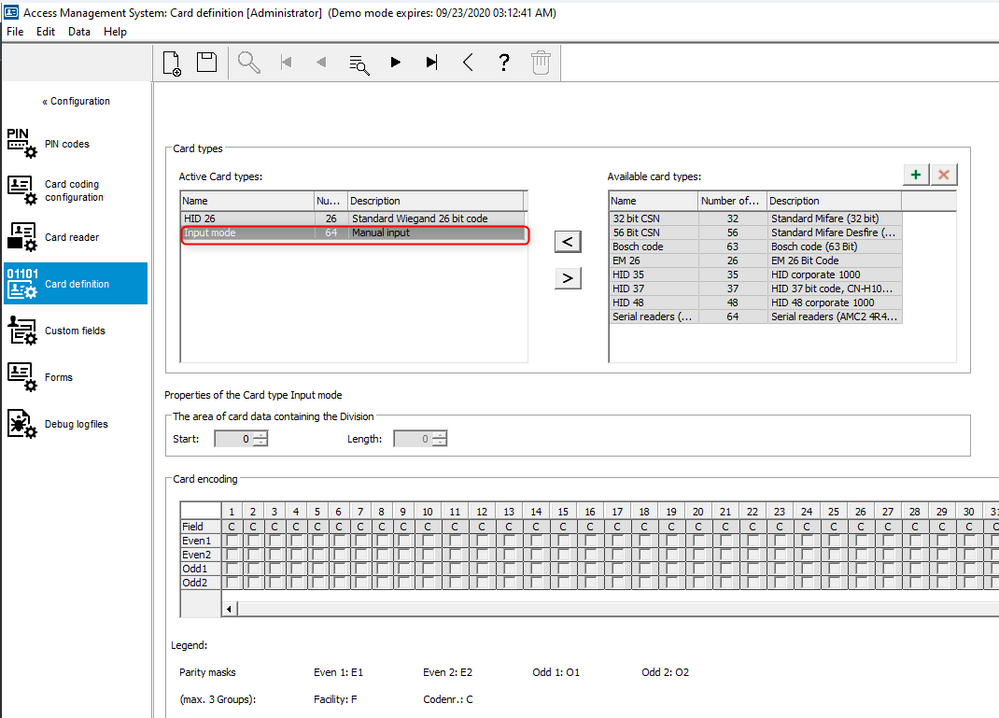
  • Step 5: Go to card definition and enable Input mode
https://community.boschsecurity.com/t5/image/serverpage/image-id/5432i847973C821CD31A3/image-size/large?v=v2&px=999


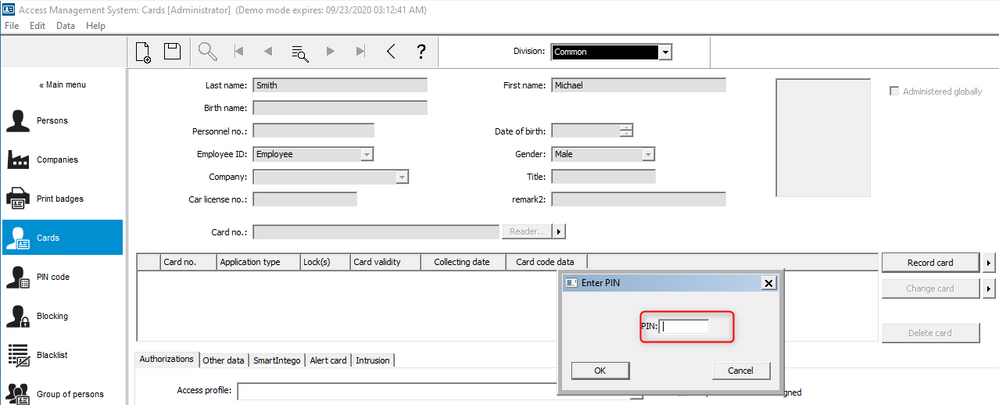
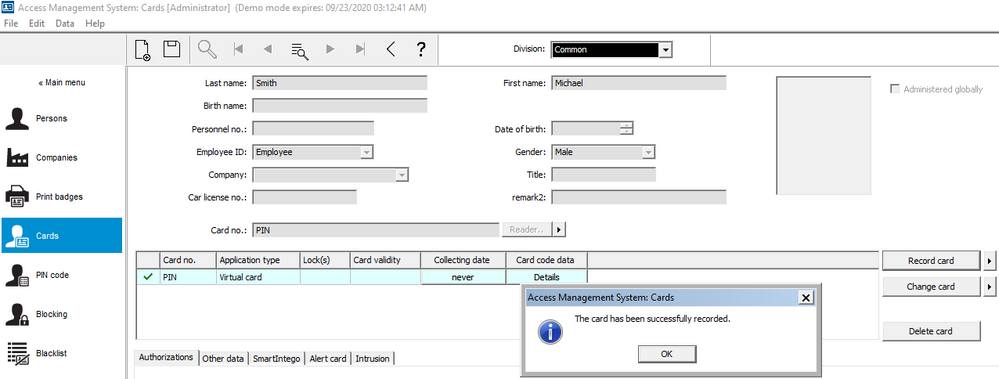
  • Step 6: Go to Personnel data, select Cards, select the right arrow under ¨record card¨ and select ¨Dialog  PIN card¨, enter the PIN code. 
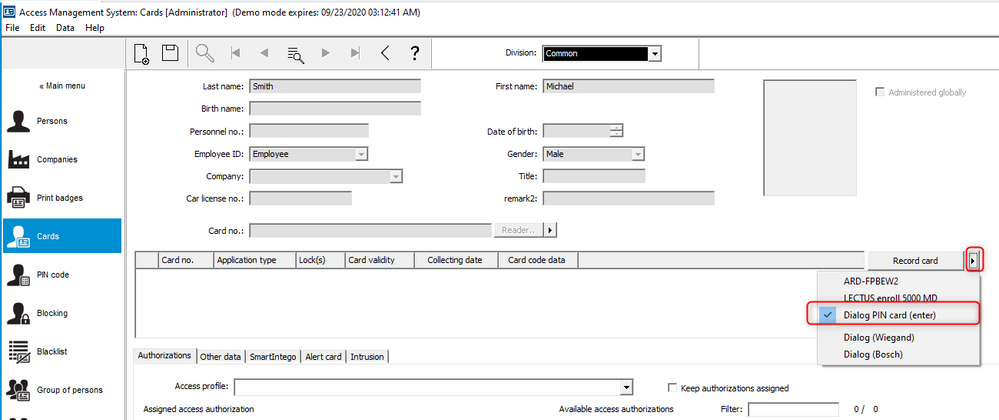
https://community.boschsecurity.com/t5/image/serverpage/image-id/5434iA7A1E9AAB416DE12/image-size/large?v=v2&px=999 https://community.boschsecurity.com/t5/image/serverpage/image-id/5433iEE7411410A426B1B/image-size/large?v=v2&px=999 https://community.boschsecurity.com/t5/image/serverpage/image-id/5435iBEB7E08417D3854F/image-size/large?v=v2&px=999


Notes: 

  1. Visitors are not allowed to use identification PIN codes only verification PIN Code.

  2. Make sure door is assigned to an authorization.

  3. Operation, to access via PIN code: Enter your PIN code followed by #