How to set up Interlock APE
Example Interlock: Door 1 needs to be closed before you can open Door 2.
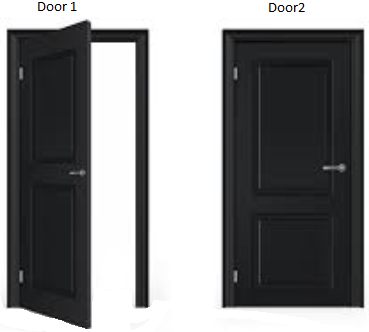
Note: It only works with 2 Doors.
Example of door configuration:
Notice: If only one door is defined as part of a door-complex then the synchronization is not active.
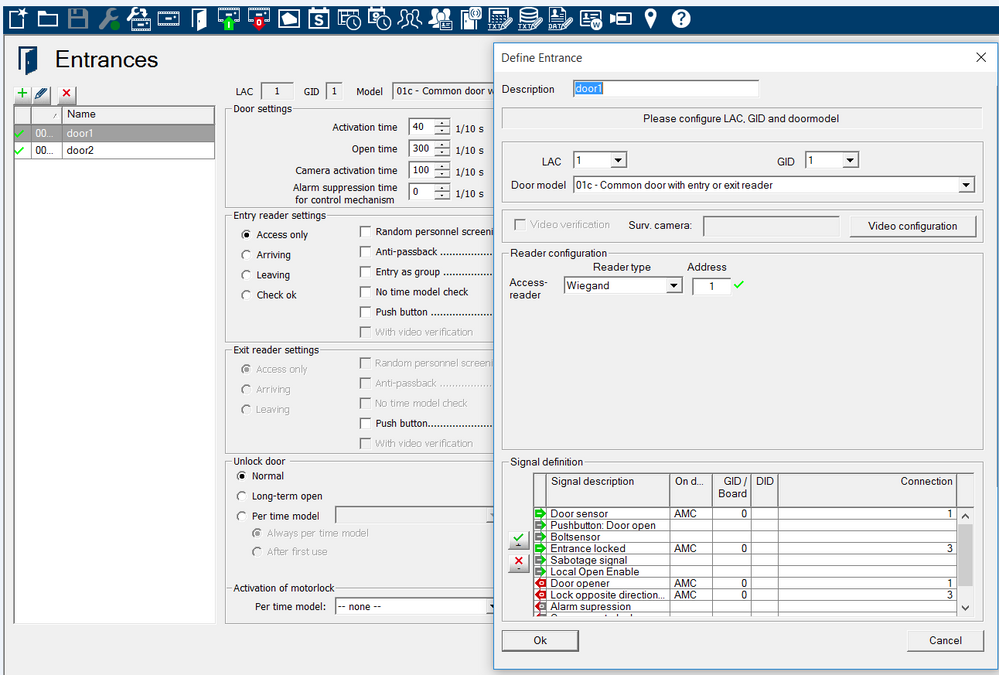
Door #1 configuration:
-
Door #1: Door contact assigned to input#1
-
Output for the maglock assigned to output #1
-
Entrance locked assigned to input #3
-
Input #3 is connected to output #4 (lock opposite direction)
-
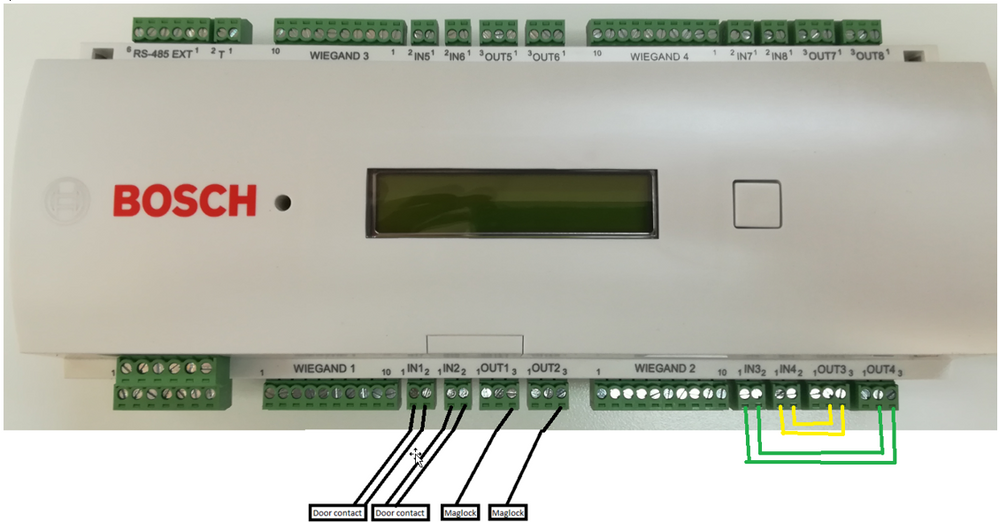
When input #1 is opened, it triggers output #3 that is connected to input #4 and it disables reader at Door#2
The output signal (Out 3) is to be set potential free (dry mode). The signal "door lock of opposite direction" must be closed (resistance=0) when de-energized. Use the "normally closed" (NC) contact of output 3.
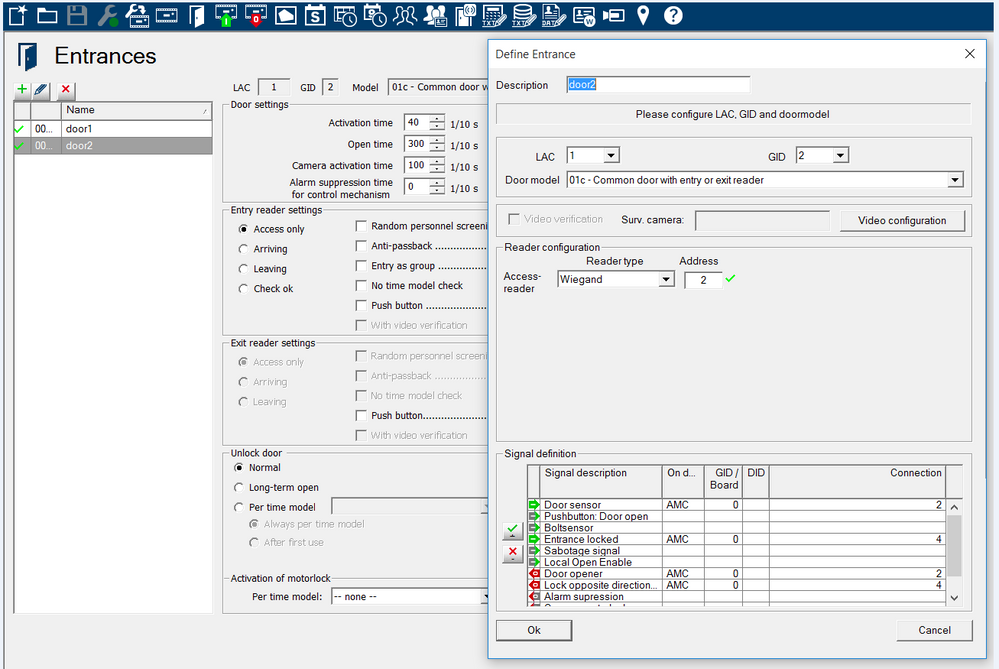
Configuration for Door 2:
-
Door #2: Door contact assigned to input#2
-
Output for the maglock assigned to output #2
-
Entrance locked assigned to input #4
-
Input #4 is connected to output #3 (lock opposite direction)
-
When input #2 is opened, it triggers output #4 that is connected to input #3 and it disables reader at Door#1