This article is a possible fix for the "identity server" error when launching visitor management
Possible causes and solution(s)
-
Causes
One thing that can cause the Identity Server error is the "certificates" not being updated during the installation process. This error can happen on the server or the client.
-
Solution
For a possible resolution to the issue, follow the steps below:
-
On the AMS server navigate to C:\Program Files (x86)\Bosch Sicherheitssysteme\Access Management System\Certificates folder. Right click on the AccessCertificateTool.exe and select "run as administrator".
-
The following should come up:
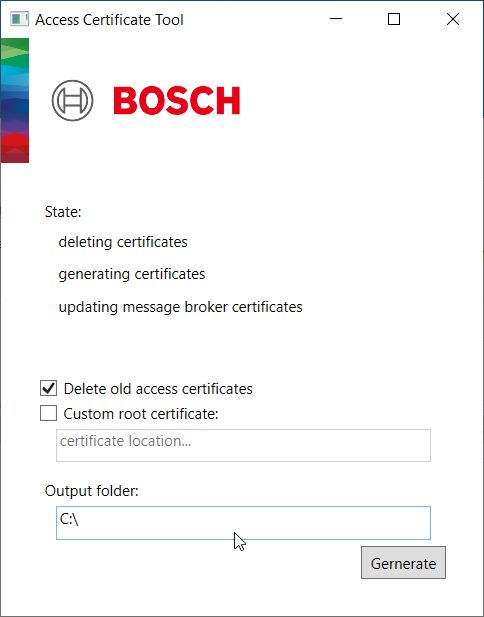
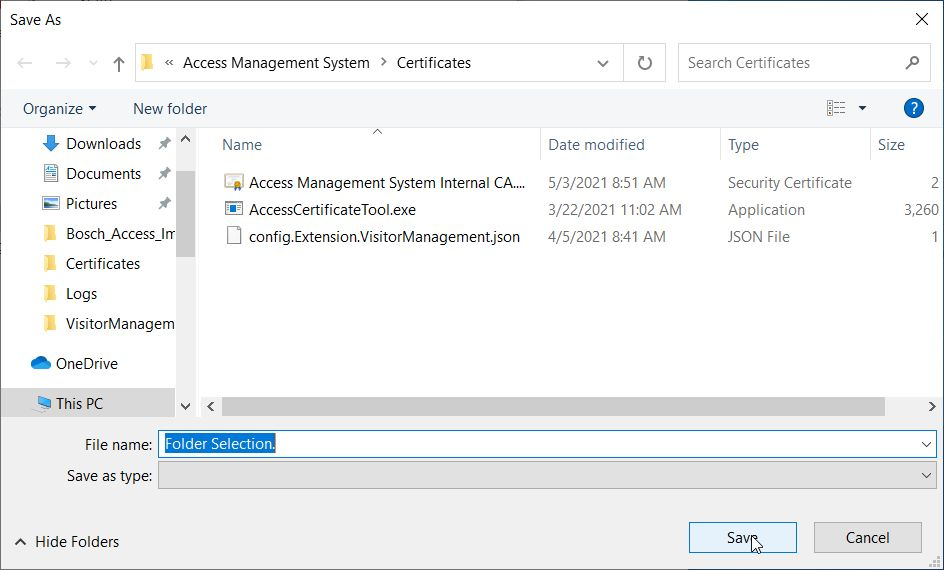
3. Click in the output folder section and another window should come up with "save as" option. Leave everything default and select the save option:
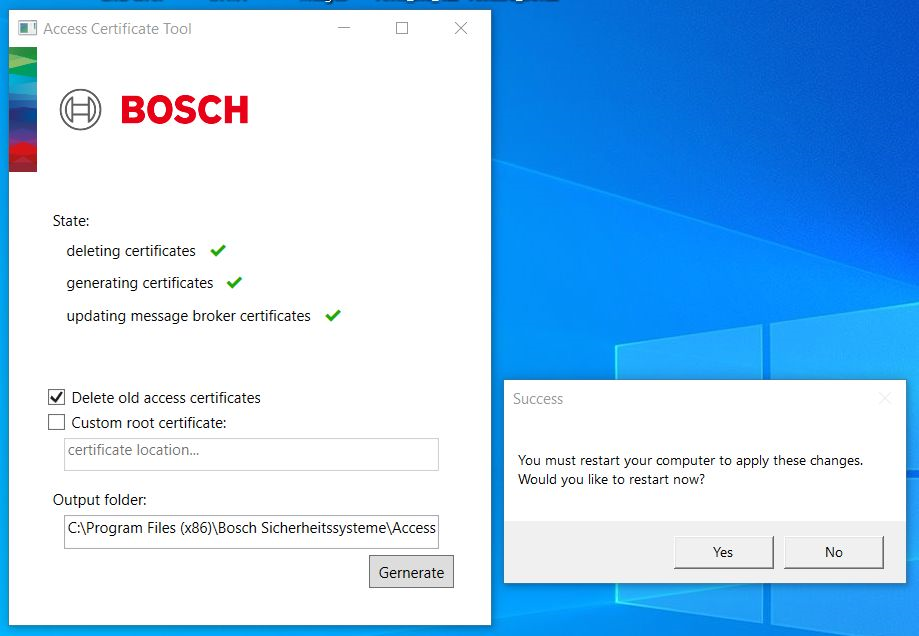
4. Next select the "Generate" option. When it is completed you should see a screen similar to the one below. Select restart and then test visitor management on the server and/or the client again.