
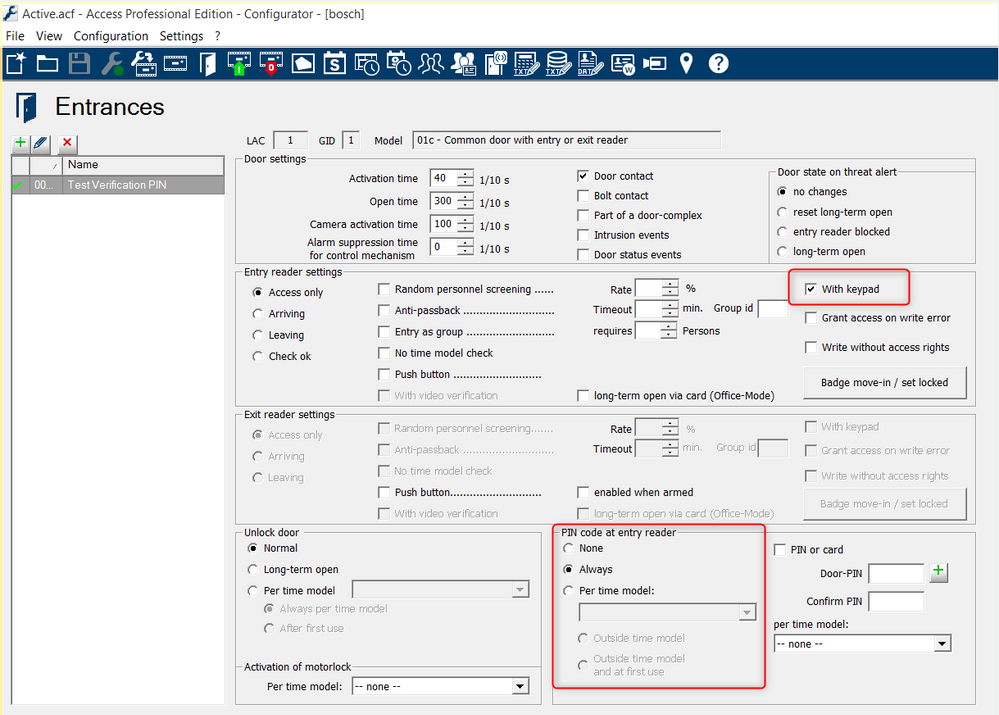
1. Go to entrances and select ¨With keypad¨ option, then select:
-
PIN code at entry reader select ¨Always¨ to enable verification at all times.
-
¨Per time Model¨ if verification is required on a specific time frame, ¨outside time model¨ or ¨outside time model at first use¨ if verification is required outside that time frame.
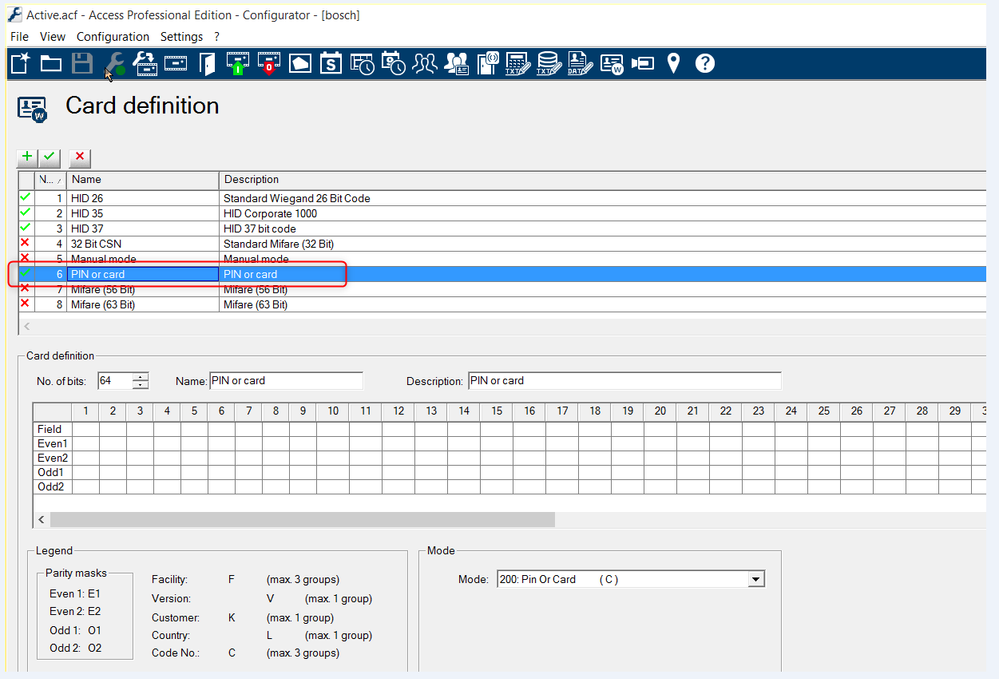
2. Go Configuration / Card definition and enable ¨PIN or Card¨ format.
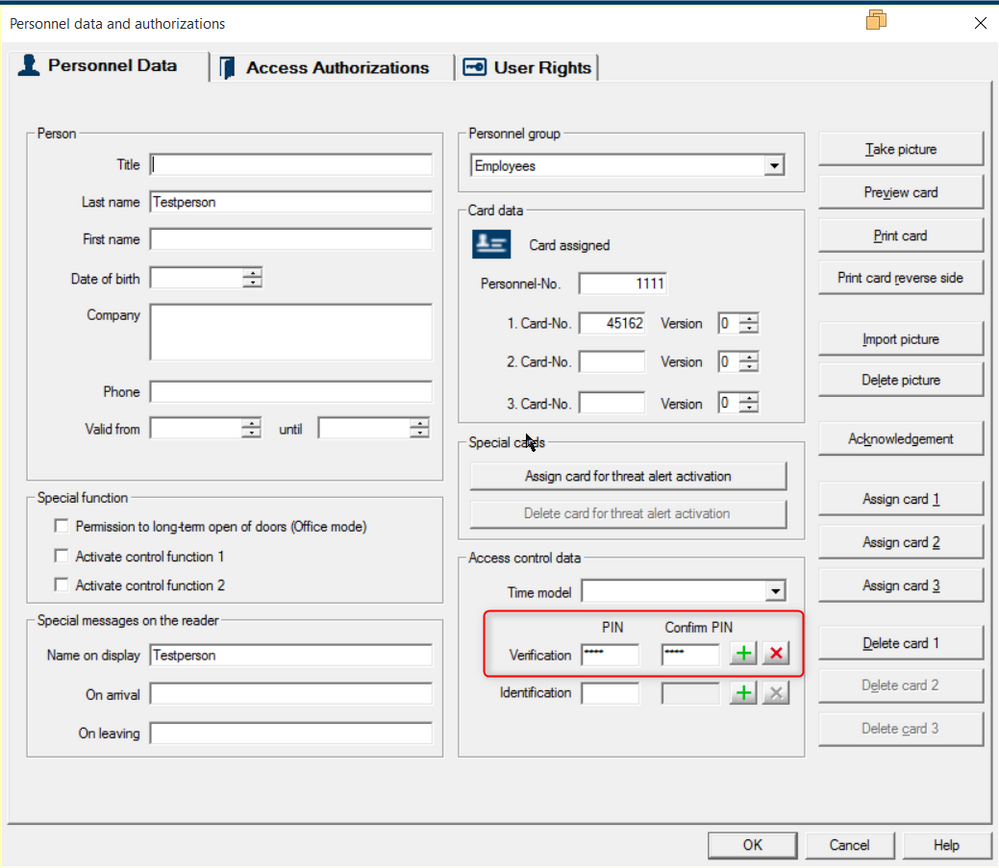
3. Add a verification PIN Code for an specific user under personnel management software.
4. Operation mode present the card and type the PIN code followed by pound (#).