
Possible causes and solution(s)
-
Cause:
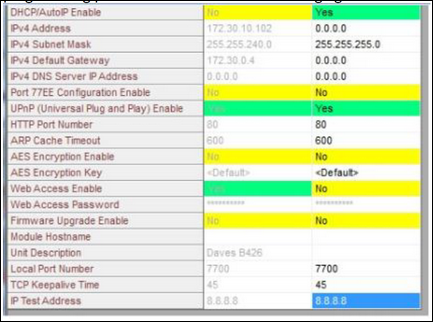
When the B420 or B426 has been programmed through the web interface and the setting; Panel Programming Enable has been set to NO, the B420 or B426 Ethernet Communicator module programming screen will look as displayed below with programming parameters not available for changing.
-
Solution:
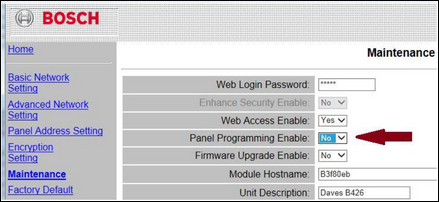
The card will need to be accessed again through the web interface and Panel Programming Enable must be changed to read YES.
Log into the Web-Browser and select Maintenance. Click on the drop-down arrow beside the field; Panel Programming Enable and change it to Yes.
-
When programming the B420 or B426 to be connected to a GV3 or older panel the web interface is used.
-
When programming the B420 or B426 to be connected to a GV4 panel, use keypad programming.