
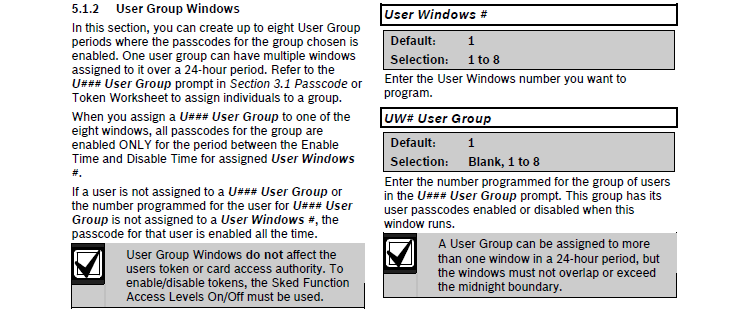
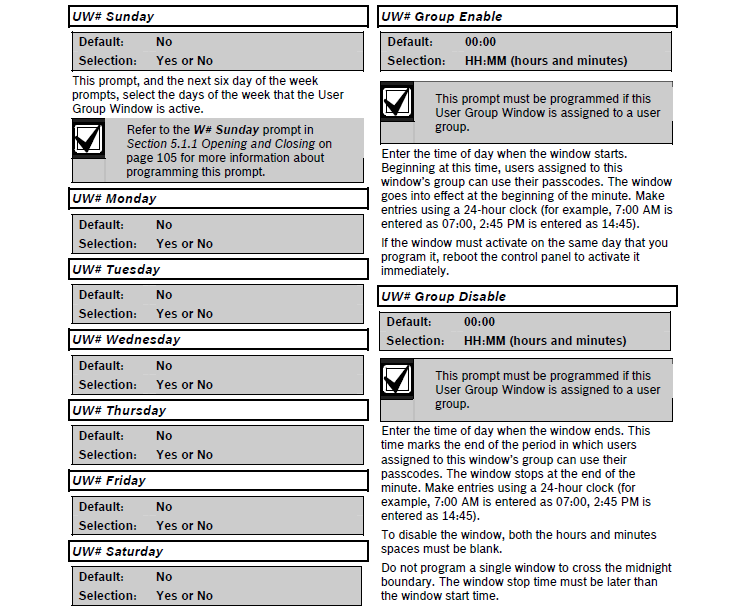
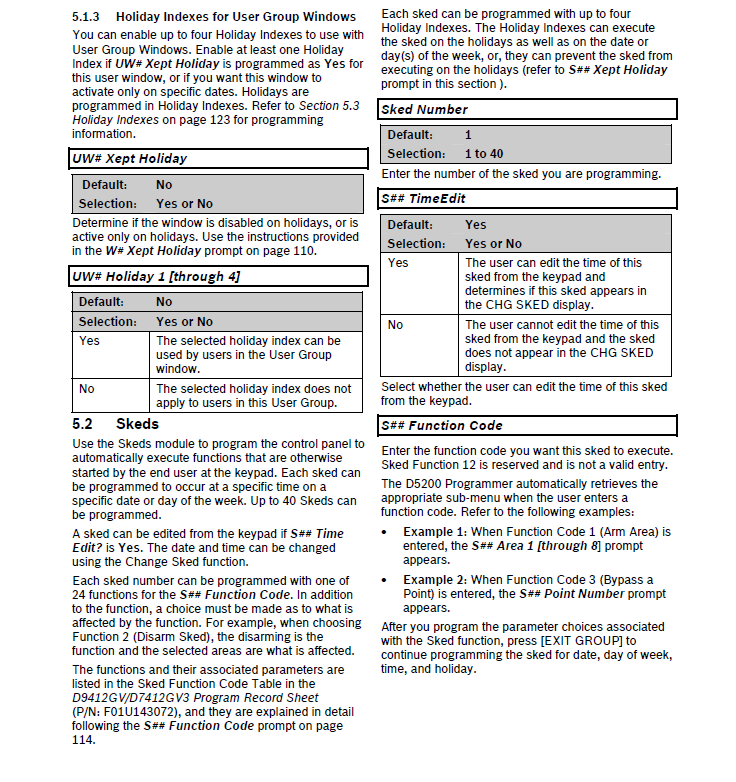
Overview: User Groups are set up to enable/disable passcodes for up to eight time periods throughout the day. In the passcode worksheet a user is assigned a User Group which by default would be set to 0. By default alluser groups are set to be inactive at all times on all days. Should a User have a 'USER GROUP' setting of 1 while the USER GROUP settings found under SCHEDULES was in the default condition, that user would never have authority to perform functions requiring a passcode.
Part numbers D7212, D7412, D9112, D9124, D9412, D7212G, D7412G, D7412G, D9124G, D9412G, D7212GV2, D7412GV2, D7412GV2, D9124GV2, D9412GV2, D7212GV3, D7412GV3,D7412GV3, D9412GV3, D7212GV4, D7412GV4, D7412GV4, D9412GV4, B8512G, B9512G