
-
When Bosch control panels are upgraded either to a larger scale panel (i.e. B5512 to B8512) or to a newer panel type (i.e. D9412G to B9512G) the original program can be still be used by promoting it to the higher type. Once a panel account is promoted it can never be reverted back to the original, therefore a backup copy should be created prior to promoting.
-
Panels can only be promoted to higher type panel and not to a lower type. For example the D9412GV4 could not be converted to D7412GV4.
-
An automatic backup copy of the original account is created by RPS, but only when promoting to either B8512G or B9512G. When promoting the original account to a GV4 or lower account type use the steps below to manually create a back-up copy.
How to manually create a backup copy of a panel account:
1. From the Panel List, select New to create a new panel.
2. Select Existing from the new panel dialogue to create a new panel account from an existing account.
3. Select the existing panel account which will be promoted in a later step and press OK.
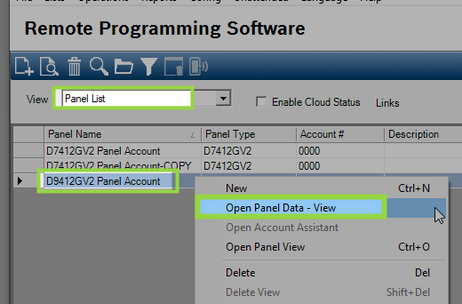
4. Enter a name for the copy of the original panel account and select OK.
Figure 2 Save the copy with a similar name
How to promote the panel account to a higher version:
-
Note 1: RPS creates a backup copy of the original account only when promoting to B8512G or B9512G. Use the steps above to manually create a copy of the original when promoting to GV4 types or lower.
-
Note 2: Older panel account types must be promoted up to a GV2 account type first before they can be promoted to a higher level. This will require performing the promotion steps two times.
1. Right click on the panel to promote from the Panel List and select Open Panel Data – View.
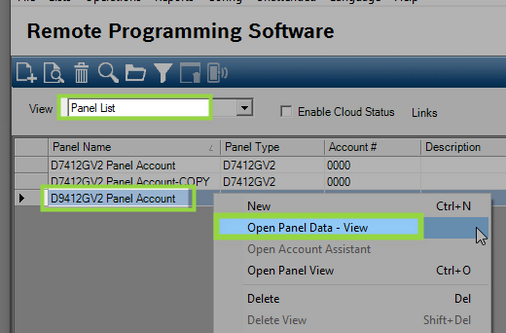
2. The Panel Data – View page opens, select Edit in the lower left corner.
Figure 4 Select panel type to promote the original to
3. Select the account type to promote the original account to and select OK.
4. The Caution in figure 5 displays when promoting to the B8512G or B9512G. The box ‘Create account backup before panel upgrade’ should remain checked.
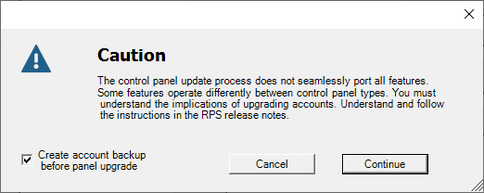
5. Select Continue. The process to promote the account takes about a minute to complete.

6. The promoted panel account is added to the panel list and the process is complete.