
When attempting to generate a panel report in Remote Programming Software the following error message appears;
The type initializer for ‘ChrystalDecisions.Shared.SharedUtils’ threw an exception.
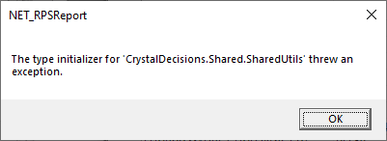
-
This error message has been seen when Crystal Reports was not installed on the PC running RPS.
-
Resolve the issue with the following steps;
-
Verify the PC has the current version of .Net Framework as well as all current Windows updates.
-
Perform a repair of Remote Programming Software.
-
When possible, install Crystal Reports onto the PC.
-
Otherwise, uninstall and reinstall Remote Programming Software (RPS).