
Possible causes and solution(s)
-
Cause:
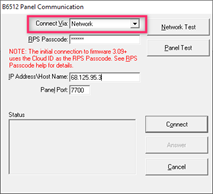
RPS returns the message: Invalid Panel Type when attempting a network connection to a B8512G, B9512G or B-series panel.
-
Solution:
-
The most likely cause is a mismatch between the actual alarm panel type and the type of panel which was selected in the RPS software.
-
If the actual alarm panel type and the panel type selected in RPS are a correct match, check the selection for Answer RPS Over Network? When NO is selected, RPS may return the Invalid Panel Type message as described in figure 1.The Panel Communication dialogue will displayPreparing to connectConnecting to panelRetry 1 of 5Retry 2 of 5Error 5018: Invalid Panel Type
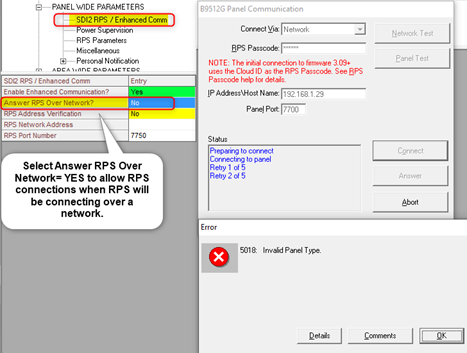
Figure 1 Invalid Panel Type Error message