
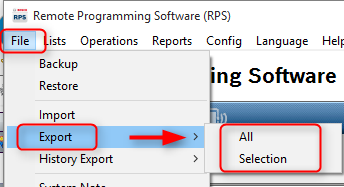
1. Starting from the dropdown menus in RPS:
2. Determine if exporting: All Accounts, or Slected Accounts.
-
All: Exports all accounts.
-
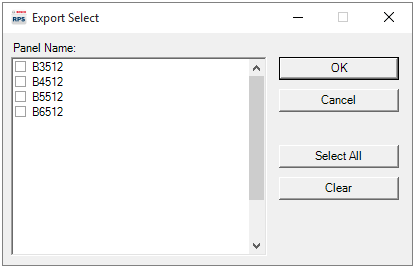
Selection: Exports only the accounts selected in the next view.
3. Place a check in the box beside each panel to be exported and select OK.
4. Browse to a location to save the exported account(s) and click Save.
RPS, RPS Lite, Export, Panel Account