
Step-by-step guide
New behavior
Configuration Manager 7.60 by default will only trust CA signed certificates.
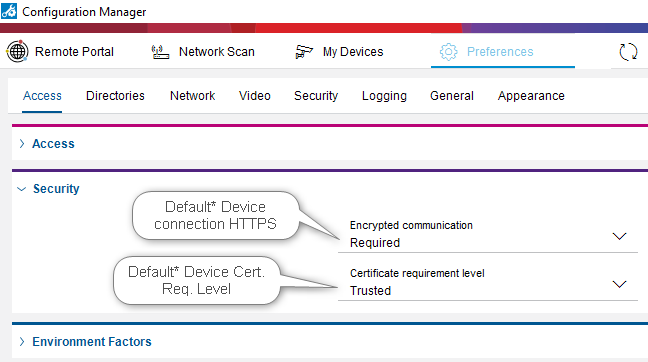
CM has default Access / Security set to:
-
Encrypted Communication: Required = Only HTTPS connects are permitted.
-
Certificate requirement: Trusted = CM 7.60 only trusts CA signed Certificates.
Changing the security requirements will change the behavior of how CM displays the connection/access. You may need to Close the application and reopen to get the new settings to take effect!
All IP Camera's Produced with FW 6.60 or newer since ~2019 come with a factory installed Device Certificate and has HTTPS set for the Usage by default.
-
These devices will automatically be trusted by CFM.
-
The device will be shown with a Green Icon.
See at the bottom for:
-
BVMS dependency
-
DIP dependency
.png?cb=f9ae220a37f89280fdc495ec536e8af8)
Any additional added Certificates must be signed by a CA,
-
CFM offers a feature to use a MicroCA. See: Bosch Camera certificate in Config. Manager & WEB GUI (boschsecurity.com)
.png?cb=1b29335a946c5b9f0a2d9b79c04adcd2)
If Devices are to old to upload certificates or Device does not have a Factory installed Certificate the device will show up in RED color with an Error (pop-up message at the Icon) Remote certificate name mismatch
-
CFM offers the possibility to Add a Session Exception, this will allow continued configuring of the device till the CFM Application is closed.

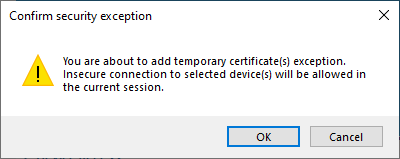
After Confirming the security exception, the icon will change to Orange with an Alert
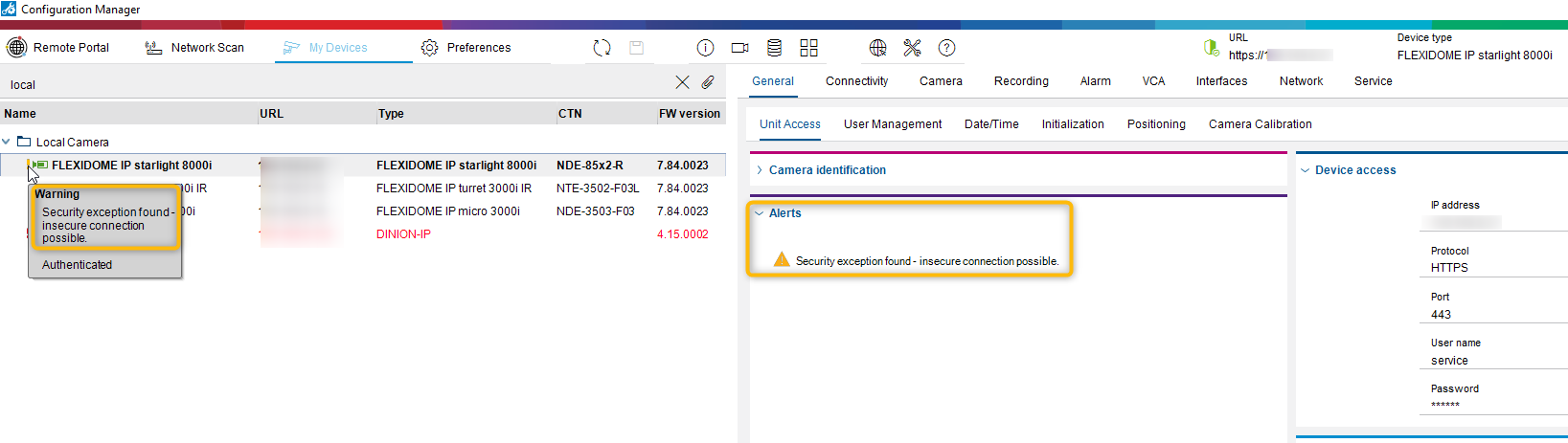
Below you see the device does not have the Factory install Device Certificate.
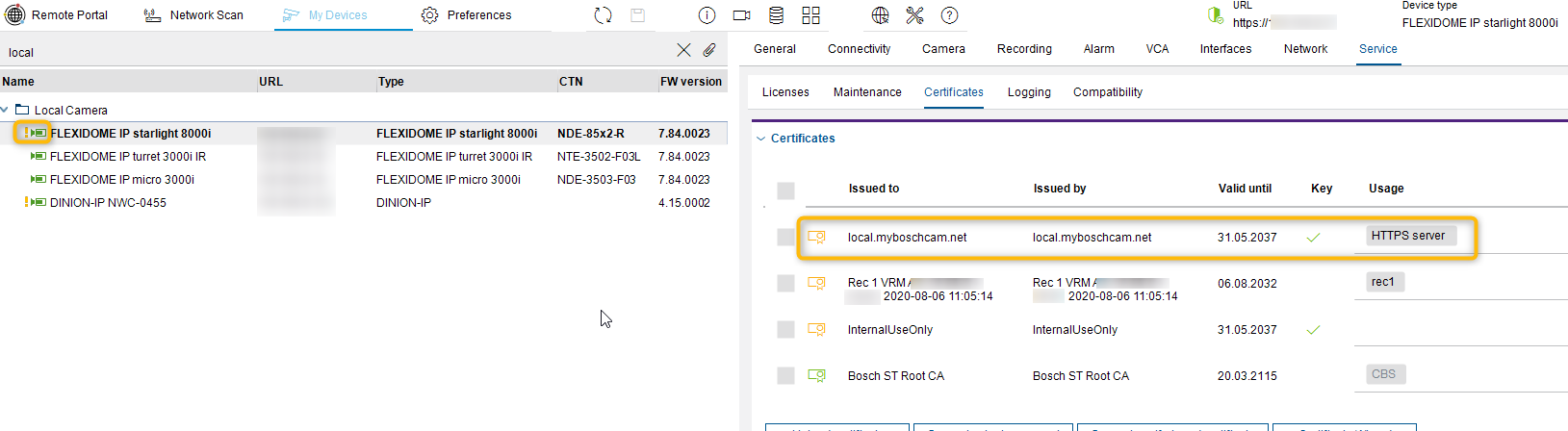
Below you see the same device after loading a CA signed Cert, Icon changes to Green with no Warning or Error.
-
Note My MicroCA certificate is located on my local PC (Personal Certificate Store), any other PC would not trust this.
.png?cb=1c453c494352b3a13fe879d77c6c8ec7)
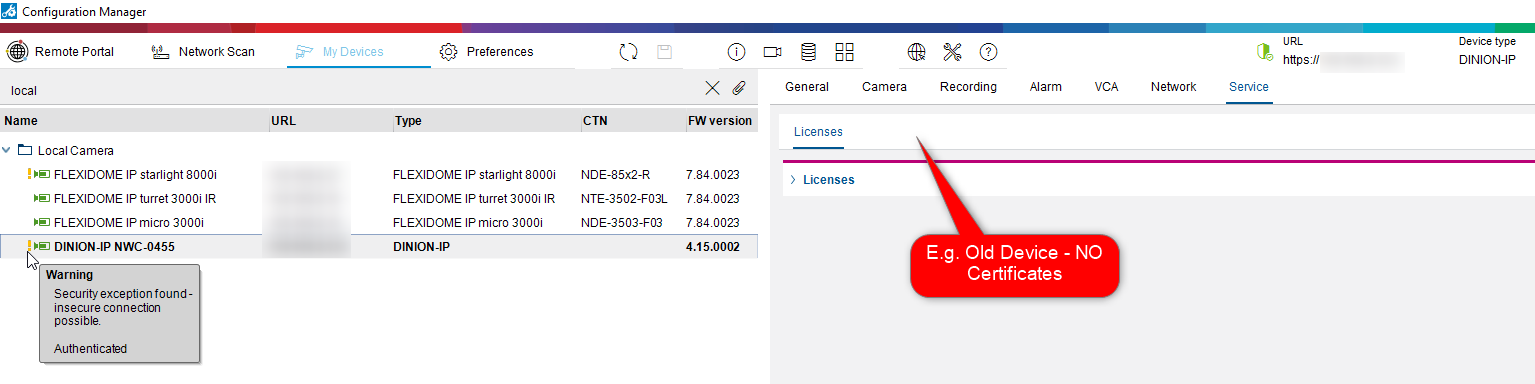
Below you see a device that does not have any Security options - No Certificates!
BVMS Dependency:
If CFM 7.60 is installed on a PC which has BVMS Cc, the Security requirements settings of CM affect BVMS Cc behavior.
(BVMS and CM share some files ?? e.g. "AppConfig")
-
Suggest to change in CM - Encrypted Communication to Preferred
DIP Dependency:
When Encrypted Communication is set to Required, it will not be possible to configure the target (Targets do not support "HTTPS only" as they work on iSCSI only)
-
Suggest to change in CM - Encrypted Communication to Preferred