Answer:
This guide is meant to explain how you can find the connection state events of a camera in Operator Client - Bosch Video Management System.
-
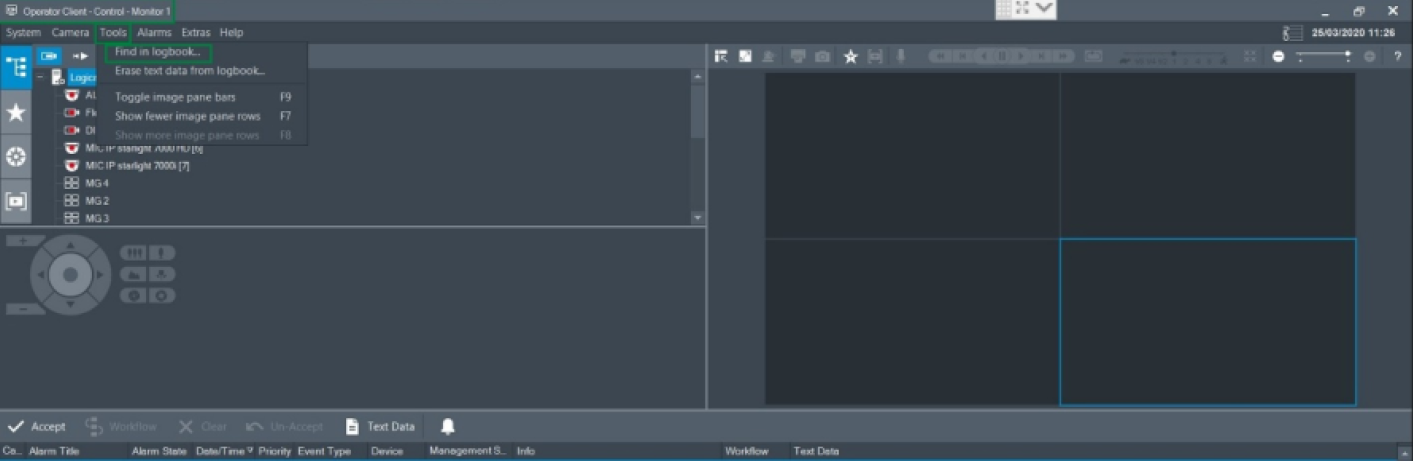
Open Operator Client > Tools > Find in logbook
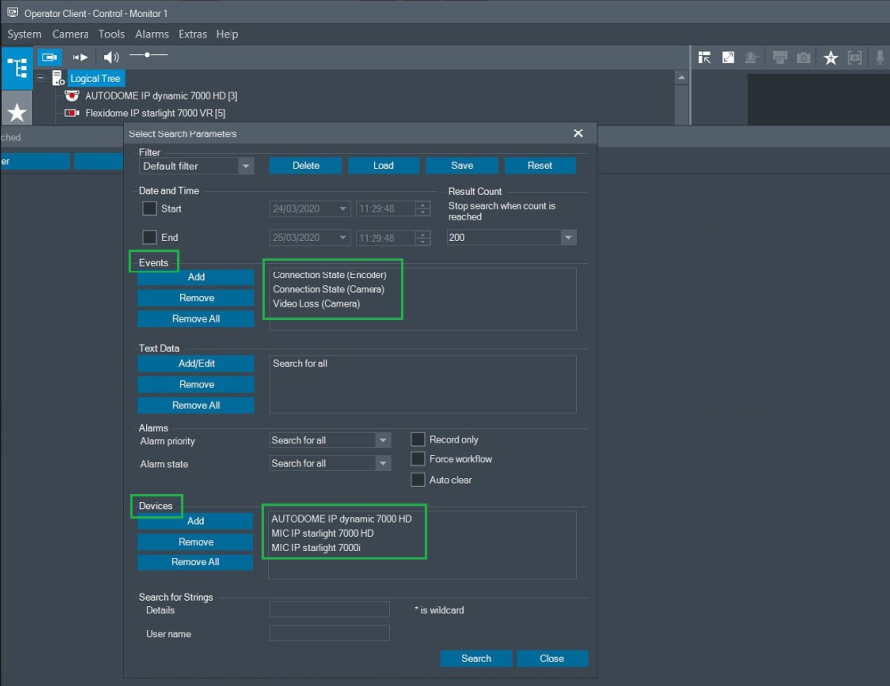
2. Filter only for the specific cameras you are interested in, and only for the following events and click on "Search" button:
-
Connection state (Encoder)
-
Connection state (Camera)
-
Video loss (Camera)
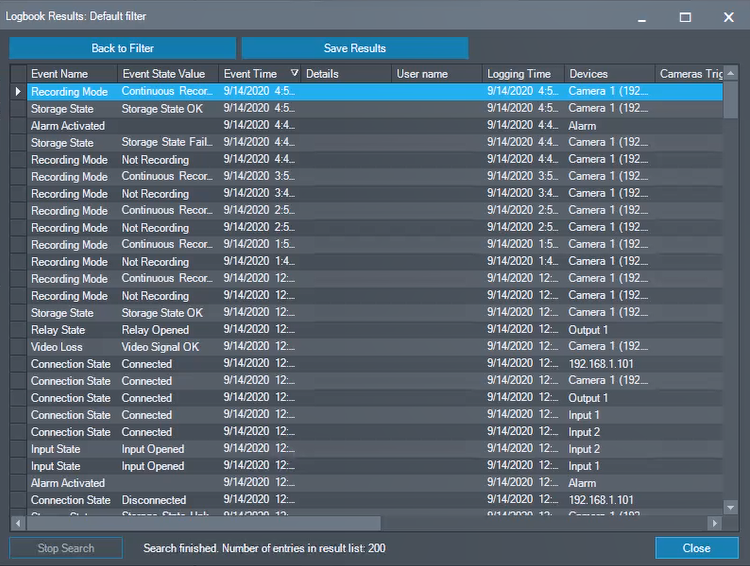
3. Logbook Results should be displayed: