
This is step-by-step guide helps you to find how you can configure the email settings for Sony cameras.
Step-by-step guide
-
Web browse the camera ( IP of the camera in IE)
-
Go to settings tab ( password & User = admin )
-
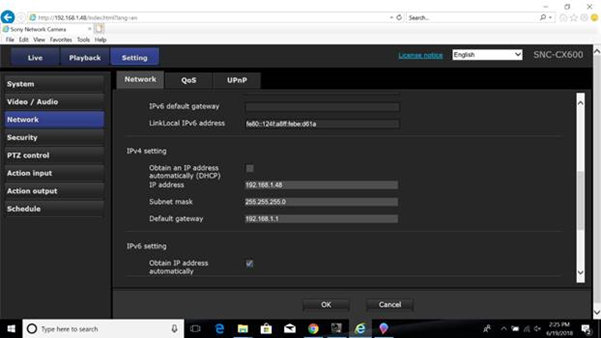
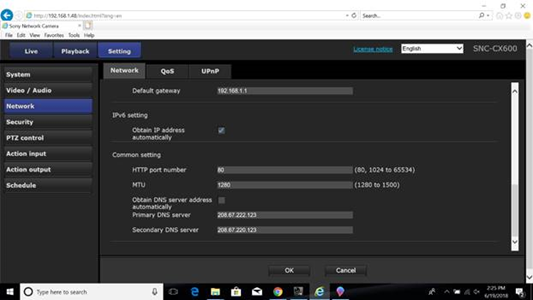
On the left side in the network tab – make sure that following are set :
-
DHCP disabled (assign a proper IP address to the camera.)
-
DNS active
-
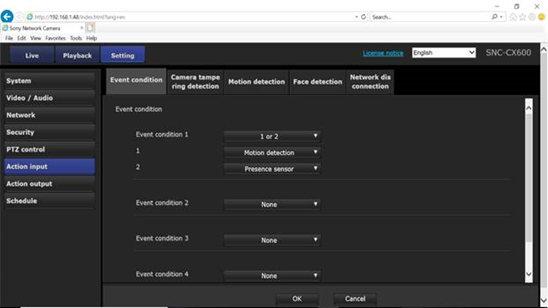
Under the Action input tab > Event condition set condition 1/2
-
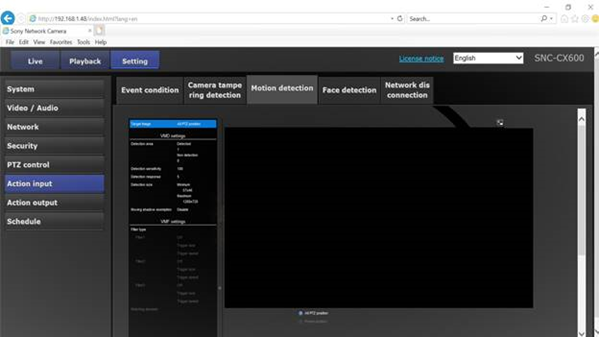
Under Action input > Motion detection set the area that you want to have motion tracked
-
Go to Action Output > Execution Condition > Mail transfer select the right action (ex. Event Condition 1 what you created before.)
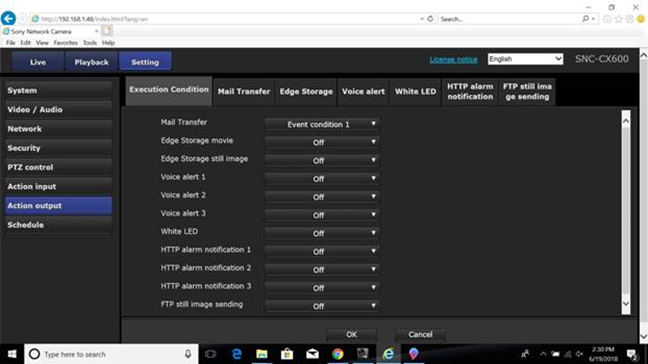
4. To configure the action to receive Email you need to go under the Action output > Mail Transfer
a) Set the right SMTP server name & port.
b) Recipient email address needs to be set ( the email you want to receive the Notification on)
c) Administrator email address is required for this step too ( mostly same email address as the Username )