🕒 This procedure takes ~ 5 min to be complete
The configuration data file and the maintenance log file might be requested by Central Technical Support team for troubleshoot & support purposes.
Follow the steps below to collect these files.
Describe here when someone would need this information. For example "when connecting to wi-fi for the first time".
Step-by-step guide
-
Navigate to the IP address of the VIDEOJET connect 7000 via web browser and authenticate on it with its credentials.
-
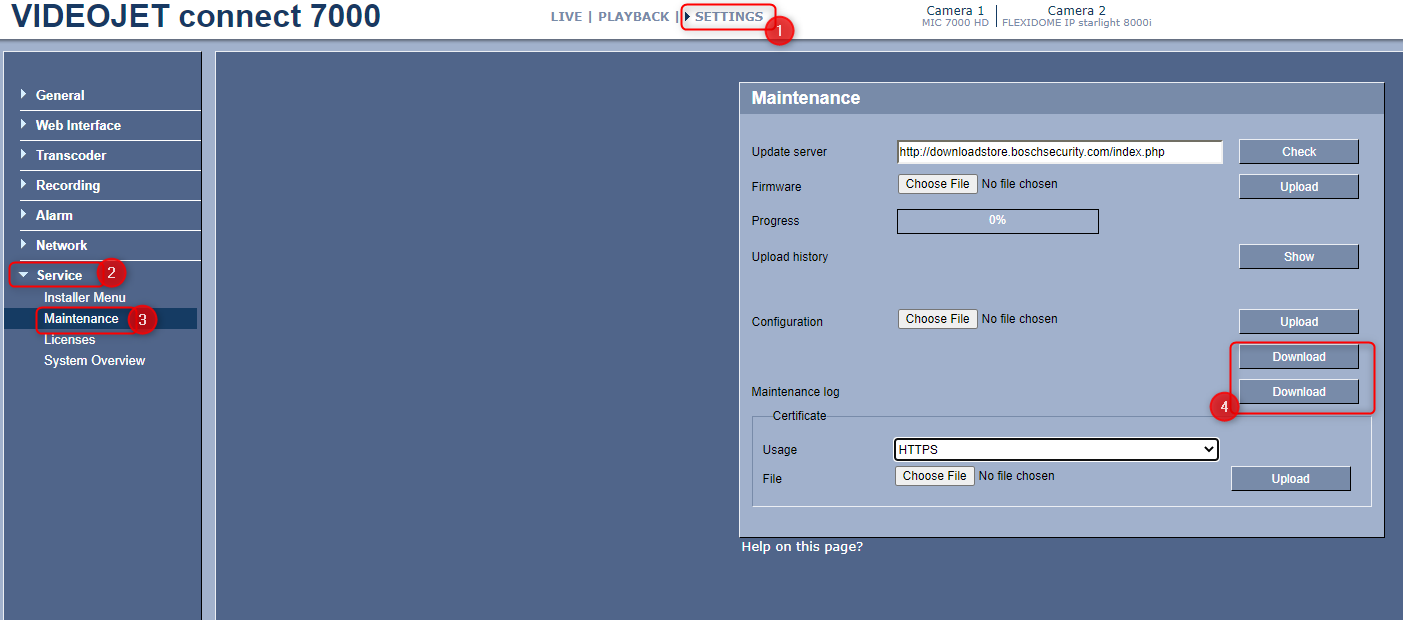
Go to Settings (1) > Service (2) > Maintenance (3)
-
Click on the "Download" button (4) next to each section: Configuration and Maintenance log