
Possible causes and solution(s)
Causes
Under sunlight conditions DINION IP ultra 8000 MP may give an excessive blue contouring around white objects.
Solution
-
Try to change the scene mode to sodium lamp
-
Also, a manual adjustment of the white balance could improve the picture. Enable the RGB-weighted white balance and reduce the B-weight.
-
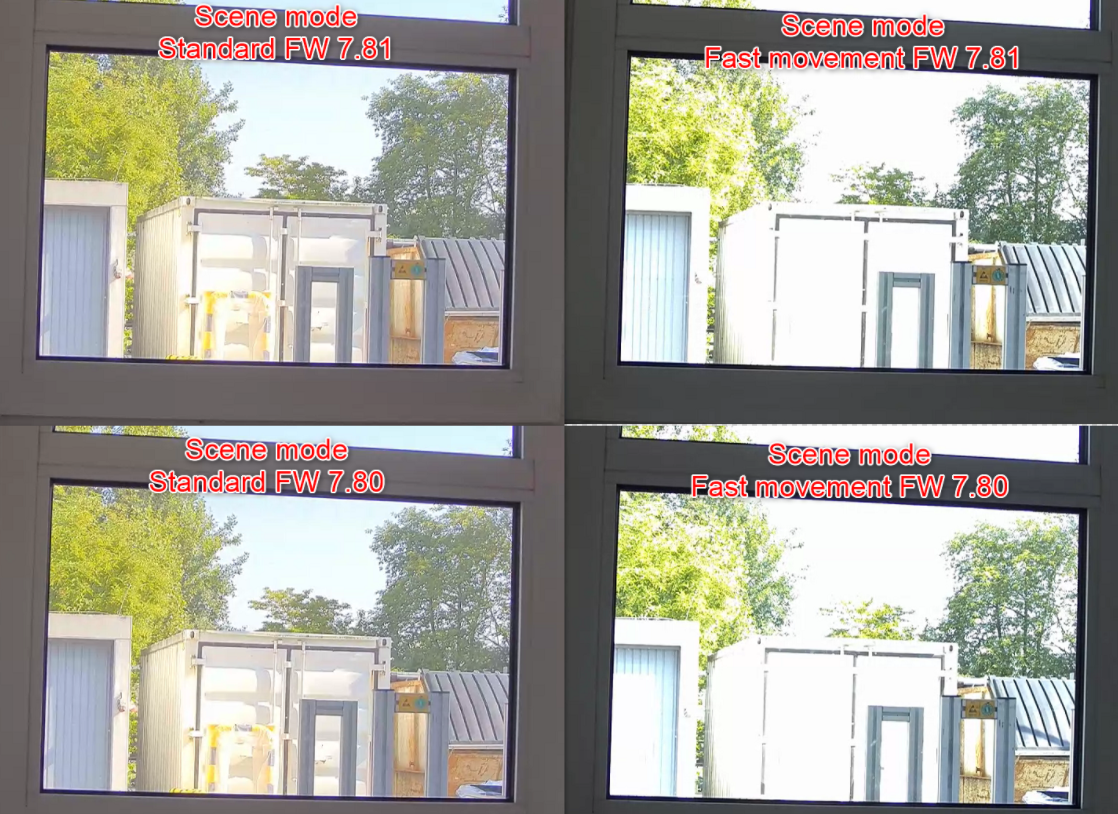
Changing the scene mode from fast movement to standard or sodium lamp has a massive impact of the picture quality. See picture below
-
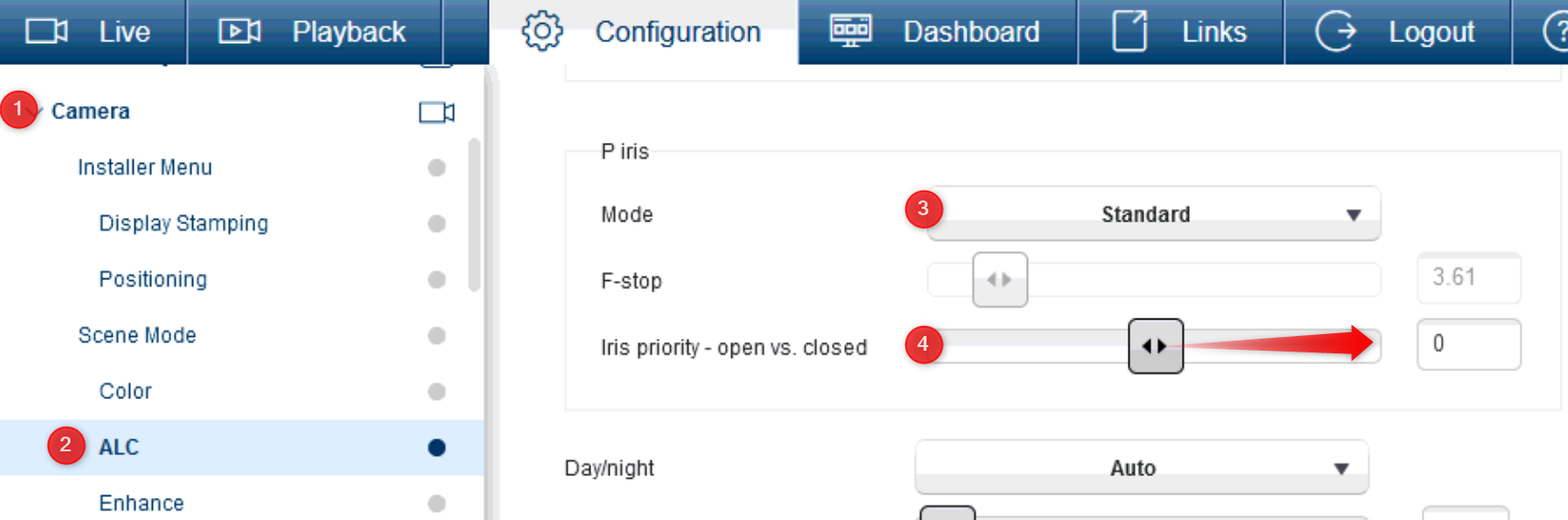
Additionally, please adjust the P-Iris setting towards priority closed to reduce the effect of Chromatic Aberration of the lens:
(information) Latest Firmware version of DINION IP ultra 8000 MP: Download Area > select Firmware > Cameras and Encoders > CPP6 > click Select
If none of the above has resolved the image quality, customers should provide the Central Technical Support team with the following:
-
maintenance logs
-
rtc image
-
Print Screens or screen capture videos of the symptom