Question
Why does my user get blocked in Remote Portal?
Answer
In most cases a user gets blocked in Remote Portal, because a DIVAR network/hybrid was added with a wrong password, or the user changed his password and the DIVAR network/hybrid still authenticates with the old (wrong) password.
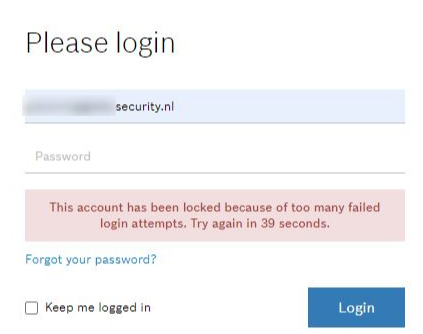
Therefore, you might encounter the situation when the following message is displayed:
“This account has been locked because of too many failed login attempts. Try again in 39 seconds.”
DIVAR network/hybrid authenticates regularly to Remote Portal with the user name and password of the user who registered the DIVAR network/hybrid.
(This is different to other devices, which authenticate only during registration).
How to fix:
-
The customer should disconnect the DIVAR network/hybrid from the network for 5 minutes
-
Then change his password in Remote Portal
-
Then register the DIVAR network/hybrid once again with the correct password.
To avoid such situation that a device blocks a user account:
-
The customer is recommended to create another user (Technician) in Remote Portal and to register all devices with this Technician user.
-
Then the Administrator's password can be changed without further side effect.