Question
How is the example script to set Operator Client in full screen mode & favorites loaded on startup?
Answer
In order for BVMS Operator Client to start in full screen mode and load default favorites, follow the steps below:
-
find attached an example scriplet that turns full screen mode and creates and displays a simple favorites of one camera
FulscreenExampleFavourite.cs
-
paste the scriplet in the Command Script Editor dialog box.How to configure (copy-paste) an example scriplet in BVMS Configuration Client?
-
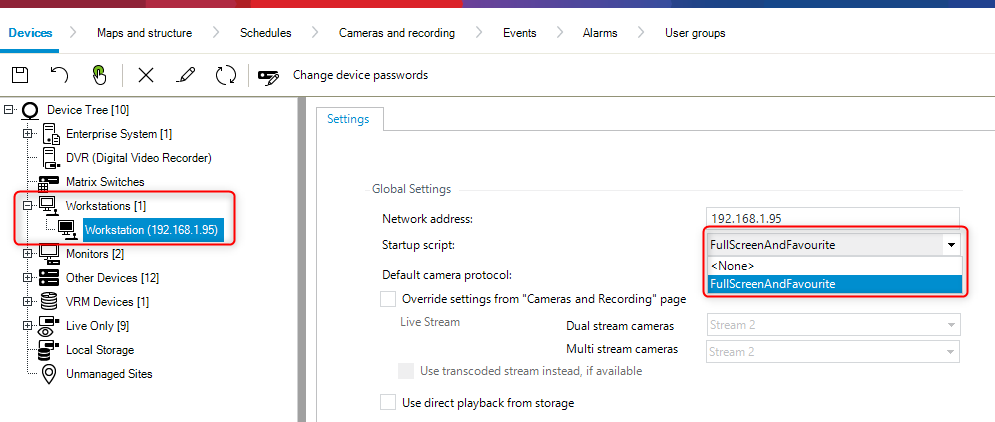
configure the scriplet as a start up scripletThe startup Command Script guide can be found in the BVMS Configuration Client Help menu (F1) or see the steps explained below
Configuring a startup Command Script (settings page)
Documentation from BVMS Help → Configuring a startup Command Script .pdf
Main window > Devices > Expand 
You configure a Command Script to be started when the Operator Client on the selected workstation is started.
You must create a corresponding Command Script.
For creating a Command Script, see Managing Command Scripts.
-
To configure a startup script:In the Startup script: list, select the required Command Script.