In some cases the IVA tasks can get lost after firmware update
There are 2 ways. In both ways it's not guaranteed that all task shall work afterwards since new firmware version can contain a new IVA version with new features.
So please double check afterwards. It shall at-least save some time instead of starting from scratch.
Step-by-step guide
Option 1:
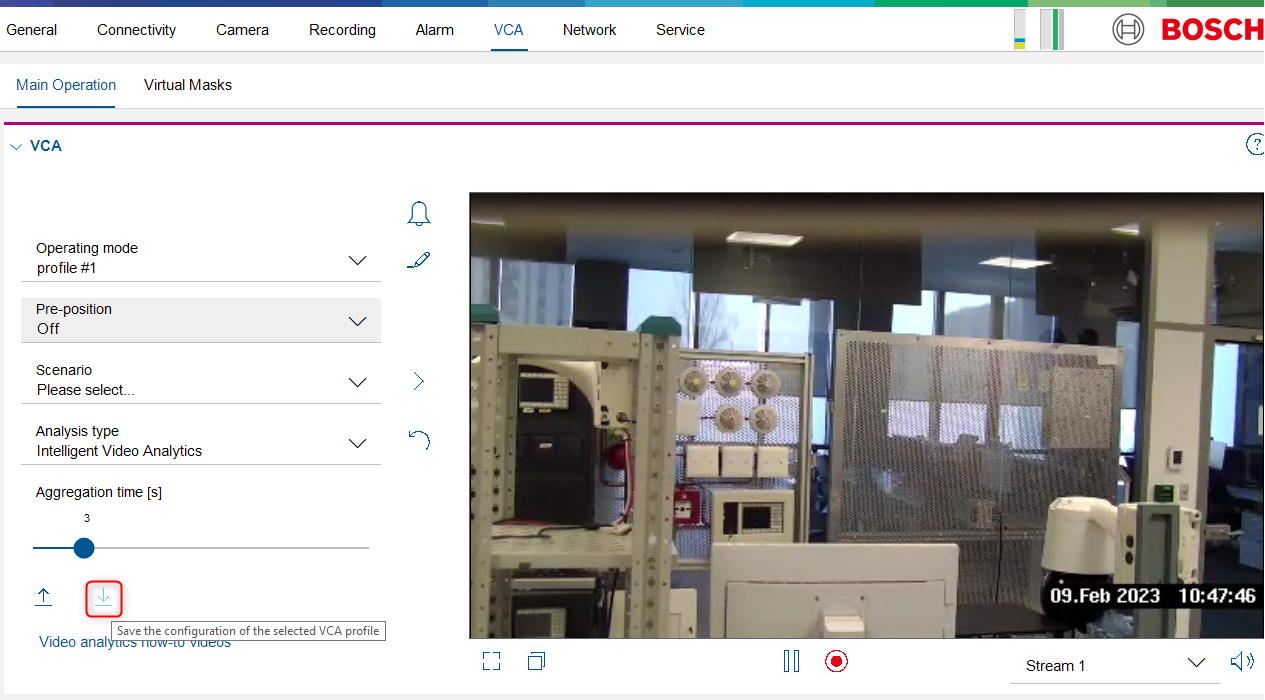
Via the Configuration Manager save your configuration and load it back afterwards
Option 2:
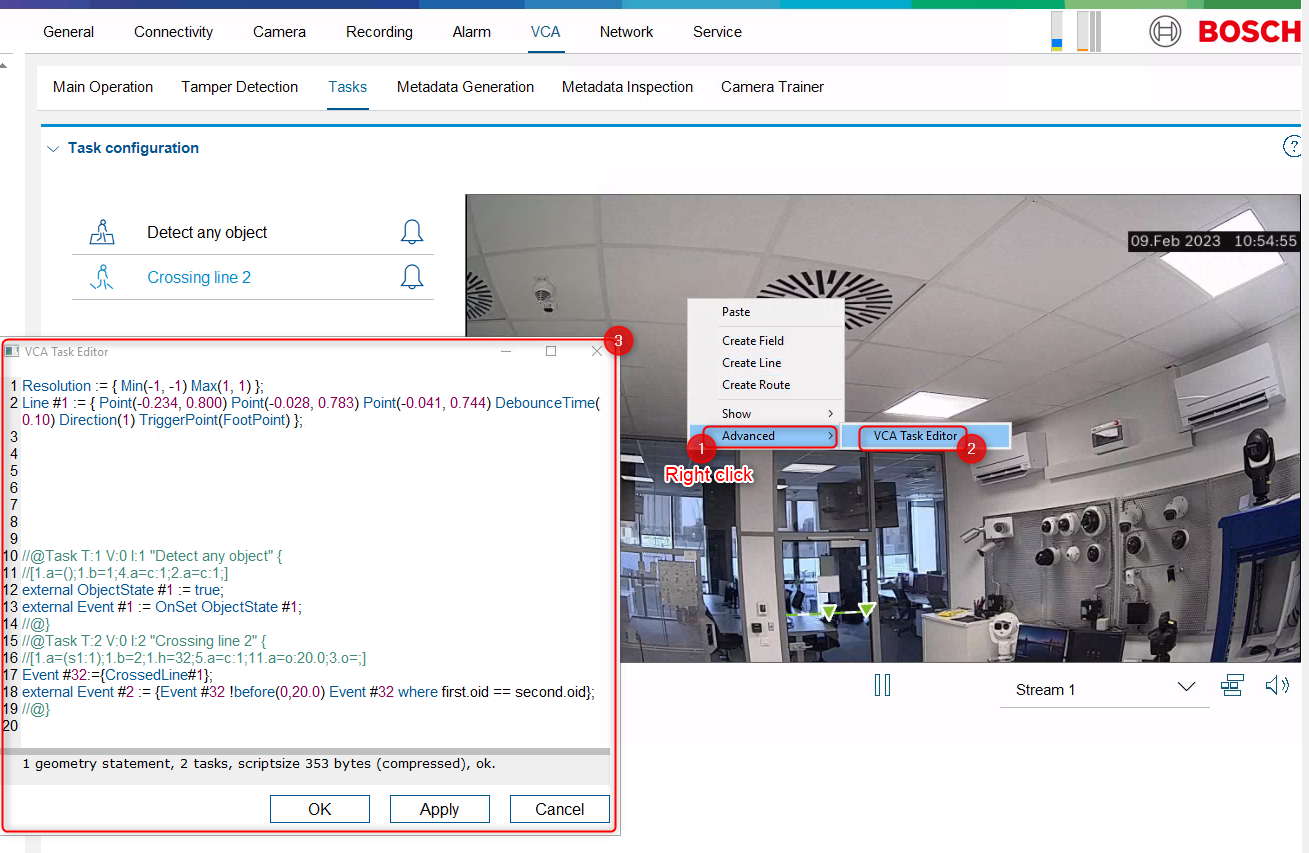
Copy/paste the scripting text from "VCA Task Editor"