
A calibration of the scene is required. If the scene is not well calibrated, it's most likely to receive wrong or no results.
Step-by-step guide
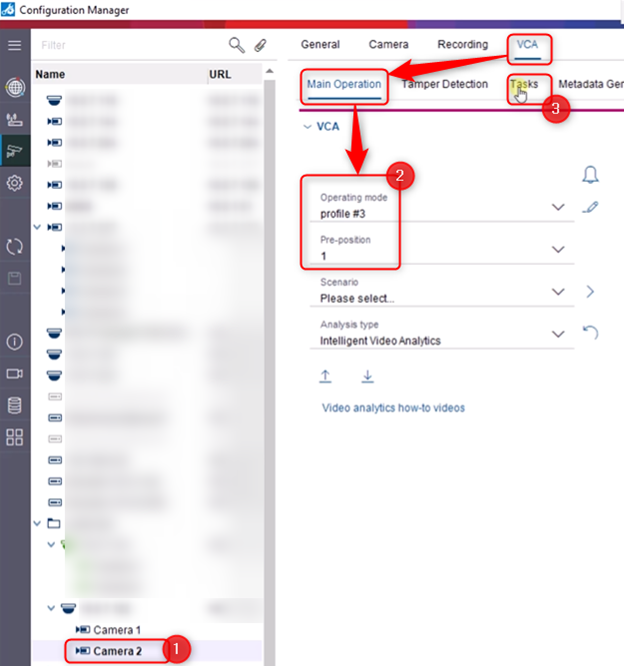
1. Open Configuration Manager and select the camera prepared for this configuration. Authenticate on the camera with its credentials
2. Go to VCA tab > Main Operation
-
Under Operating Mode option > select the profile where the VCA will be configured
-
Under Pre-position option > select 1
3. Go to the Tasks tab
PREPOSITION 1:
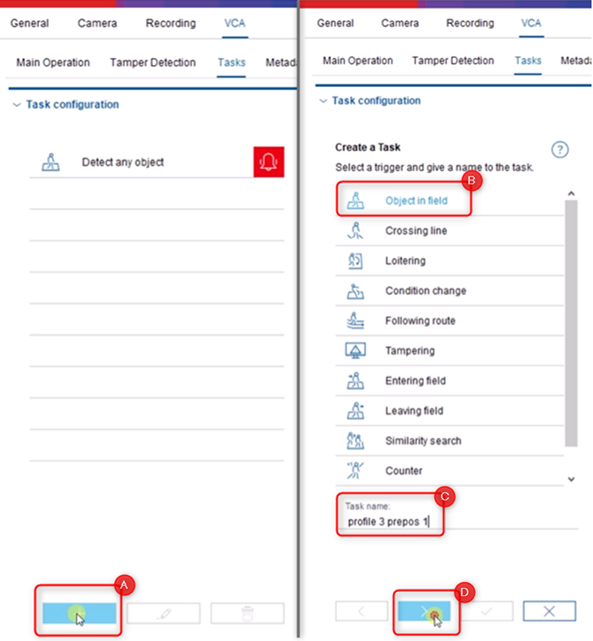
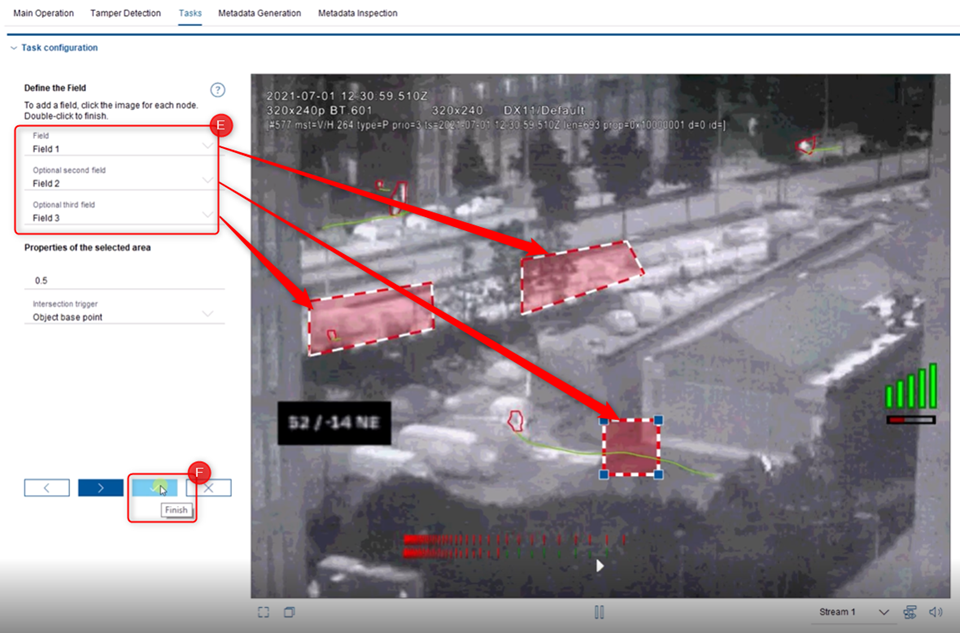
(A) Click the + button > (B) select the Trigger and (C) give a name to the task and click the (D) “>” button > (E) Define and draw the fields as you wish and click (F) Finish button once done.
-
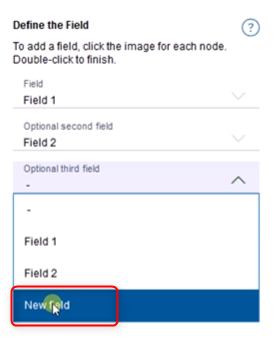
Hint: To add a new field, please click on the drop-down menu and select the option “New Field”
Your task will be displayed under the “Task configuration” list. Do not forget to save your configuration!
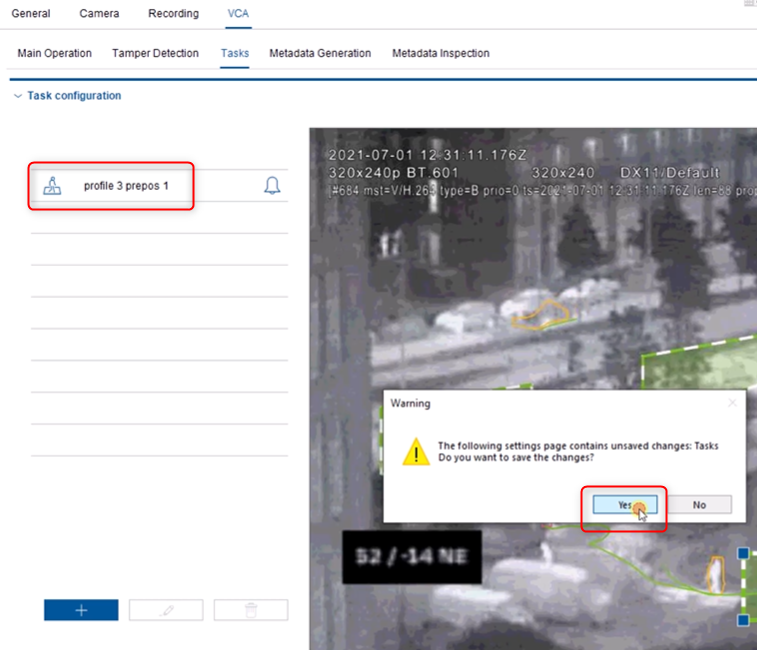
PREPOSITION 2:
-
Under Pre-position option > select 2
-
Go to the Task tab
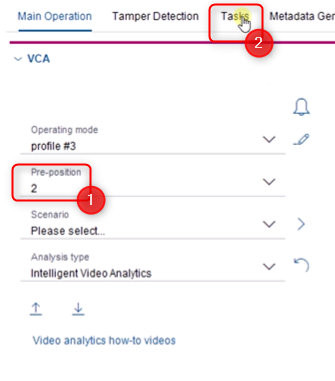
Repeat the A,B,C,D,E,F steps from above.
Your new task will be displayed under the “Task configuration” list. Do not forget to save your configuration!
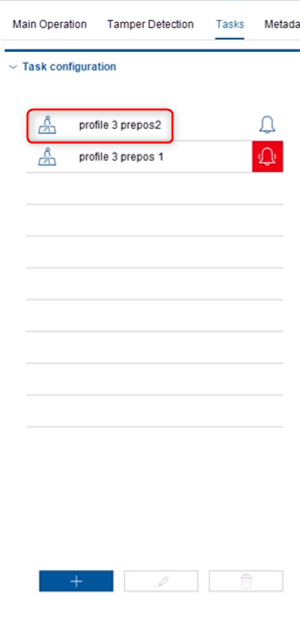
Please note that the maximum TSL script size is maximal 2000 bytes.
Be aware that the following error message might occur if the script size is exceeded:
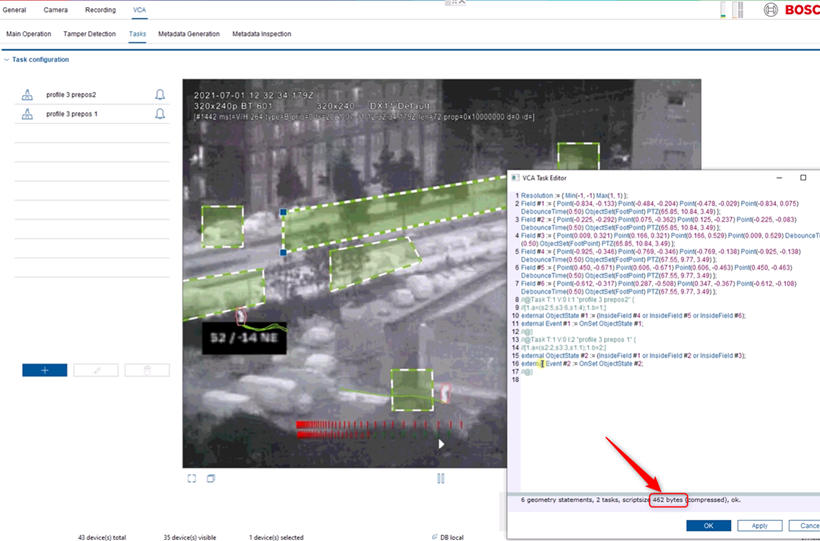
How to check the size?
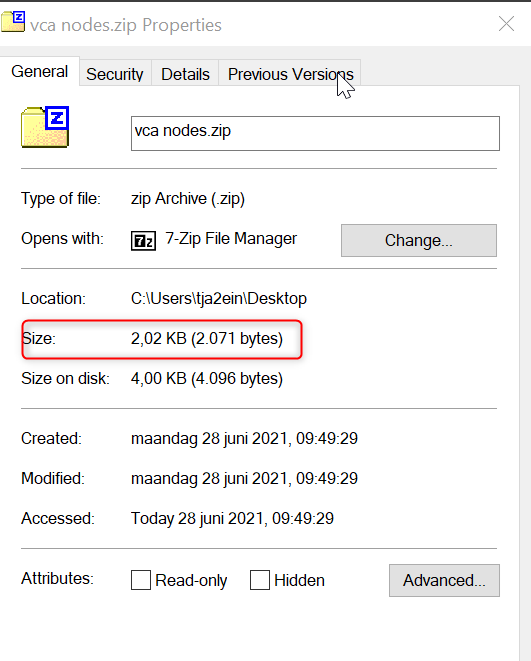
Note that this is the size when compressed:
-
Option 1 > via VCA task editor
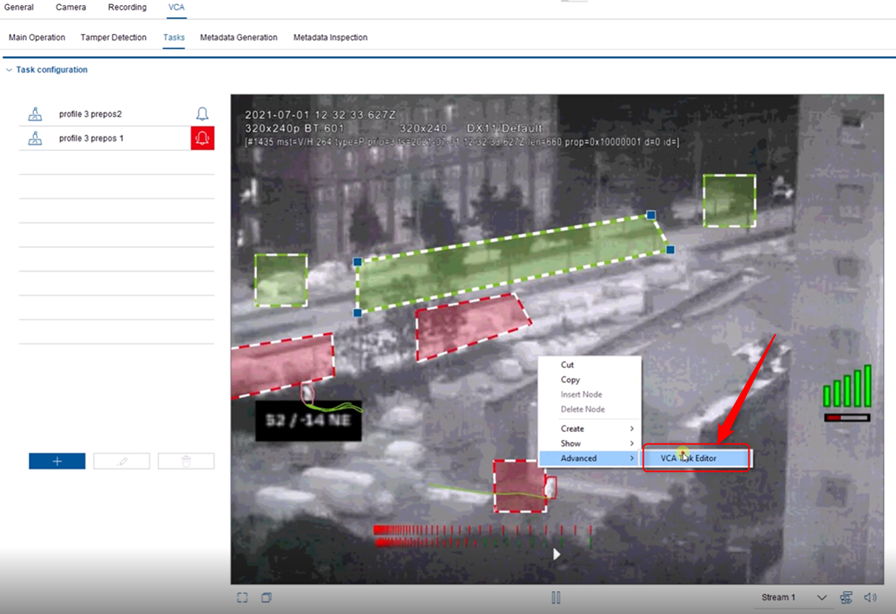
-
Option 2 > Save the script in a notepad and zip this

VIDEO_reuse profile for multiple presets.mp4