
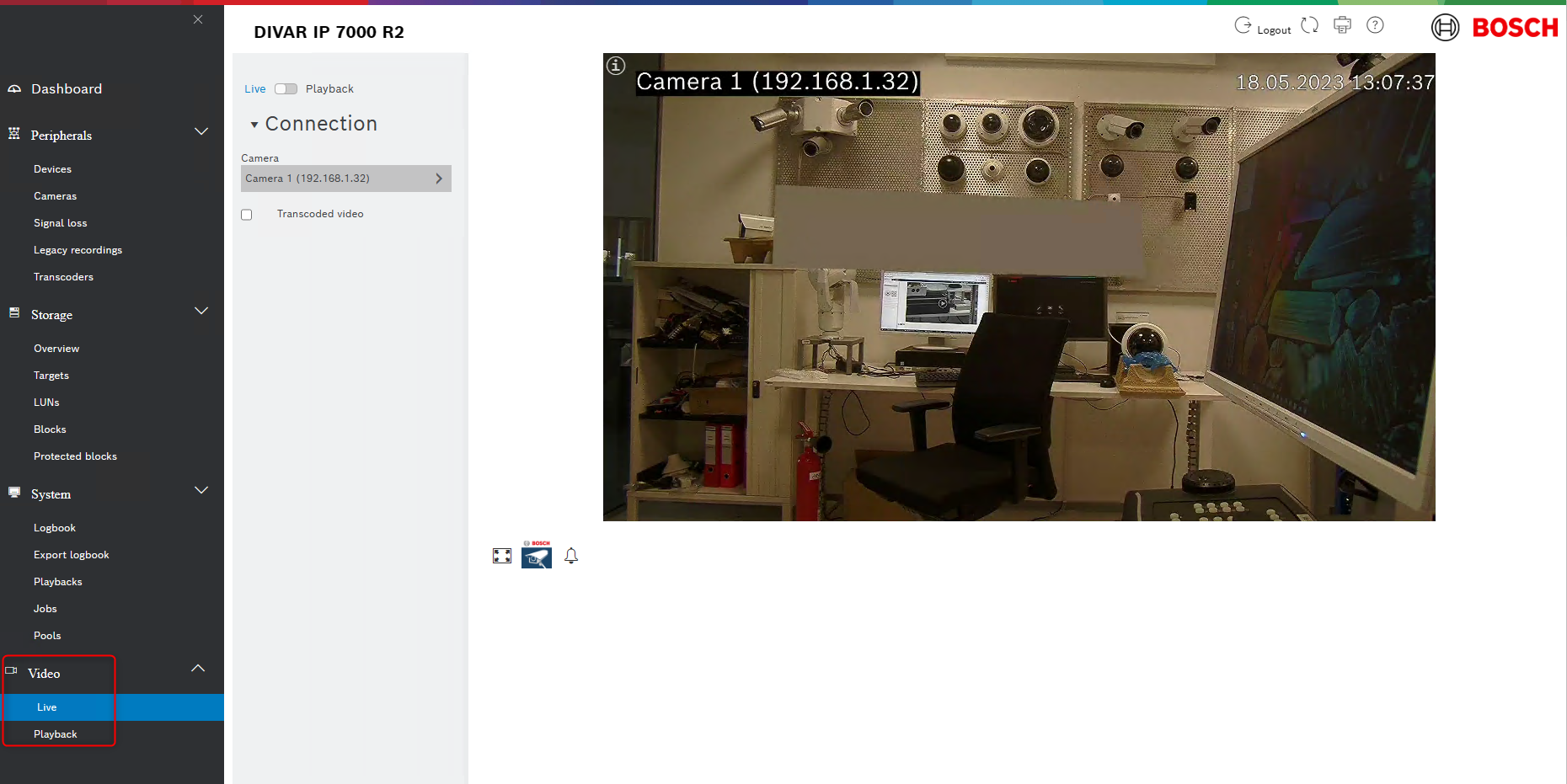
For DIVAR IP AIO systems an easy-to-use web browser-based "light client" has been implemented into the local VRM Monitor web page for live view and playback purpose.
It is usable only for VRM attached cameras, no live only or local storage cameras are supported.
Note: There is no PTZ control function provided by the web-page, please use another client for PTZ control.
New Live and Playback page within the VRM Monitor in VRM >=4.10.x:
Step-by-step guide
-
Can be done by command line during installation or later by changing a registry key.
-
The BVMS Setup can change the behavior of displaying the live/replay page on the VRM Monitor.
-
No additional dialog or checkbox is available within the BVMS 12.0 setup but an additional property was introduced.
-
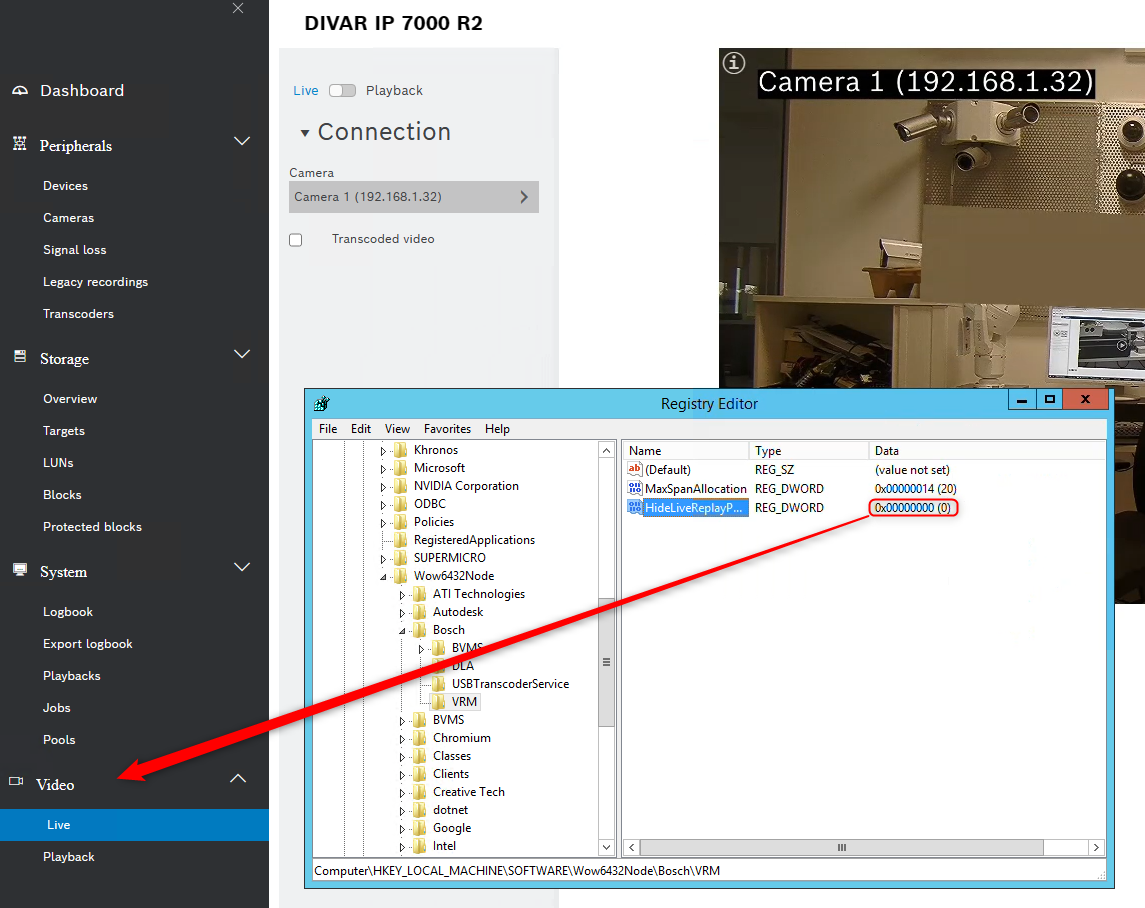
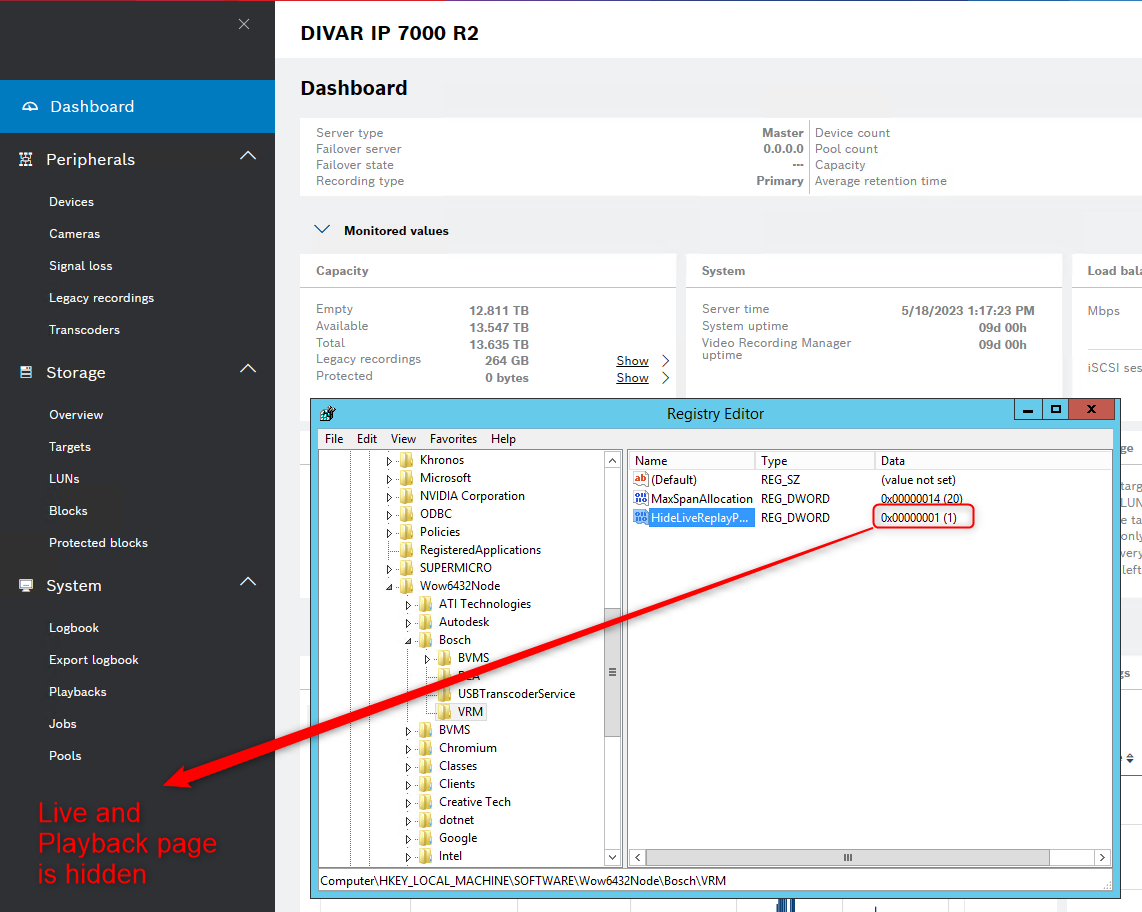
New property for the BVMS setup "HIDELIVEREPLAYPAGE":
-
Property 'HIDELIVEREPLAYPAGE' can be specified by command line:
Note:
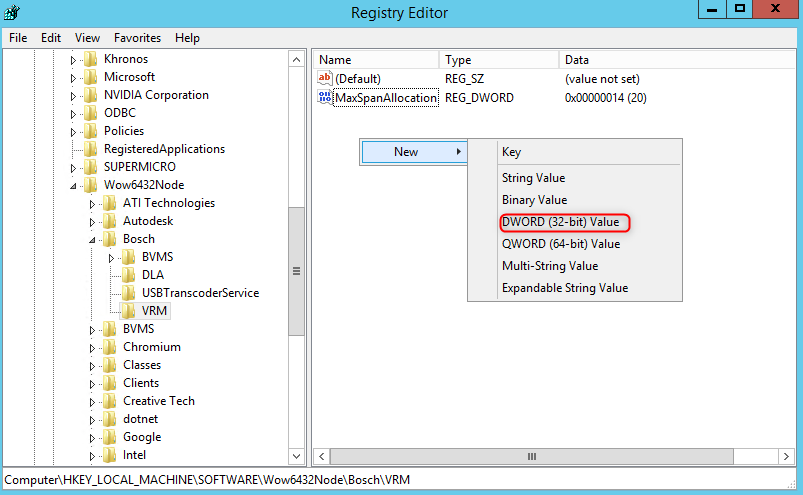
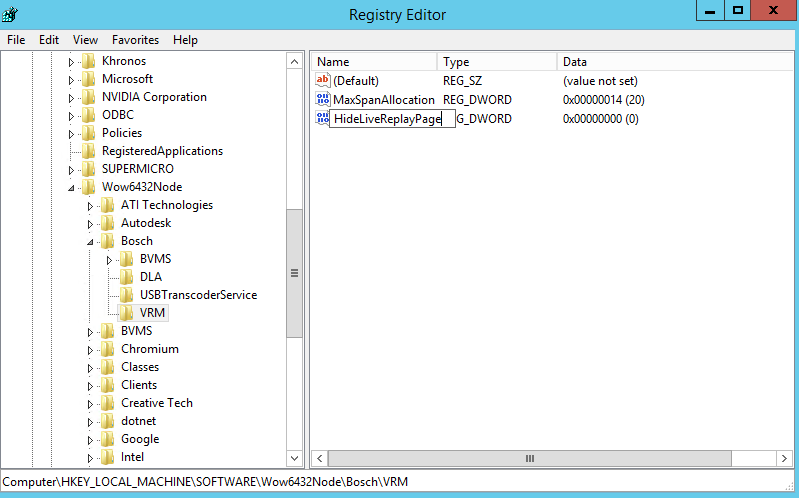
In case the HideLiveReplayPage (DWORD) is not in HKLM/SOFTWARE/WOW6432NODE/Bosch/VRM, you can create it by right clicking in the VRM registry key > select New > select DWORD (32-bit) Value > type in "HideLiveReplayPage" and set value to 0 or 1 (as you wish)
Other command line options are described in the BVMS Deployment guide