
An object moving or a low/ higher contrast scene can throw off the autofocus option, resulting in a soft focus or even not focus at all.
Using manual focus is an obvious solution, but manual focus isn’t exactly easy to get sharp images.
Manual focus requires a bit of know-how and some practice to get right.
If you would like to improve the performance and get a sharp image, please see below how you can manually adjust the focus ring on a Dinion Thermal camera.
Step-by-step guide
-
Please make sure that your camera was calibrated correctly
-
Do some tests with people moving in front and behind of the field or with other reference objects
-
Please note that if you are not using 24VAC, the fan will not work properly and having no air flow inside the housing may cause heat build-up. which could affect the clarity of the image
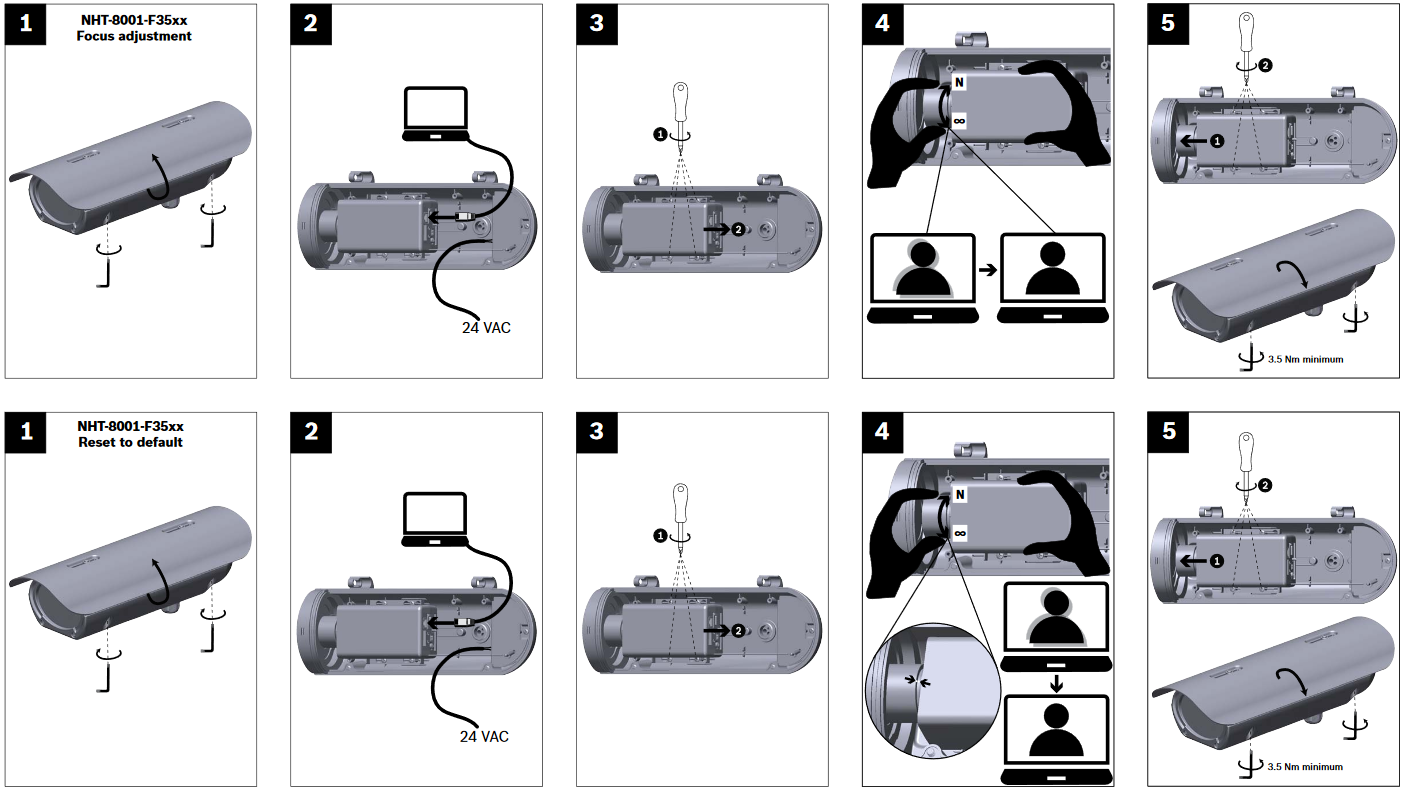
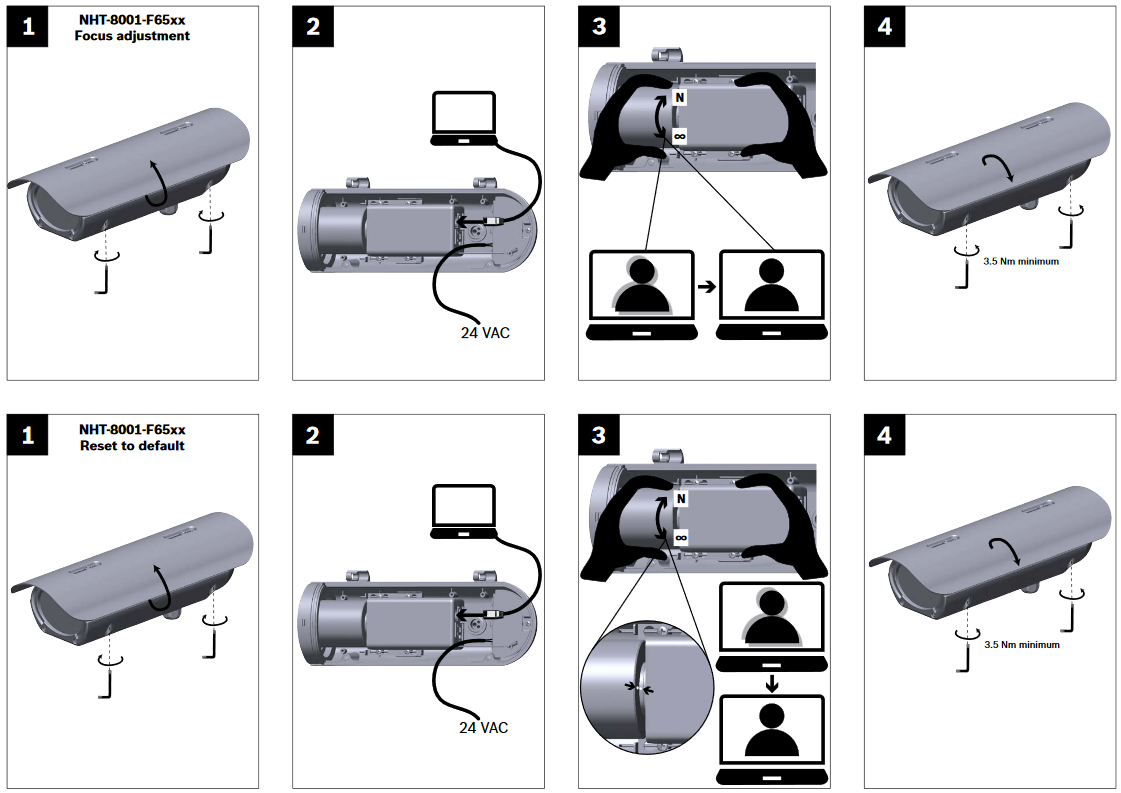
This Special (Focus adjustment guide) is available on the product catalogue too!