
Possible causes and solution(s)
-
Causes
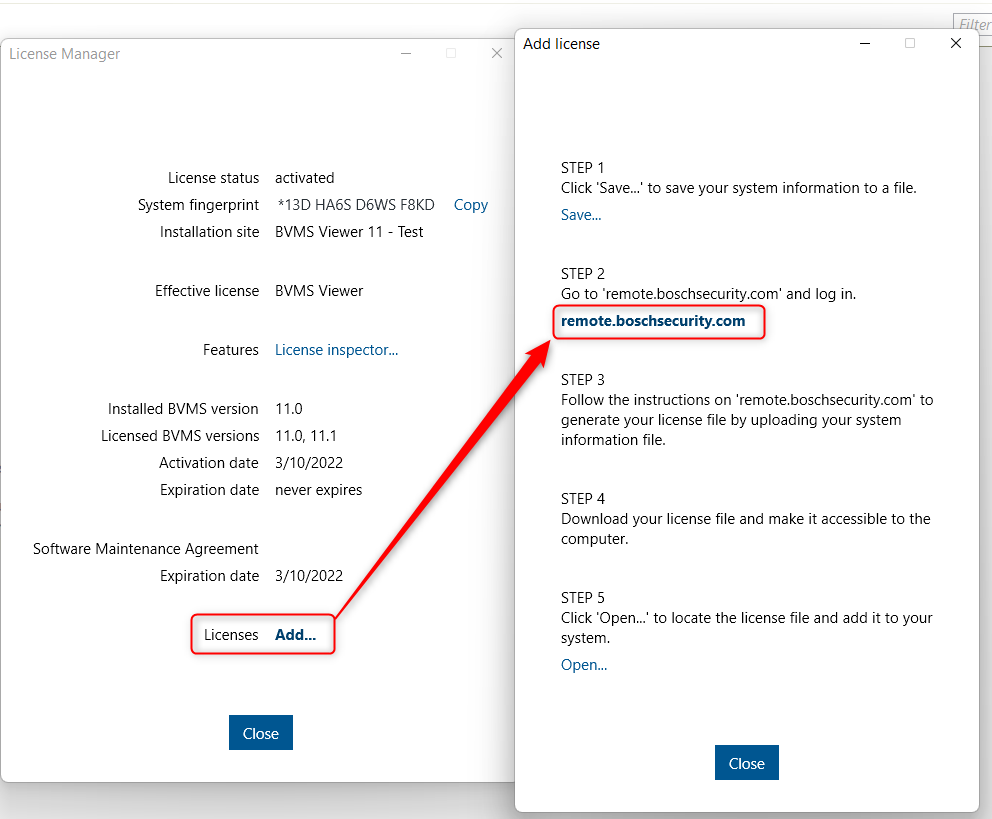
When accessing the BVMS v11.0 License Manage → The link next to the STEP2 (behind the "Add..." from Licenses) attempts to redirect to https://www.remote.boschsecurity.com . This page does not exist and users are not redirected properly to https://remote.boschsecurity.com

-
Solution
Remove the "www." before remote.boschsecurity.com and you will be redirected to the Remote Portal web page.

(tick) This is fixed in BVMS 11.1.1 → the correct link is there and redirects you to the right web page