
Question
Where can you configure NTP server for cameras/encoders in BVMS≥11?
Answer
By default all cameras/encoders added to BVMS will be configured to start NTP synchronization against the Operating System of the Management server.
Whenever a central NTP Server is available the recommendation is to synchronize all cameras against the NTP central server.
In BVMS≥11 there is a new configuration option:
-
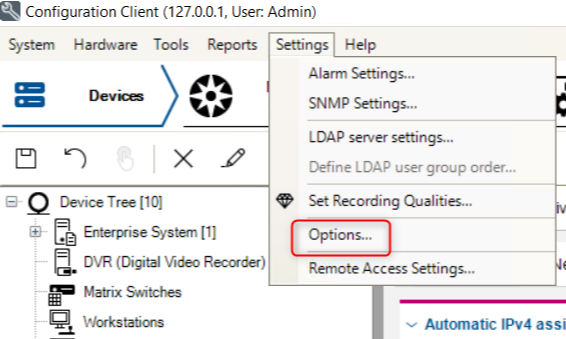
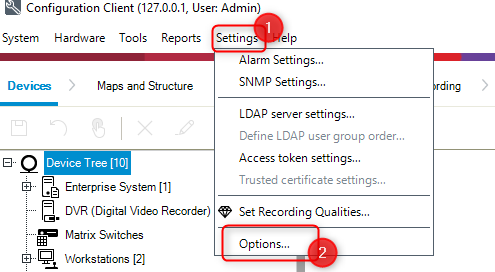
Open Configuration Client and go to Settings > Options
(green-star) BVMS ≥v11.0 & < v11.1.1:
(green-star) BVMS ≥v11.1.1:
-
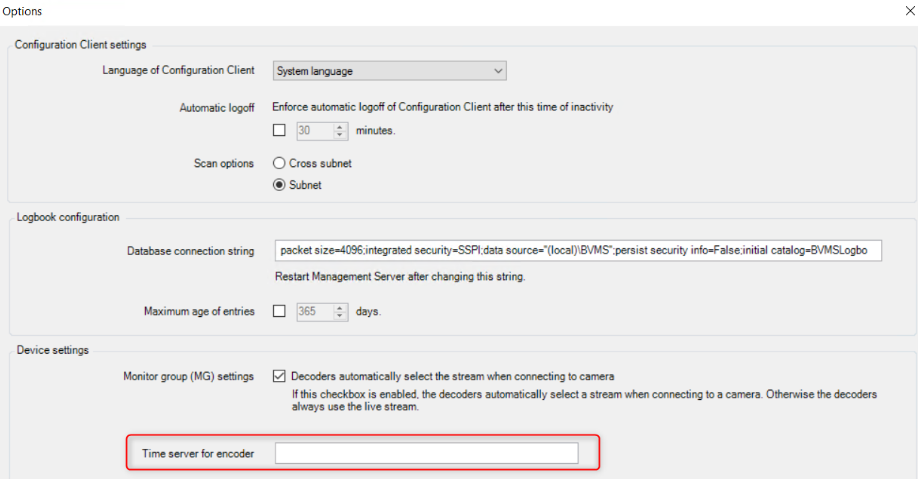
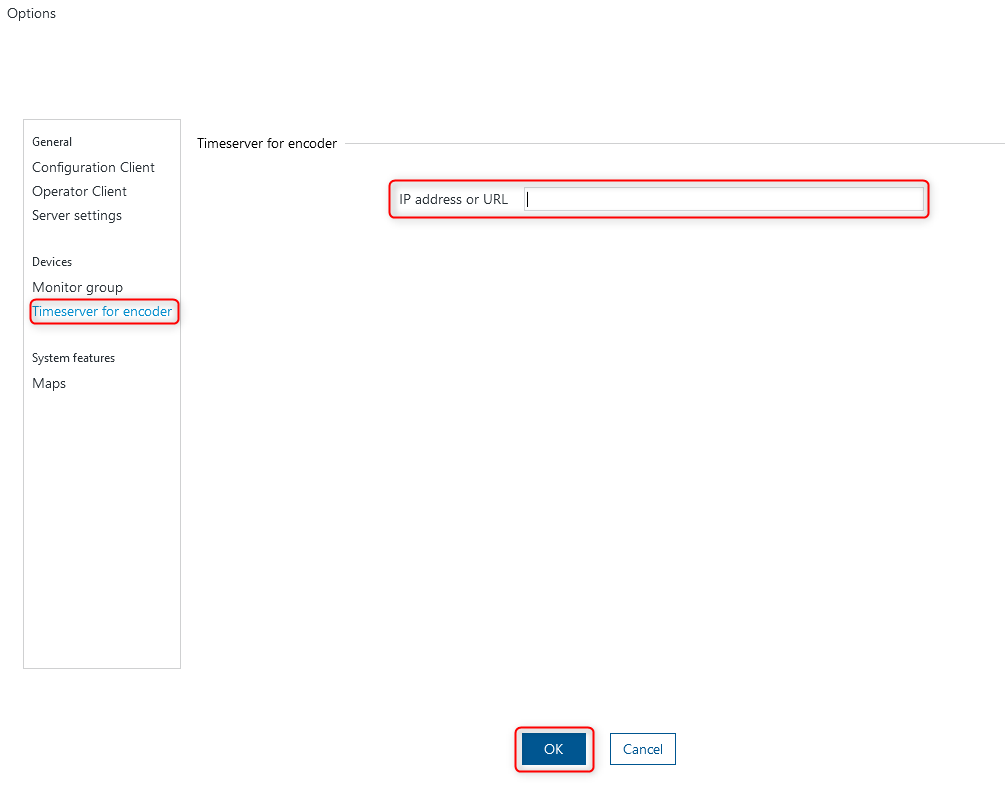
Add the IP Address/ hostname or URL of the NTP server to the "Time server for encoder" field:
(green-star) BVMS ≥v11.0 & < v11.1.1:
(green-star) BVMS ≥v11.1.1:
Note:
This configuration option does not replace the time settings configuration on the workstations and servers on operating system level! This configuration needs to be performed.