
Question
What to do to improve the image quality with backlight in the scene (FLEXIDOME IP starlight 5000i)?
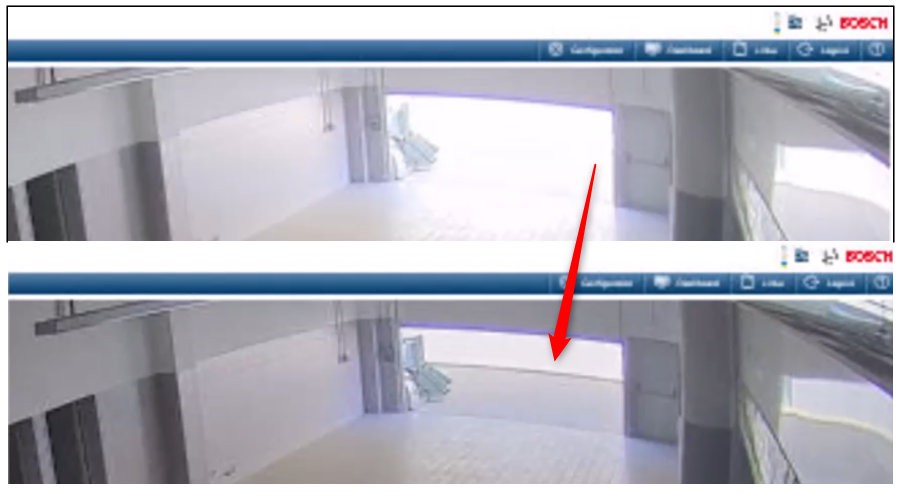
Answer
Please note that this recommendation might help, but cannot guarantee the high quality of the image. It depends on the camera FoV and the environment where the camera is installed.
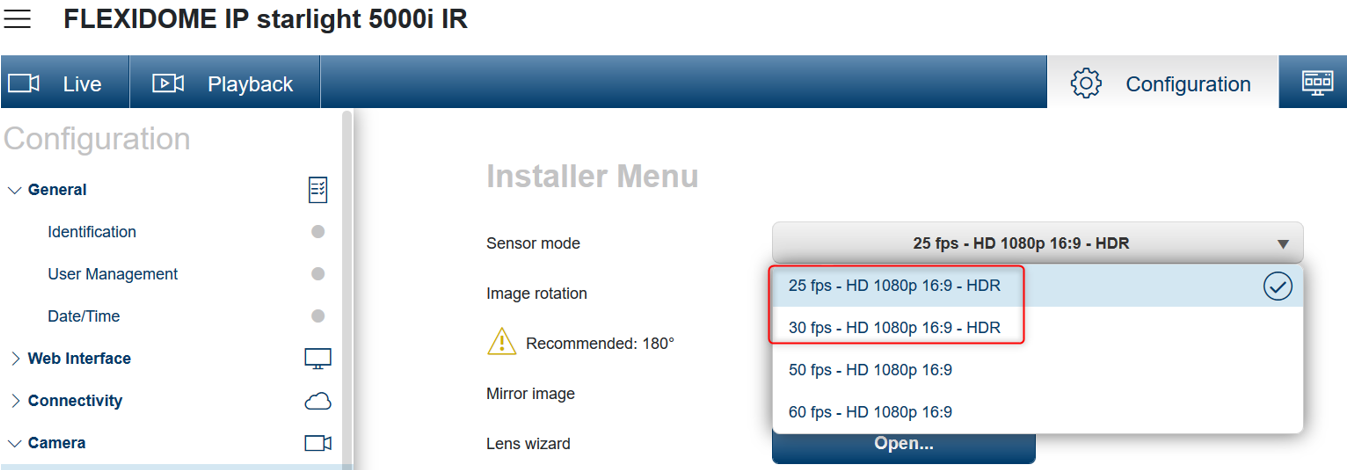
1. It would be recommended to change the sensor mode to HDR mode:
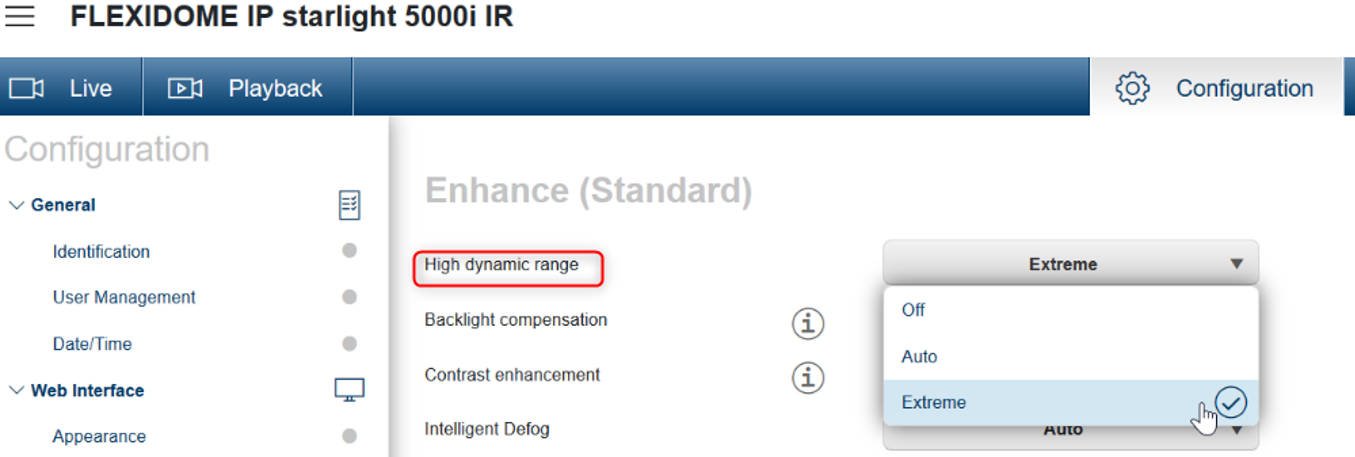
2. Set the High dynamic range to “Extreme”
Note that the High dynamic range will not be visible in the Enhance menu if the HDR is not activated from the Installer Menu > Sensor mode
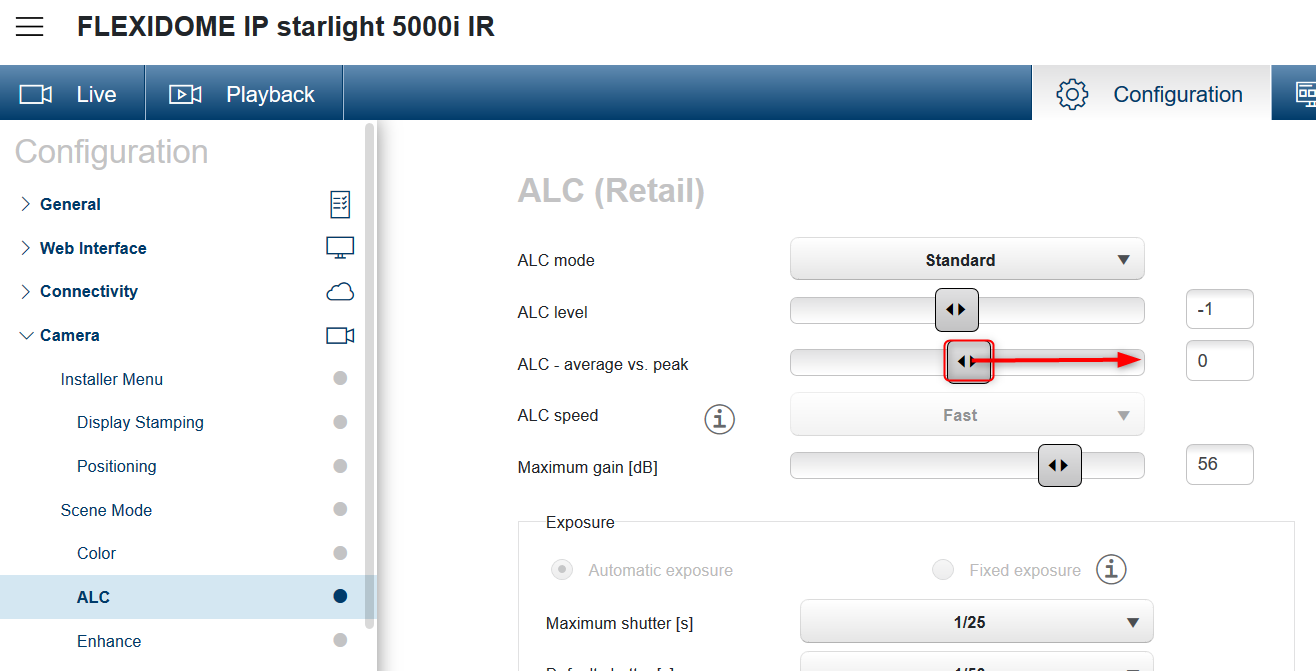
3. Next, change ALC mode and lower the ALC level
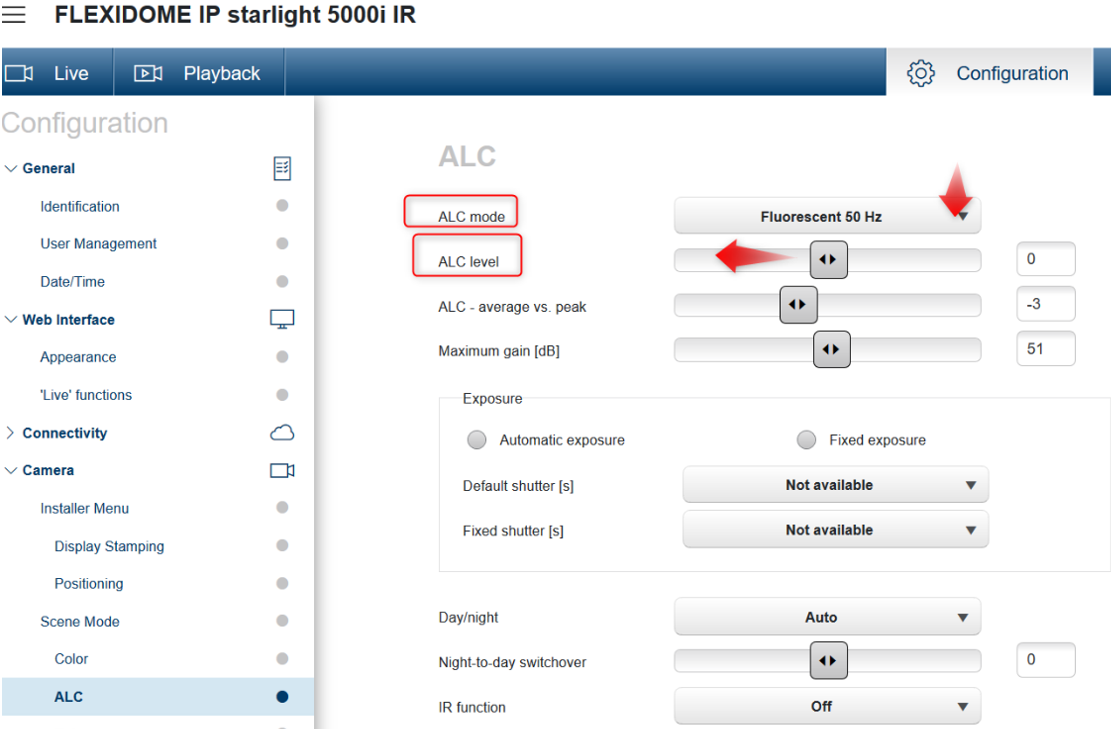
4. During optimizing the HDR, please also consider the slider called "ALC-Average vs. peak". Choose this slider above lowering "brightness" or "ALC level" to achieve a better overall HDR image
As part of the improvement actions to solve the focus problems, in Firmware 7.82.0028 the auto-focus has been improved to better adapt to lens characteristics
-
Release note : https://downloadstore.keenfinity-group.com/FILES/Bosch_Releaseletter_CPP7.3_FW_7.82.0028_FD5000i.pdf
-
Firmware 7.82.0028: https://downloadstore.keenfinity-group.com/FILES/CPP7.3_FW_7.82.0028_FD5000i.fw
(information) Check the latest FW available for CPP7.3 cameras on the Download Area webpage.
