
Step-by-step guide:
Alarm Management provides an AI Snapshot in the Operator Interface > Verification Mode, next to the Alarm Snapshot from the camera and the Smart Event Image.
Click the 
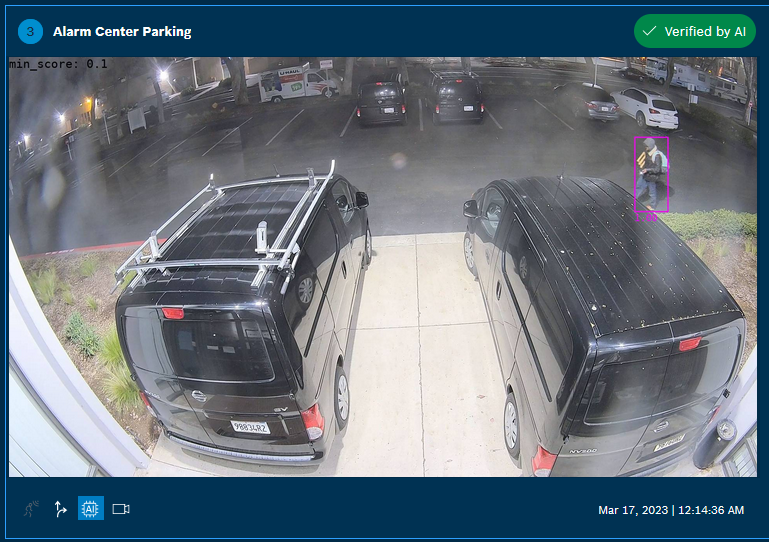
The AI Snapshots marks the detected object (moving person or vehicle) with a bounding box and shows the AI Score in pink color.
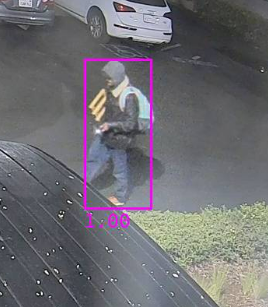
For example: An AI score of 1.00 means an AI alarm verification of 100%
See also Alarm Management Configuration > Service > AI Alarm Verification > AI Threshold for moving persons or vehicles).
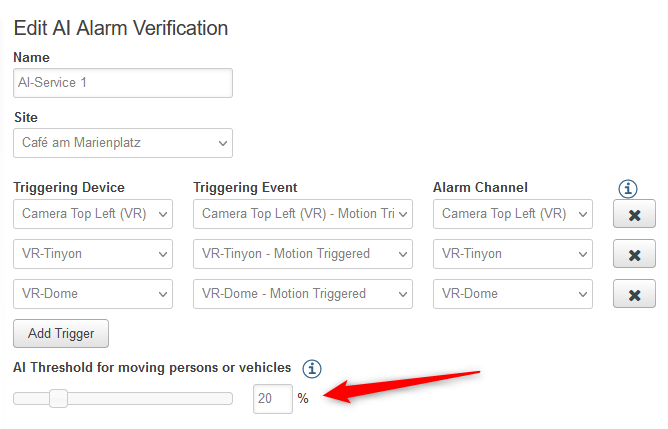
If the AI score is above the configured AI Threshold, the AI alarm gets verified; if the AI score is below the configured AI Threshold, the AI alarm gets rejected.
See also: Alarm Management Configuration: How to set up an AI Alarm Verification service?