Intelligent Insights makes use of Bosch cameras’ built-in Video Analytics to interpret video images and collect metadata from cameras. This metadata is collected, aggregated, and displayed using a series of pre-defined widgets within a user defined dashboard to visualize the data. Read on to learn how to add these widgets to the Bosch Video Management System (BVMS) for monitoring.
The Intelligent Insights widgets can be visualized in BVMS Operator Client. In this article we are going to show you how to add a widget to Bosch Video Management System (BVMS).
Step-by-step guide
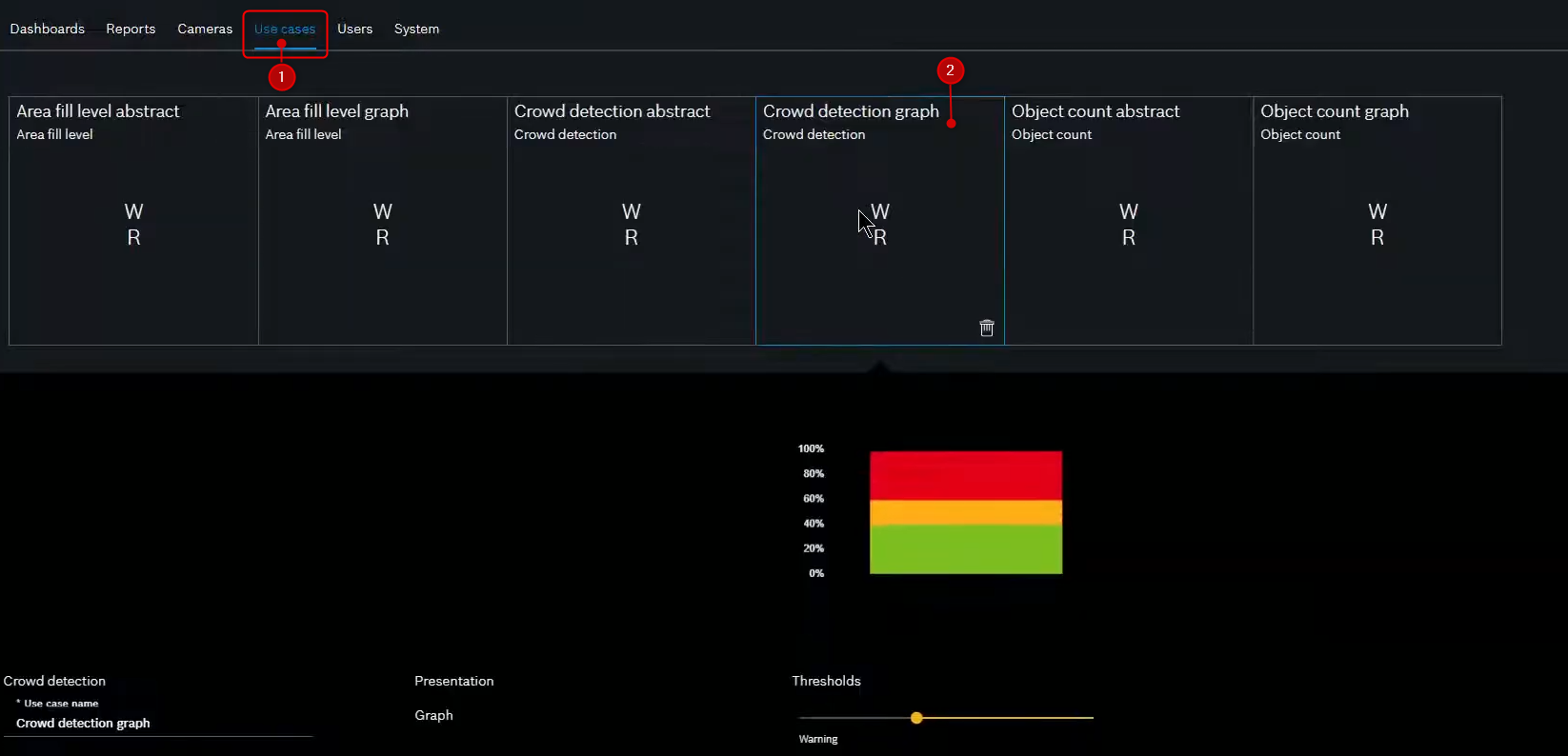
Access the Use cases menu and select the use case to add to BVMS.
-
In this example we’ll use the “Crowd detection graph”
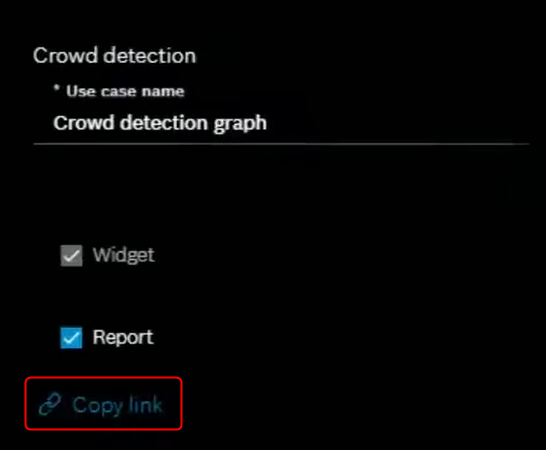
2. Click the "Copy link" button
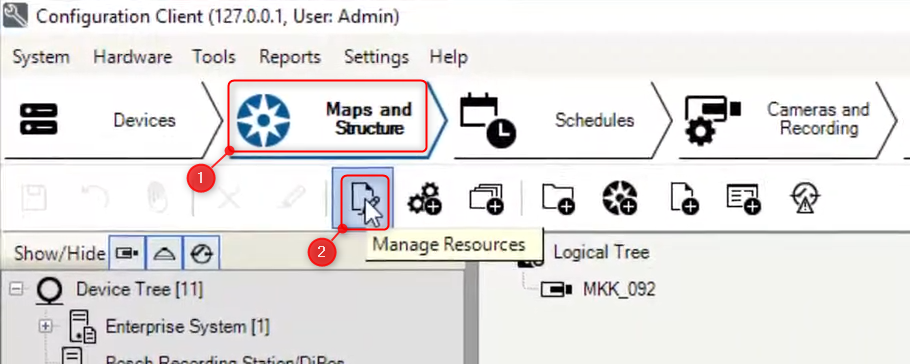
3. Next, access the BVMS Configuration Client and select Maps and Structure > Click Manage Resources
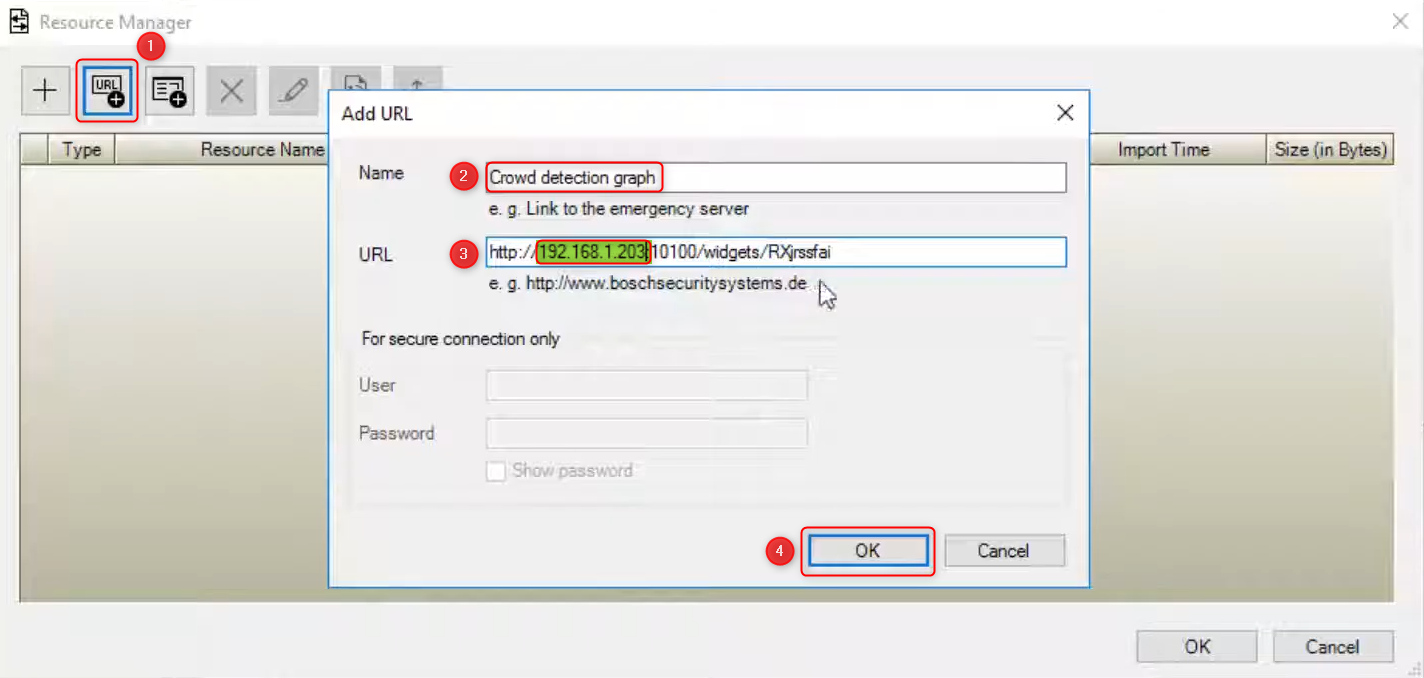
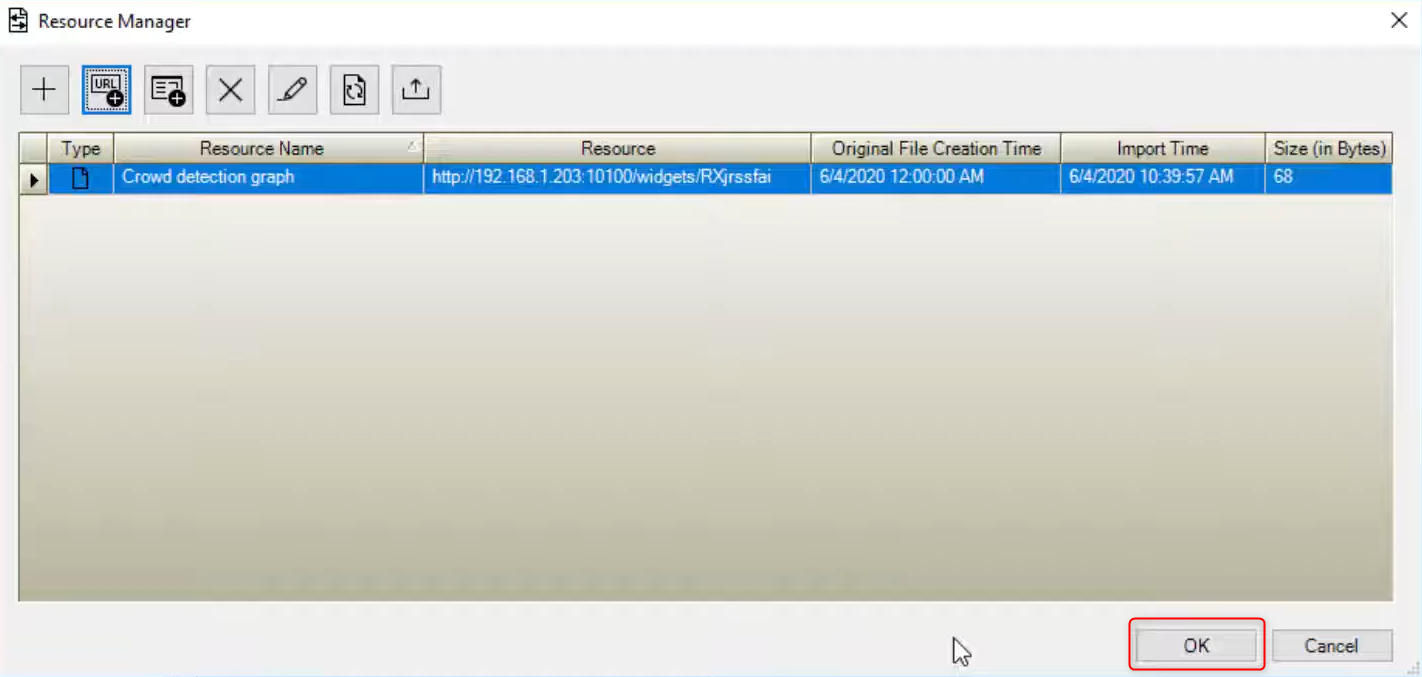
4. Click URL > Add a resource name and paste the URL copied from Intelligent Insights > Replace the text "localhost" with the IP address of the Intelligent Insights machine and click OK > OK
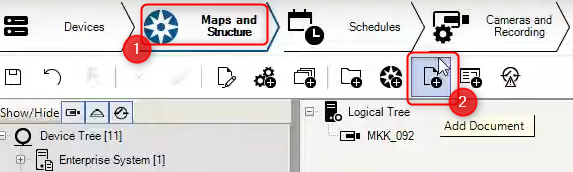
5. Click Add Document
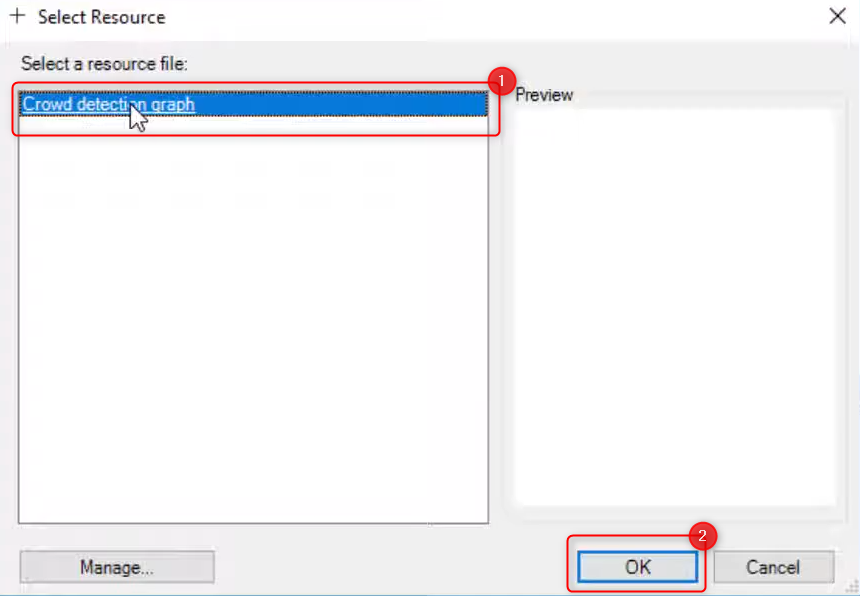
6. Select the URL and click OK. The URL should appear under the Logical Tree
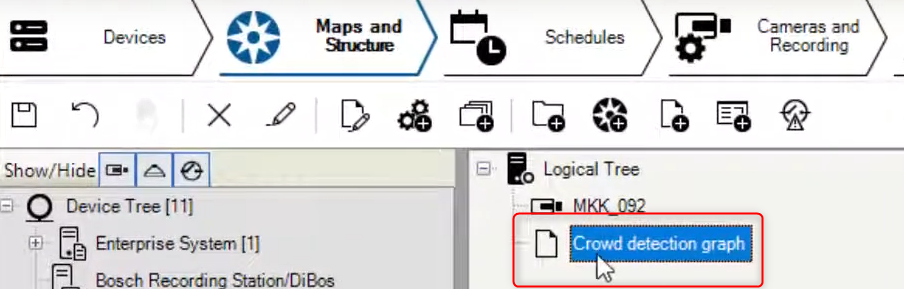
7. Click Save and Activate configuration
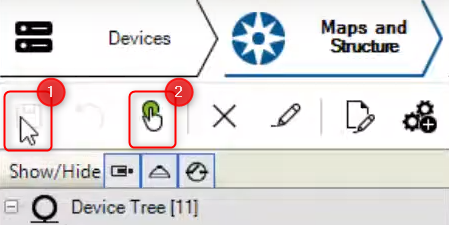
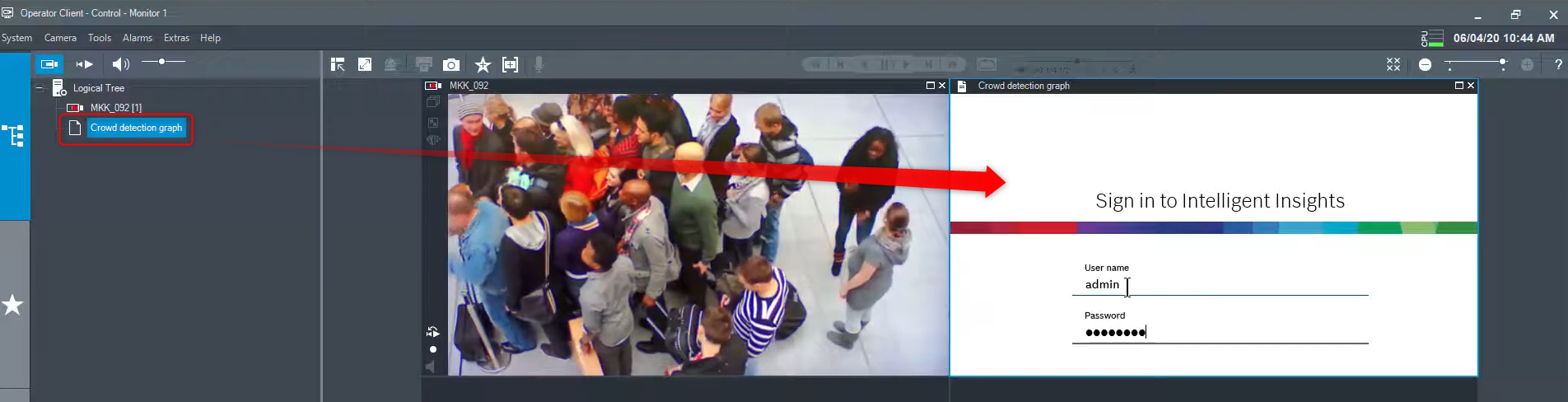
8. Next, access the BVMS Operator Client and select the tile where you want the widget to be displayed. Double click the widget to assign it
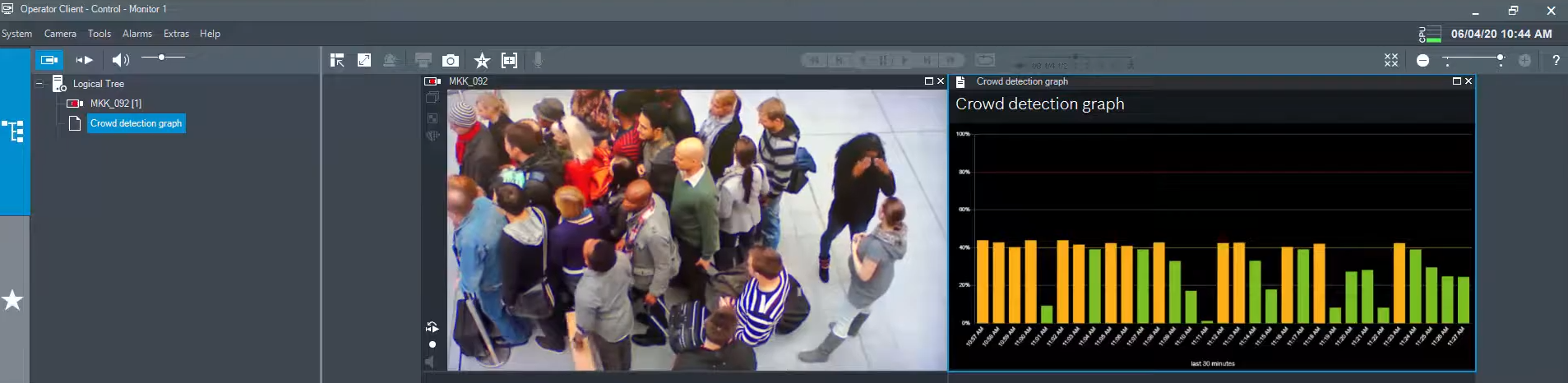
9. After signing in to Intelligent Insights, the widget will be visualized in the tile
Useful links: