
🕒 This procedure takes in average ~ 10 min to complete
This information may be requested by Central Technical Support Team, as the bundle file is useful for troubleshooting the improper behavior of the unit.
The method for collecting the NetApp DSA E2800 support bundle file from SANtricity Storage Manager App is provided below.
Step-by-step guide
Please make sure that you have the SANtricity Storage Manager App installed on your unit.
-
Open the SANtricity Storage Manager App
-
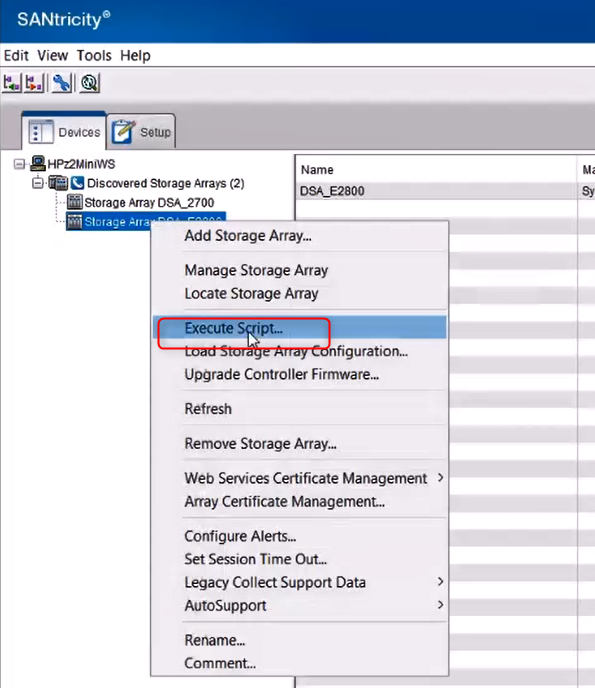
Right click on your DSA E2800 > select "Execute Script..." option
-
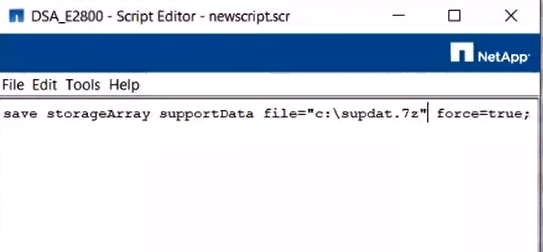
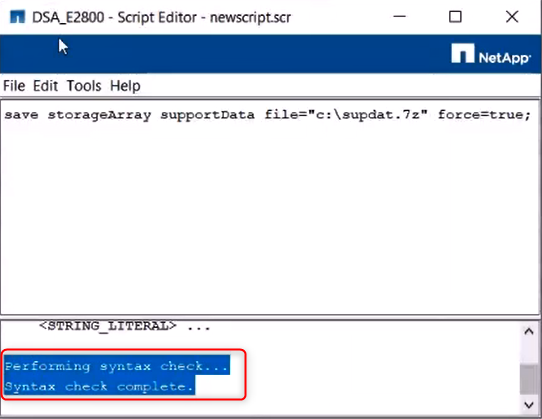
Add the following line in the Script Editor: save storageArray supportData file="c:\supdat.7z" force=true;
-
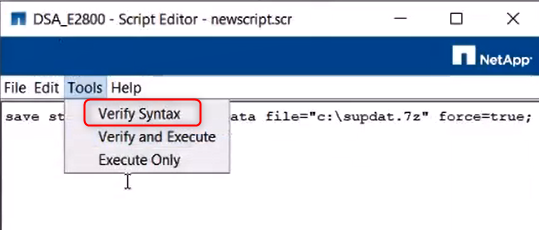
Go to Tools and select "Verify Syntax"
-
"Syntax check complete" message should be displayed
-
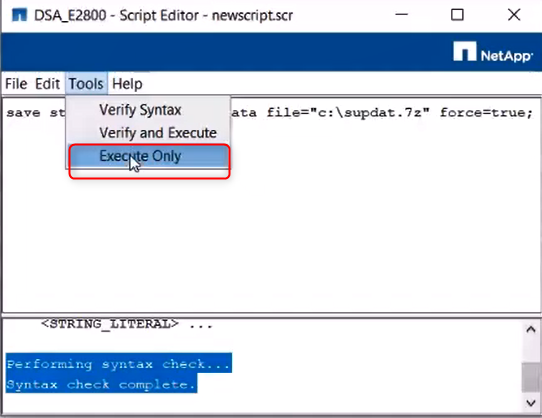
Next, go to Tools and select "Execute Only"
-
To perform this operation, you have to login with your DSA E2800 credentials > click OK > "Working" message will be displayed
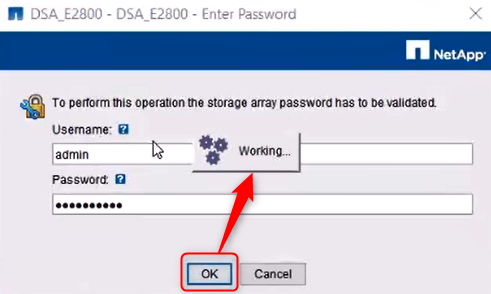
Note: it may take a while for the next window to appear
-
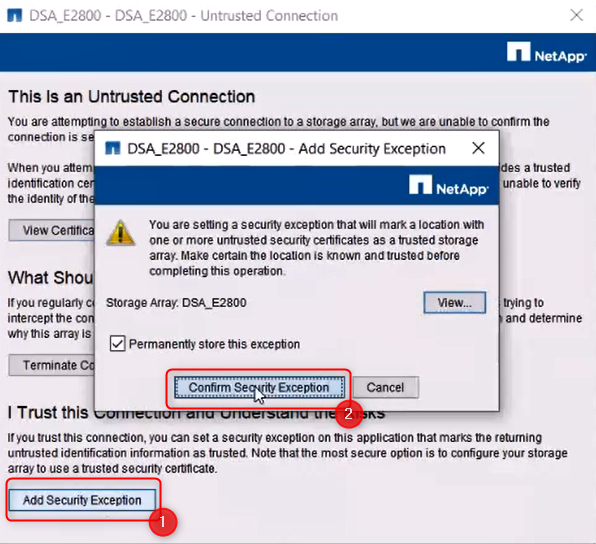
Select "Add Security Exception" and next "Confirm Security Exception"
-
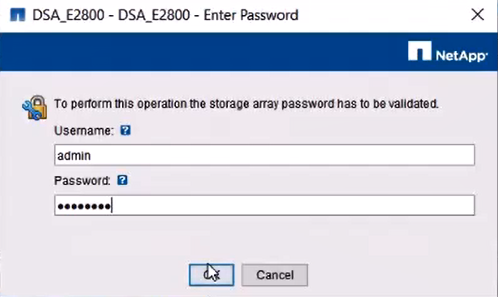
You will be prompted to enter the credentials again. Fill in the necessary details and click OK
-
The Script will start the execution and the bundle file will be exported.
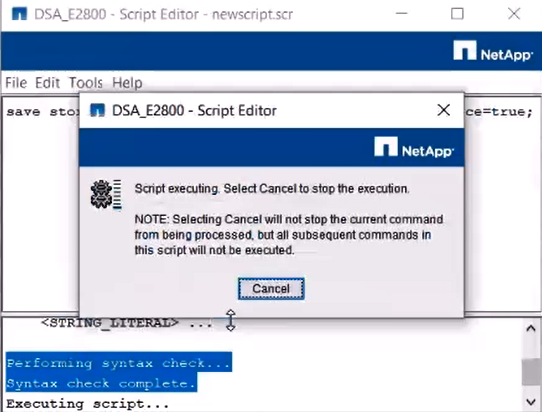
Note: it may take a while for the Executing script...
-
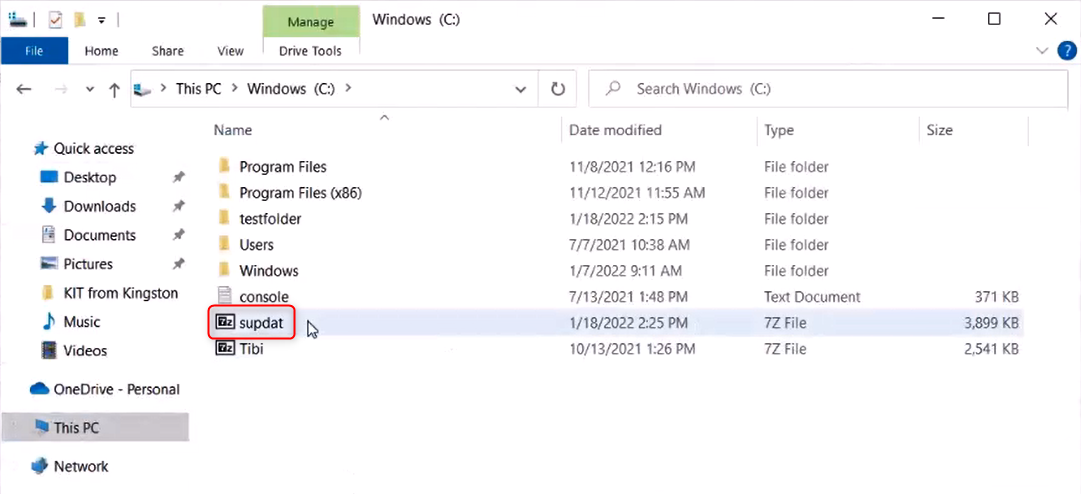
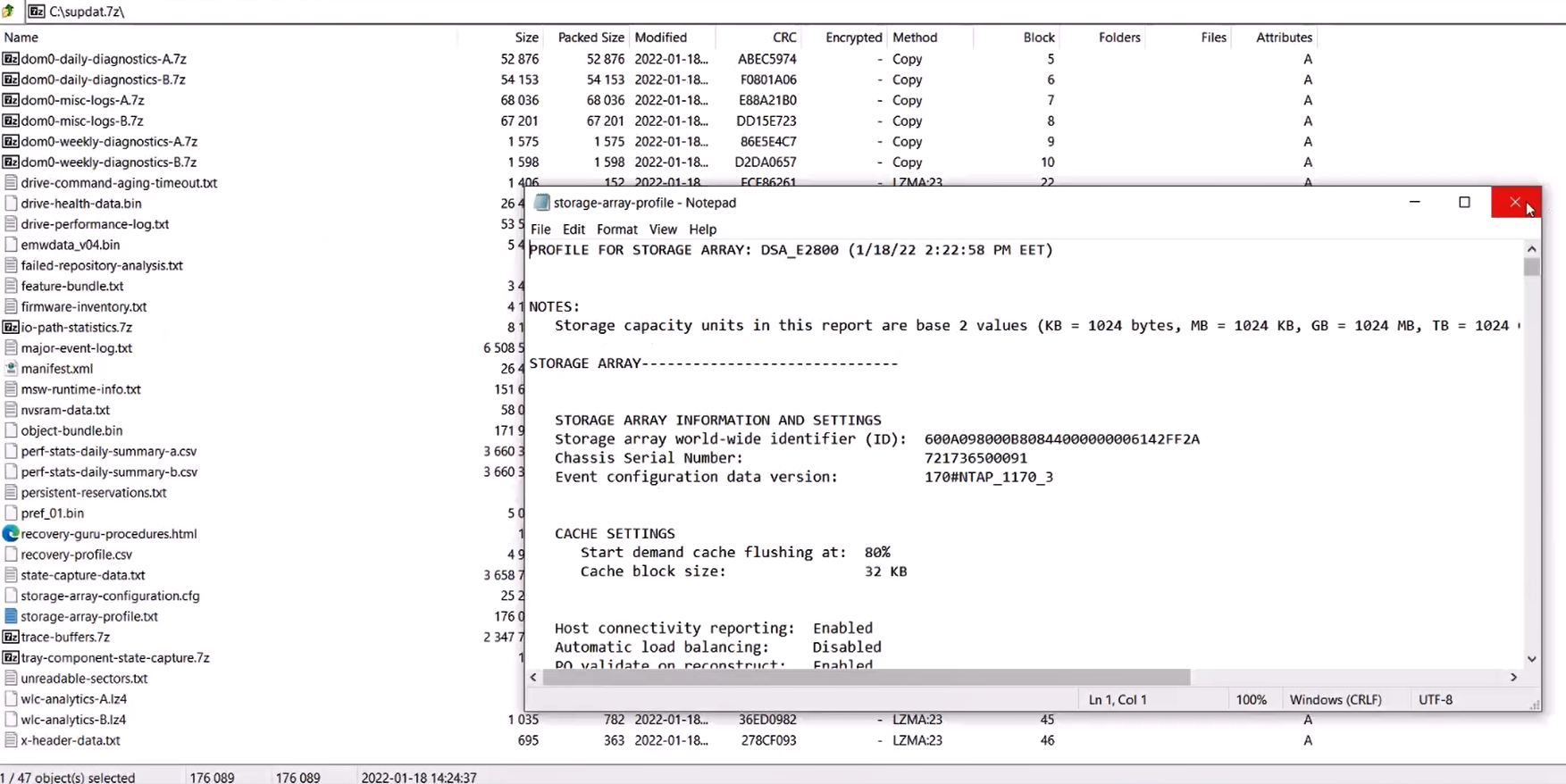
The file will be downloaded in "C:\"

-
How to download the support bundle file for DSA E2800 via WEB browser?
-
How to download the support bundle file for DSA E-Series E2700?
-

You can also see the NetApp Knowledge Base: How to collect an E-Series support bundle via SANtricity command line interface
Note: You should have a NetApp account to access the NetApp KB article above.