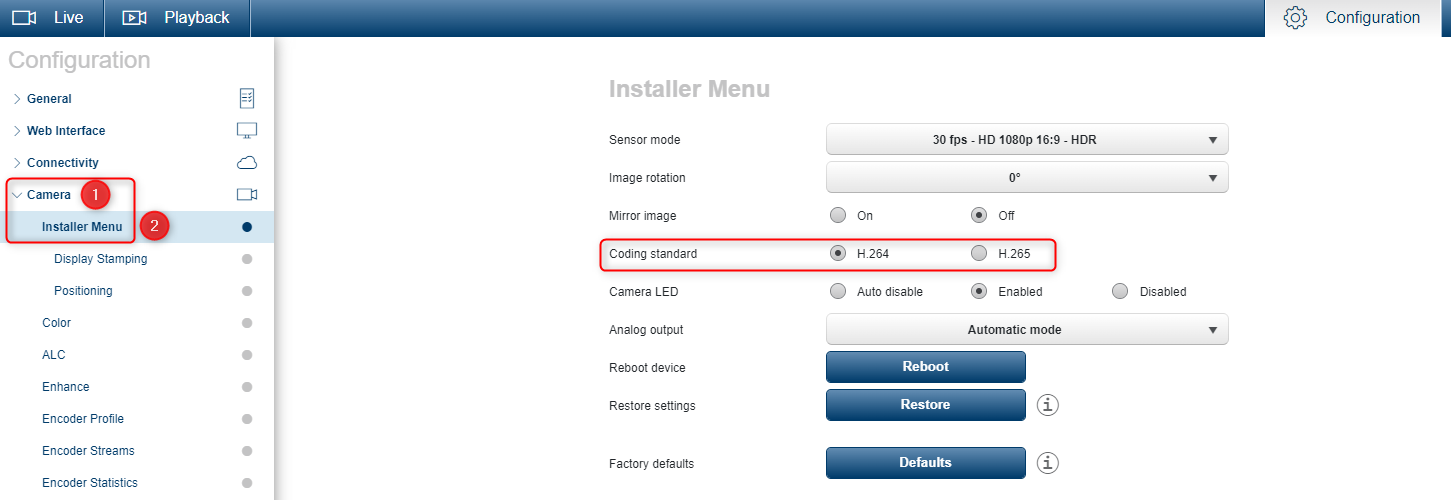
In order to change the codec for your DINION IP 3000I IR you will have to access the camera via its web GUI.
Step-by-step guide
-
Enter the camera IP address in the web browser
-
Authenticate with its credentials
-
Navigate to the Installer Menu of Configuration as noted in the camera’s Operation Manual
-
Next to the Coding standard you can choose H.264 or H.265