
If BVMS and VRM are installed on the same machine, it is needed to change the TCP Port of the VRM Monitor.
Step-by-step guide
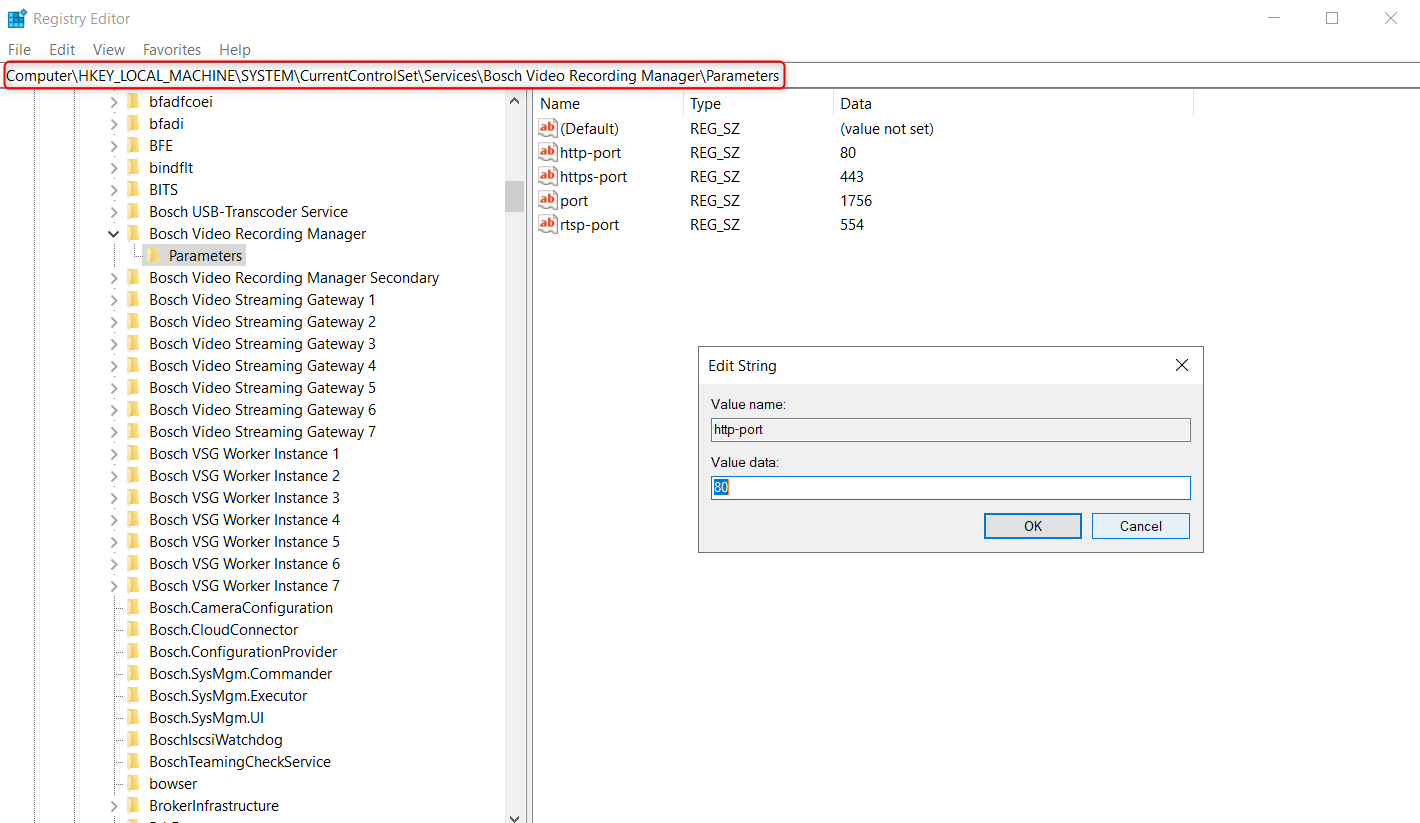
It can be changed by editing the "http-port" key under HKEY_LOCAL_MACHINE\SYSTEM\CurrentControlSet\services\Bosch Video Recording Manager\Parameters in the Windows registry.
-
Run regedit.exe on the VRM server
-
Open HKEY_LOCAL_MACHINE\SYSTEM\CurrentControlSet\services\Bosch Video Recording in the registry tree
-
Change to value of the "http-port" key to the port you want the VRM Monitor to listen to.
-
Restart the Bosch Video Recording Manager service, or reboot the server, for the changes to take effect.