
Question
What to do to exclude certain Events and Alarms from being written in the BVMS logbook?
Answer
If you would like to exclude certain Events and Alarms from being written in the BVMS logbook you do have the option to exclude such information.
Kindly see below:
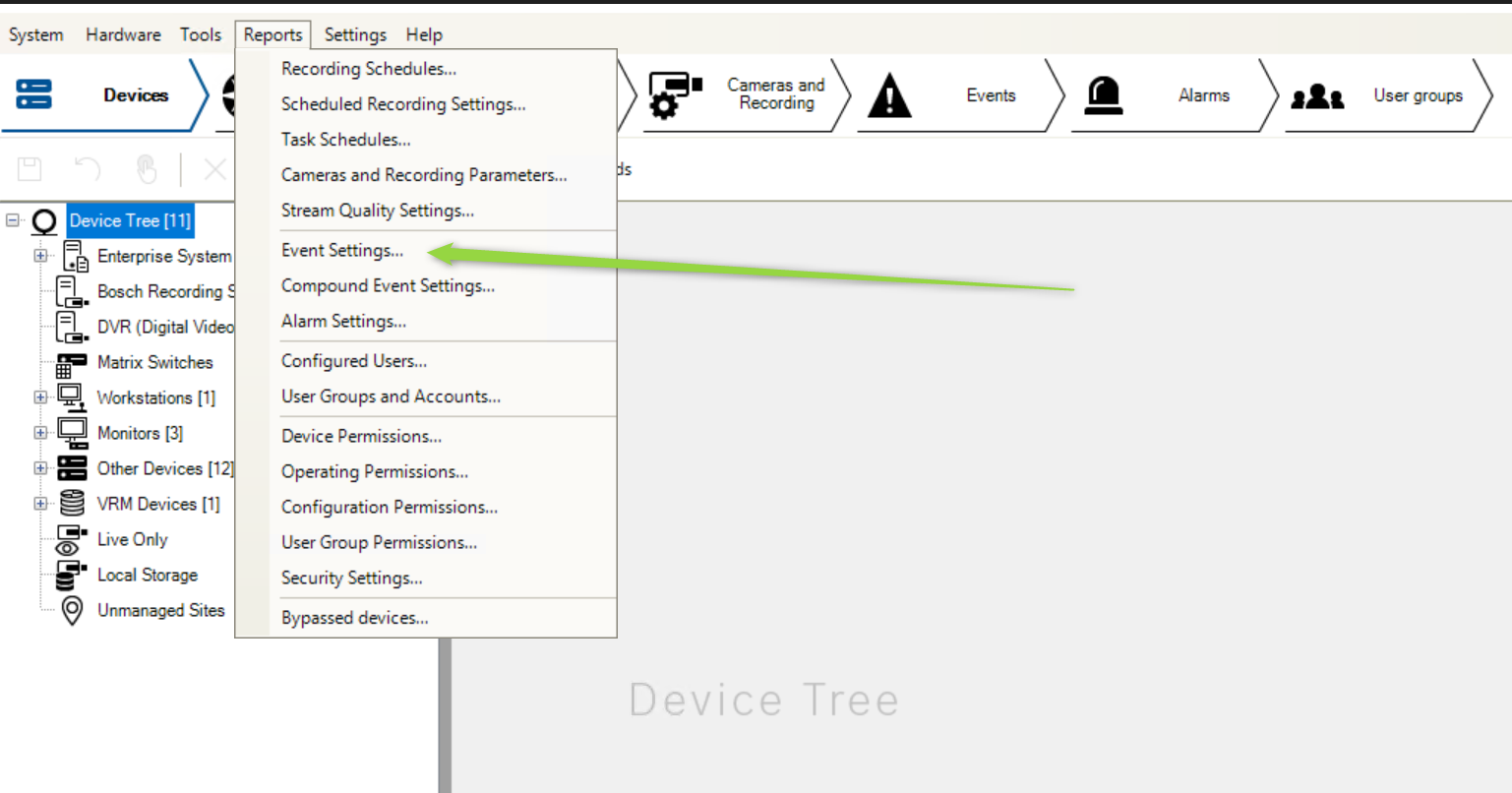
In Configuration Client navigate to Reports > Event Settings:
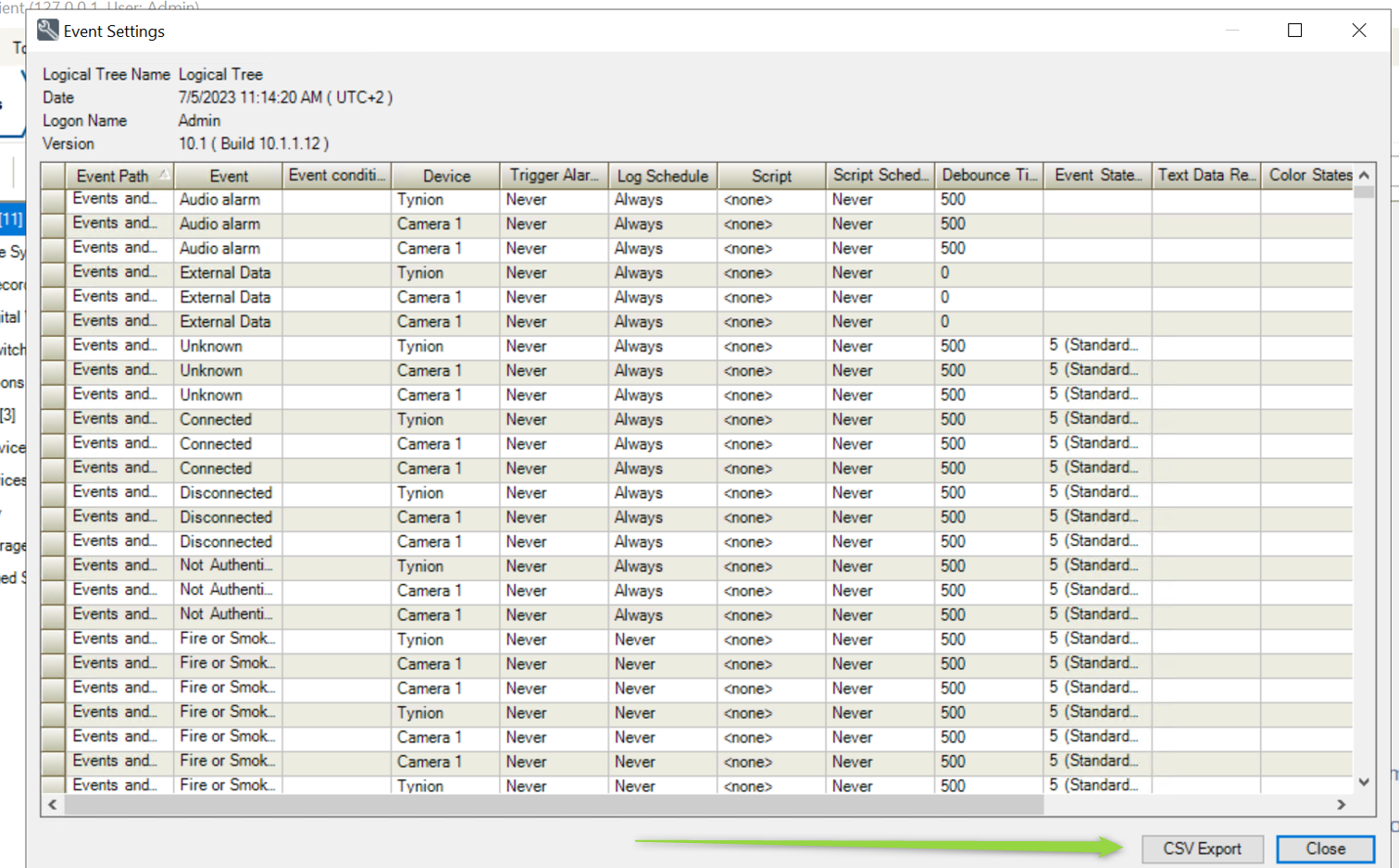
Export the Excel spreadsheet containing the Events:
Afterwards, you can locate the information you would like to exclude from the Events and Alarms:
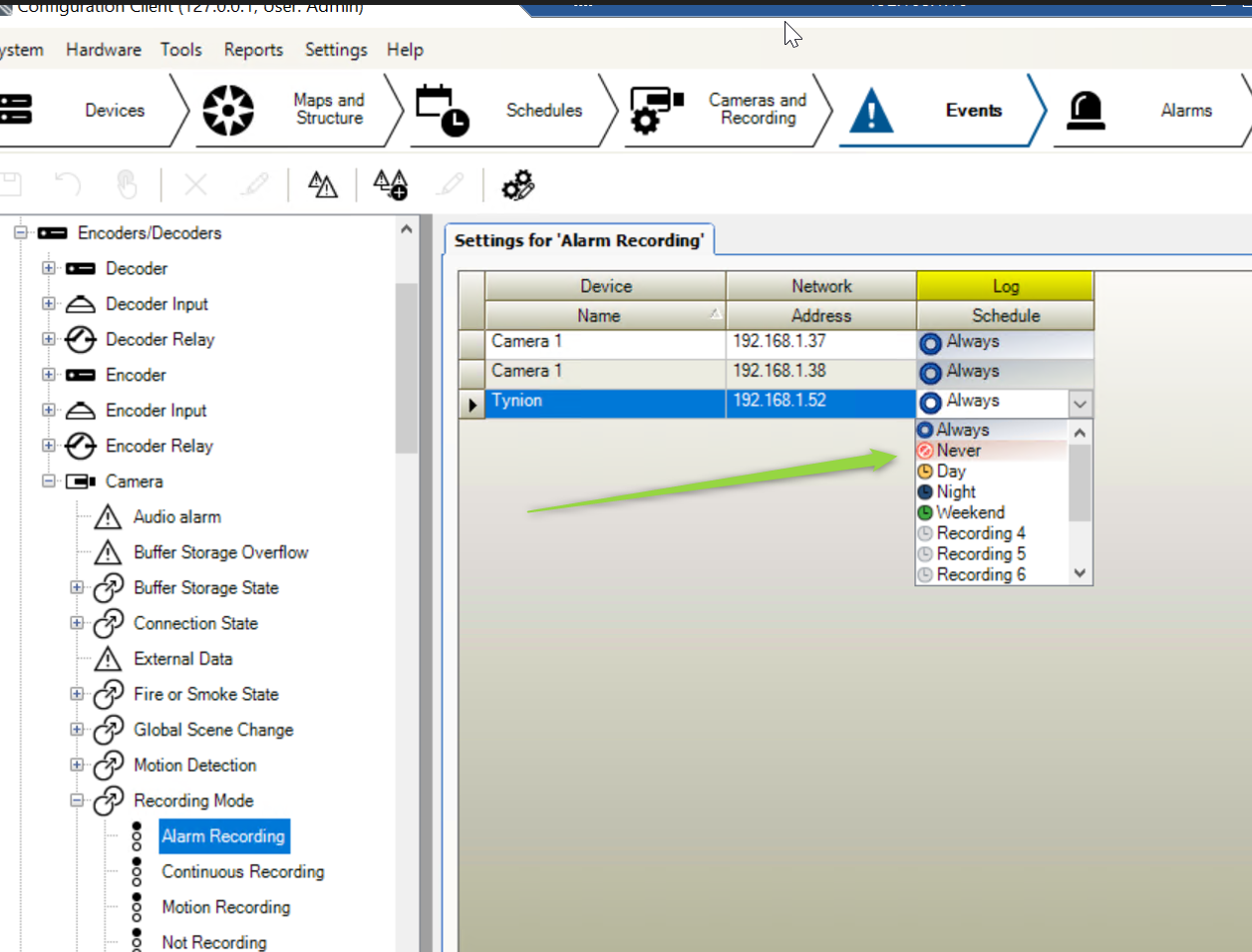
To ensure changes take effect, please make sure to Save and Activate after modifying the Log Schedule to Never.
You also have the option to move the BVMS logbook to a dedicated server to ease maintenance or increase the size of the Logbook: