
-
VideoView+ provides events including push alarm notifications to VSC in addition to live, replay and forensic search
-
Automatically activated trial period: 1 month > after the trial period a license is required
Prerequisites:
-
The customer has an account (company) in Remote Portal
-
The customer installs VSC v.3.4 or later on his mobile device
-
The cameras are registered to Remote Portal & VideoView+ service is activated (trial period or license)
The following steps are referring to the VideoView+ License activation process:
Step-by-step guide
-
Log into your admin account at https://remote.boschsecurity.com
-
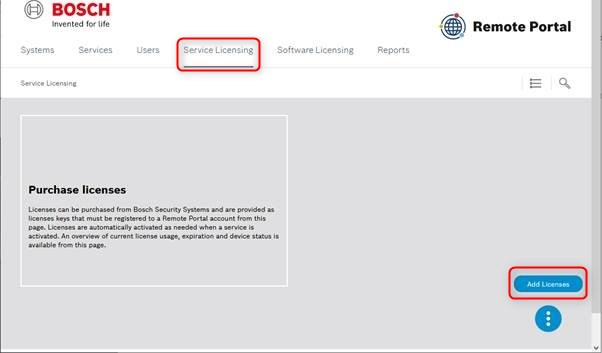
Click the "Service Licensing" tab in the top bar.
-
Click the "Add Licenses" button.
-
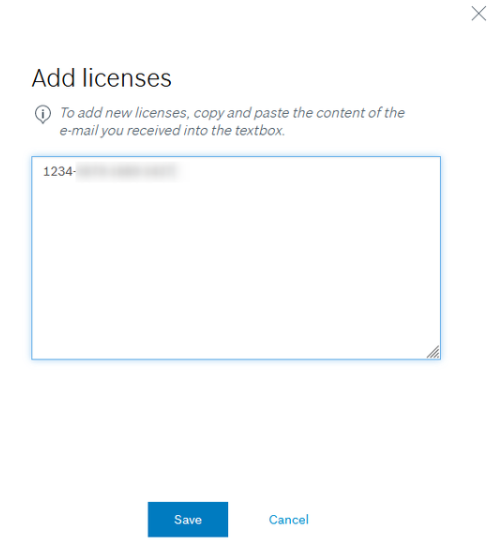
Copy and paste the entire license information between the dashed lines to the browser dialog box and click "Save".
-
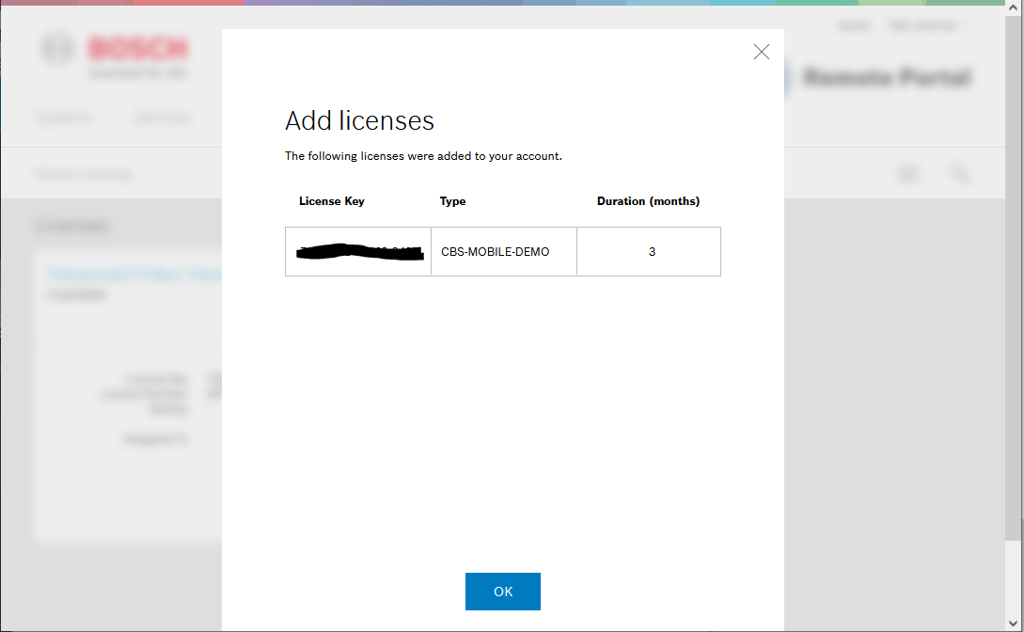
Click “OK”.
-
The license is activated.
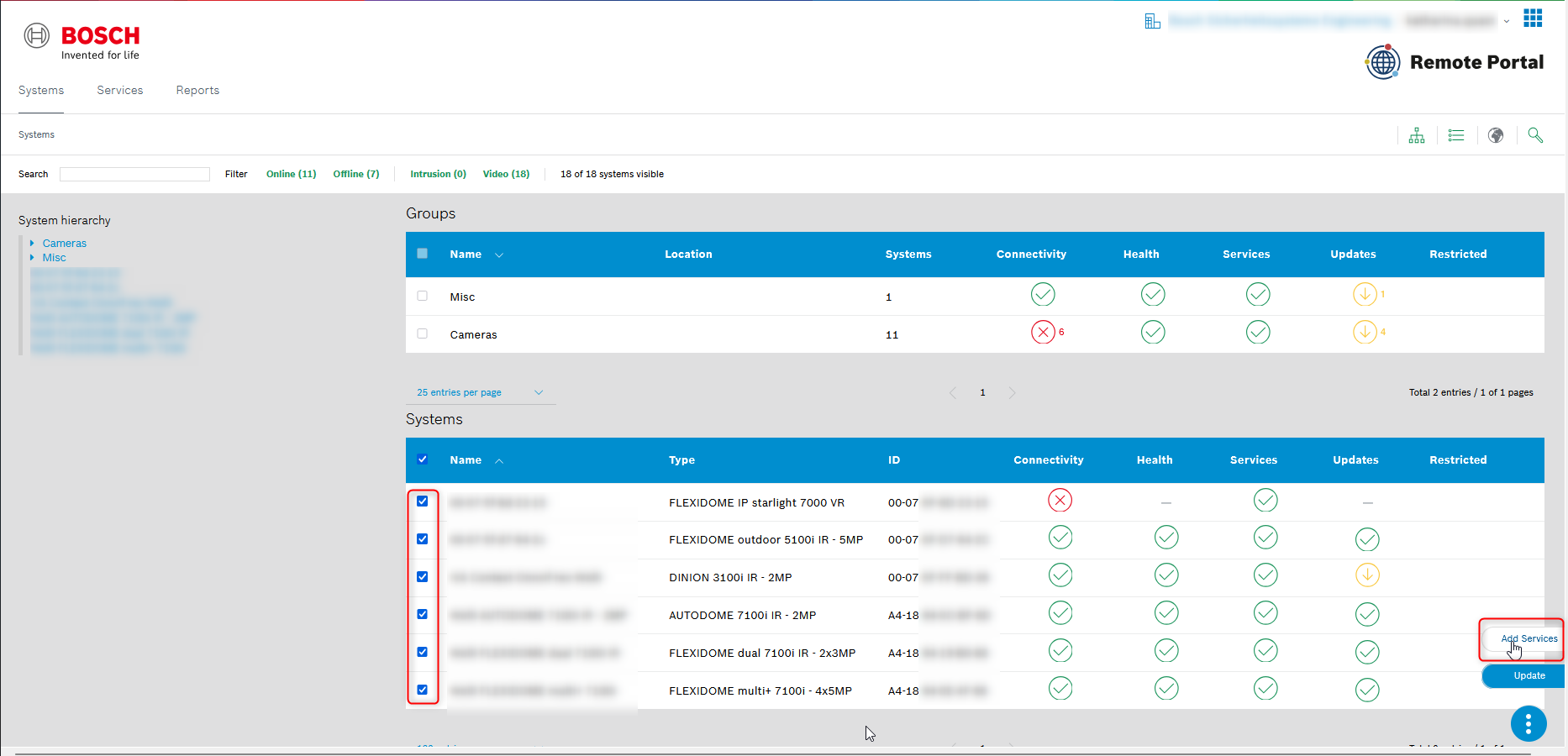
If you are looking for the mass batch activation of licenses in Remote Portal:
-
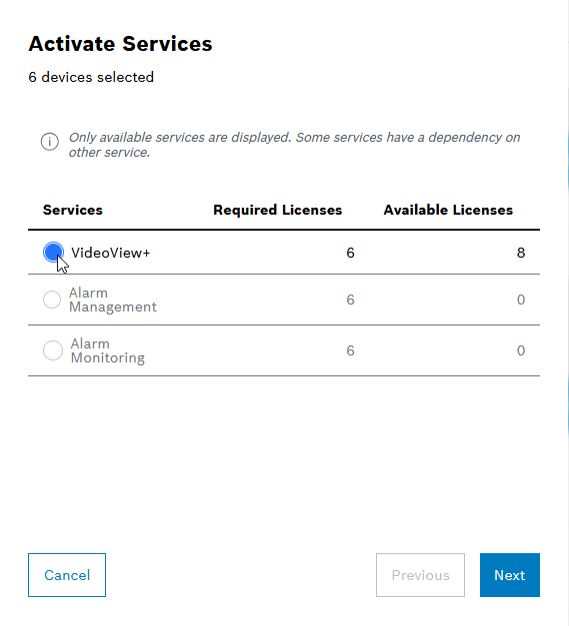
Click Add Services after selecting the systems
-
Select VideoView+ and click Next
-
Check the terms and conditions and click Activate
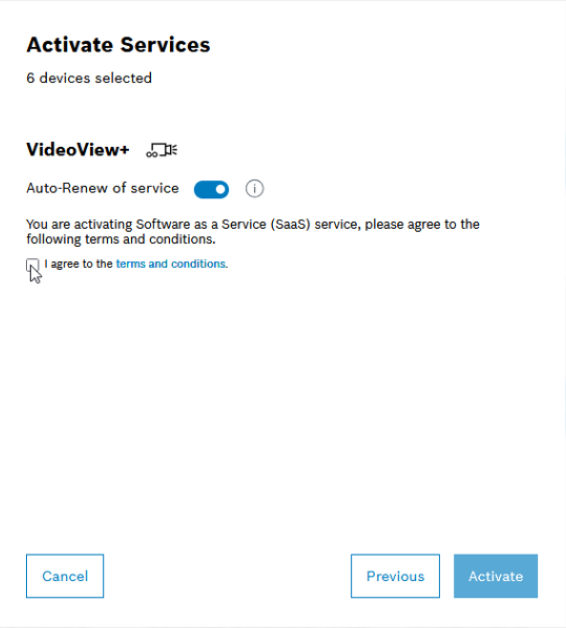
Also, for the mass batch activation of licenses in Remote Portal, you can refer to section 4.3 in this article or to the how2video* starting with 5:48 min.
*The video is describing the activation process for a single camera, but the mass batch activation of licenses is similar.

-
What's New in Video Security 3.6 for Windows, Android and iOS?
-
How to configure the VideoView service incl. push alarm notification?
-
How to set up a Smart Notification service in Bosch Alarm Management?