
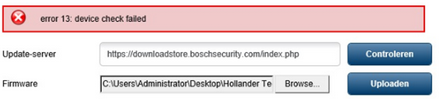
⚠️ WARNING: Do not upgrade the camera firmware directly to the latest Firmware.
If you do this, “error 13: device check failed” message will be displayed, and the firmware will not be upgraded successfully.
Step-by-step guide
Please make sure that the following steps are appropriate for your case, which means that the firmware version of your camera is 6.32.
The current version of the camera firmware can be checked in the web GUI from Configuration > Service > System Overview:
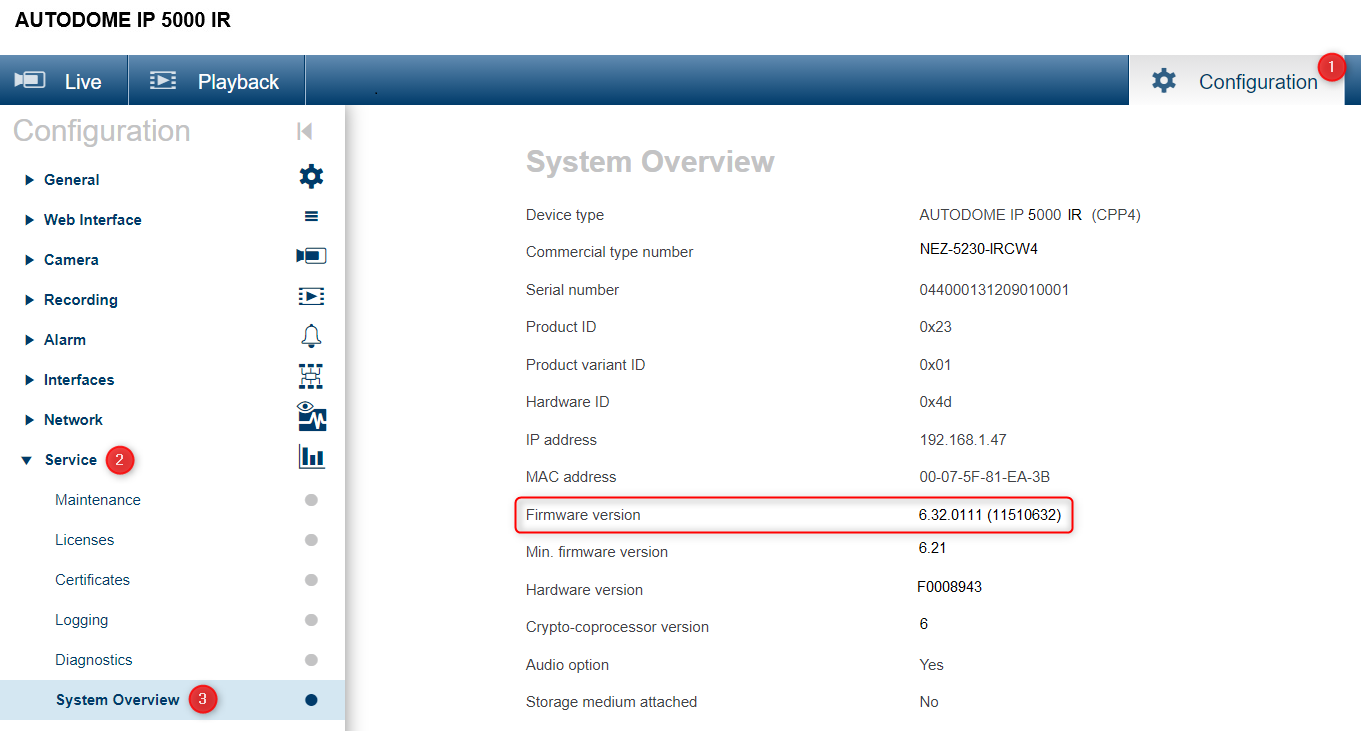
To upgrade it to the latest firmware version available on the Download Store, an intermediate upgrade step is required.
-
upgrade from FW 6.32 to intermediate FW 6.50
-
upgrade from FW 6.50 to latest available on Download Store
Important
Firmware version 6.50 is required as an intermediate upgrade step and is available upon request from the Technical Support Team.
Since intermediate firmware versions may contain vulnerabilities that have been resolved in later releases, it is recommended to continue the upgrade process until the latest available firmware version is installed.
For the latest firmware packages and release notes, please visit the Download Store.

-
Where you can find the intermediate firmware version when upgrading CPP4 cameras?
-
How to upgrade CPP3/4/5/6/7/7.3 IP cameras from firmware < v6.50 to the latest FW available?