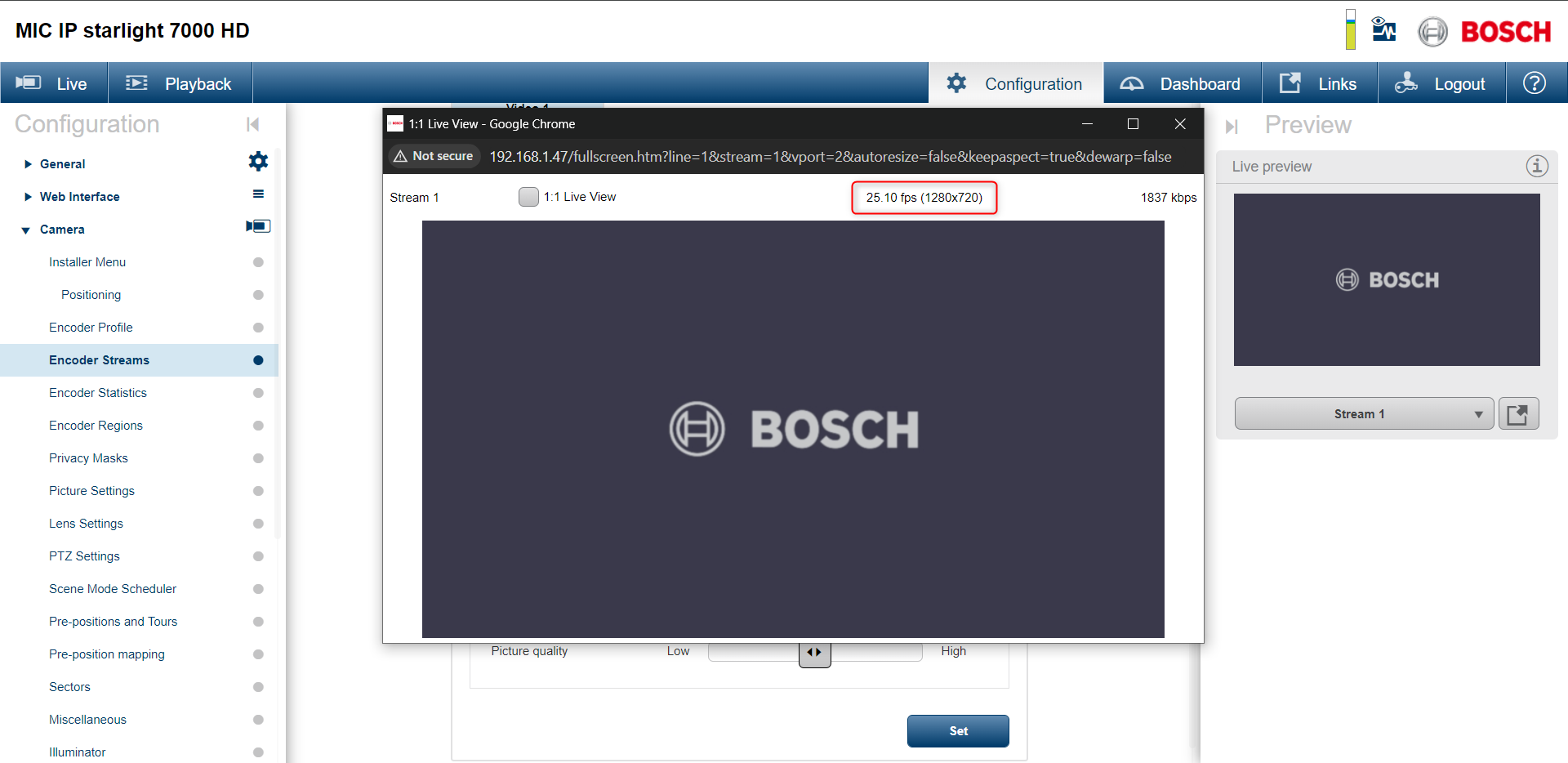
By trying to change the rates in the camera’s web page, the only options available are 50 or 60 fps. How to configure a Mic IP Starlight 7000 camera to operate at 25fps?
We would recommend changing the camera settings as we suggest below.
Note
Be aware that this setting will be overwritten when the camera is added to BVMS. The encoding interval should then be set in the BVMS settings.
Step-by-step guide
-
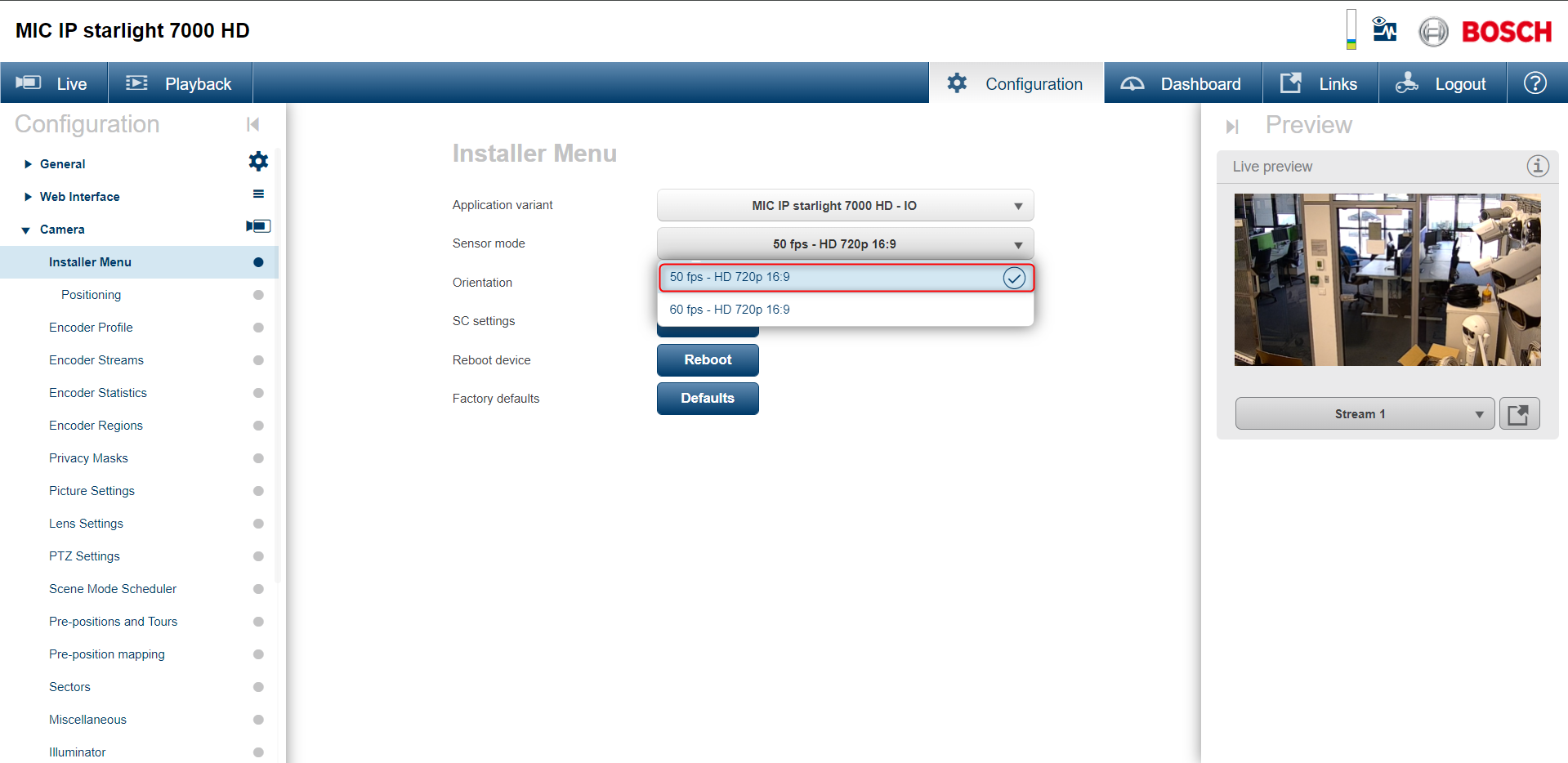
Go to Configuration -> Installer Menu and select “Sensor Mode” for 50 fps
-
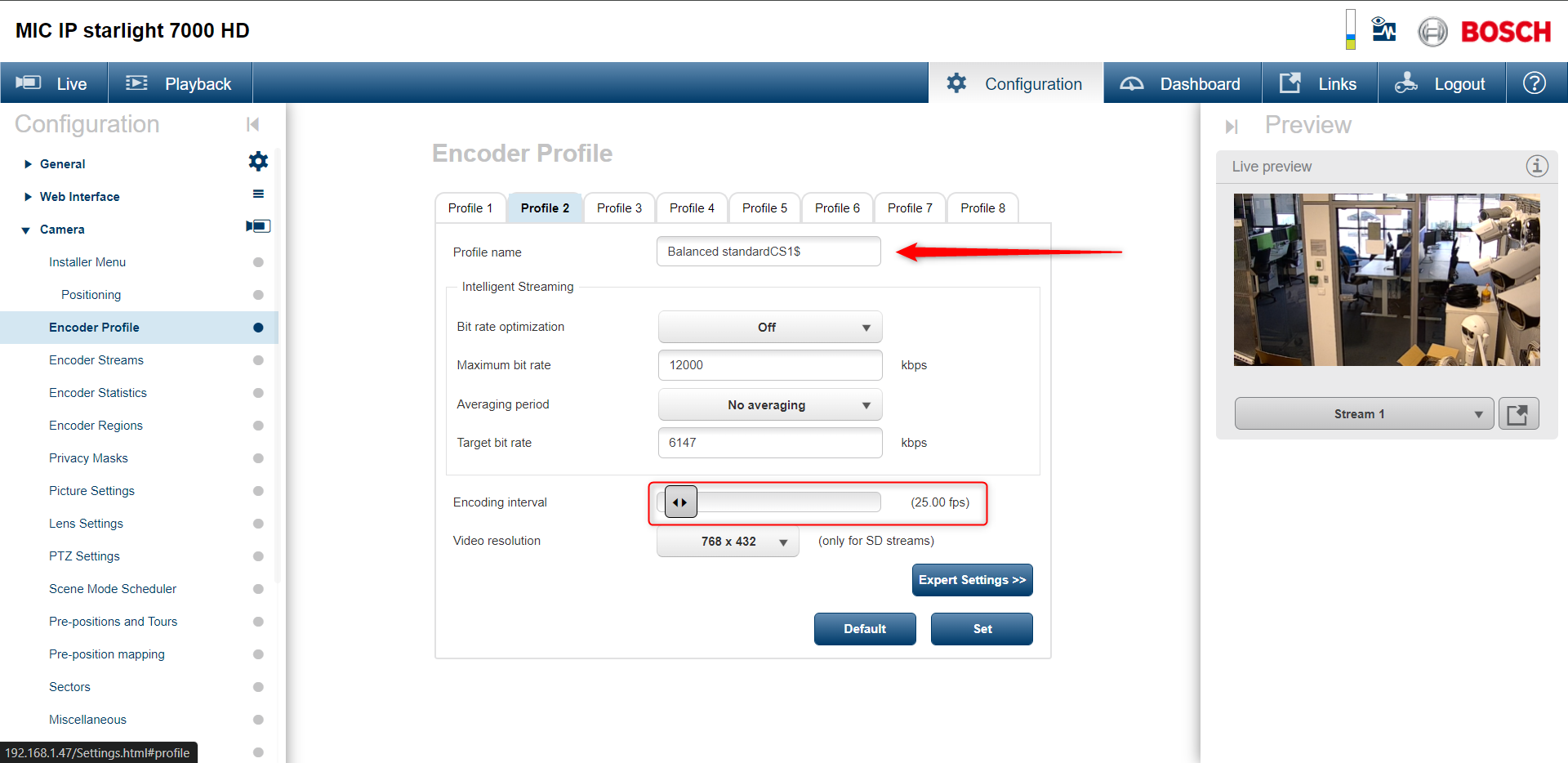
Go to Encoder Profile and adjust the slider till it reaches 25 fps
-
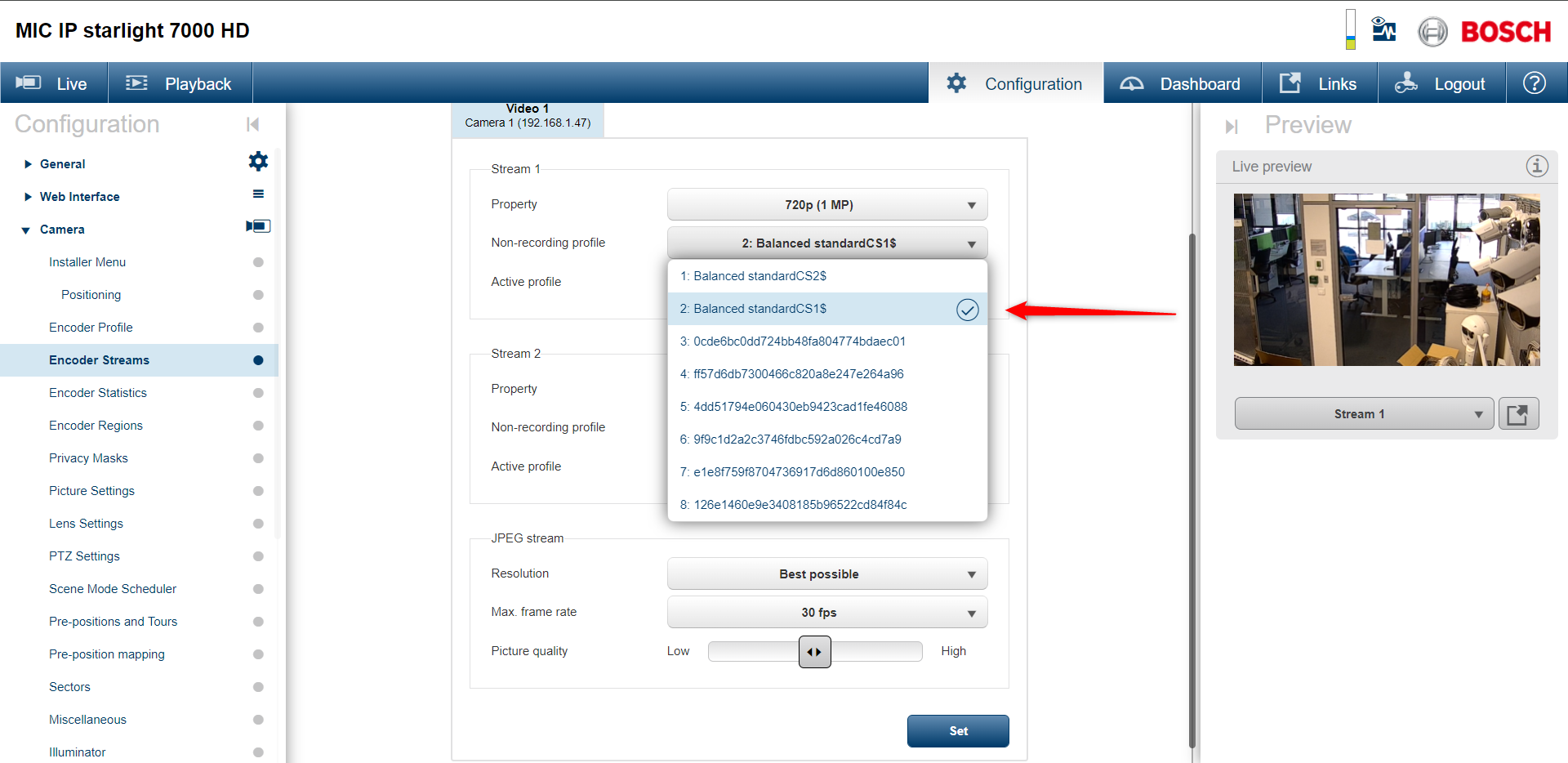
Go to Encoder Streams and select by name the profile you want to use for each stream
-
Now the camera is working on 25 fps