Question
How can you add the Analytics of Bosch Cameras to the ONVIF GetProfile?
Answer
There are 2 ways to add the Analytics to the response of GetProfile.
Option #1:
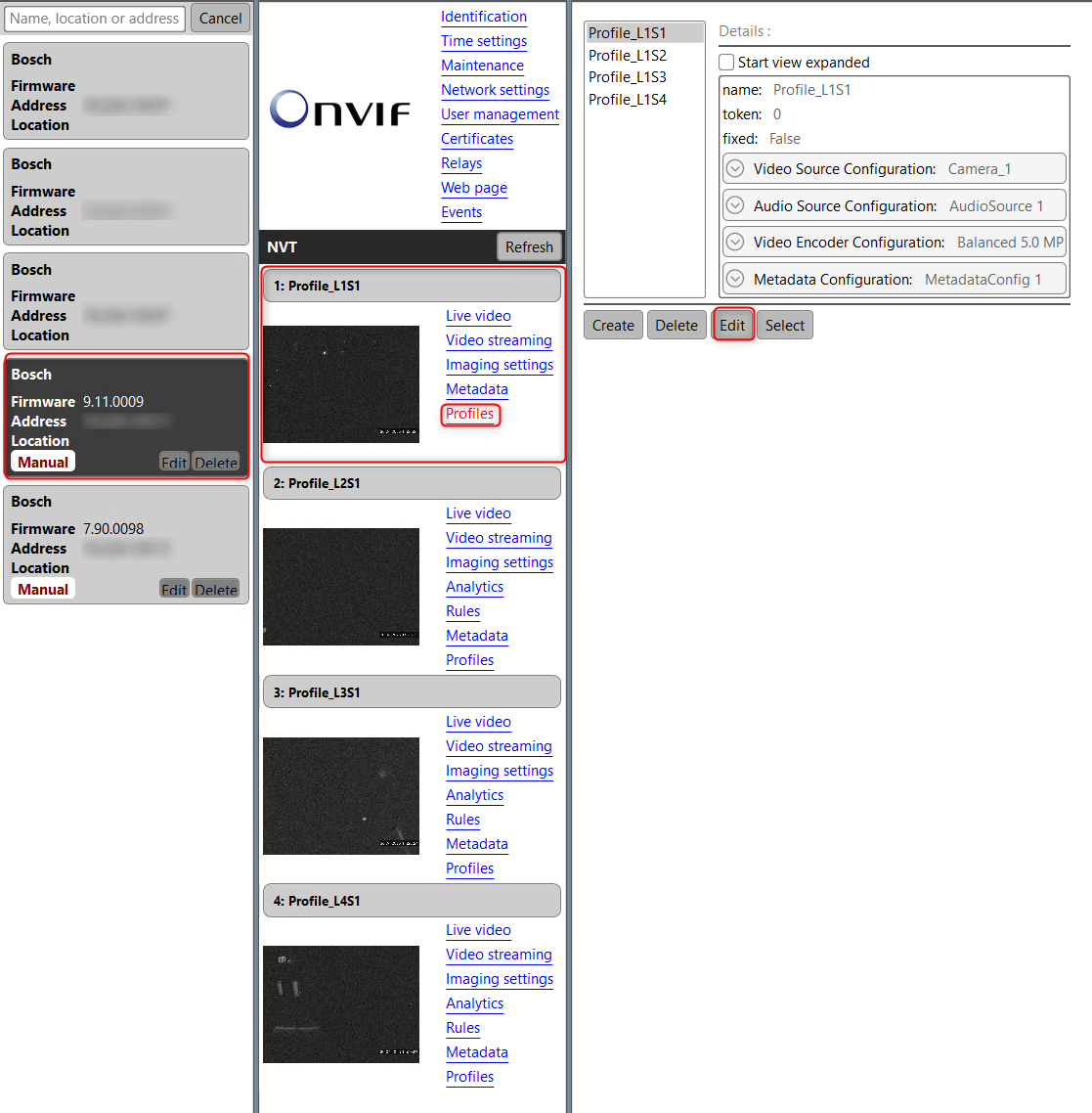
Configure the camera using ONVIF Device Manager.
-
Bring up your camera
-
Select Profile and edit, as you see in the image below:
-
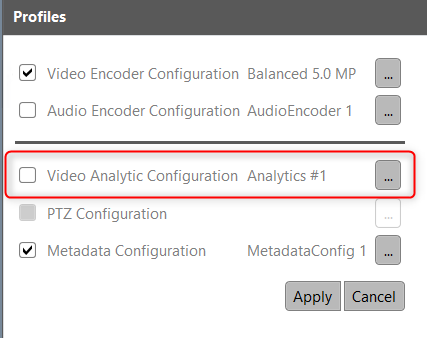
Then select the check box for 'Video Analytic Configuration Analytics #1' > Apply
-
Do that for each sensor on a FLEXIDOME multi 7000i
-
And go back to ONVIF test tool and run the GetProfile (All types)
You will get the Profiles with the Analytics.
Option #2:
Using ONVIF Test Tool.
⚠️ Note: We do not provide the ONVIF Test Tool.
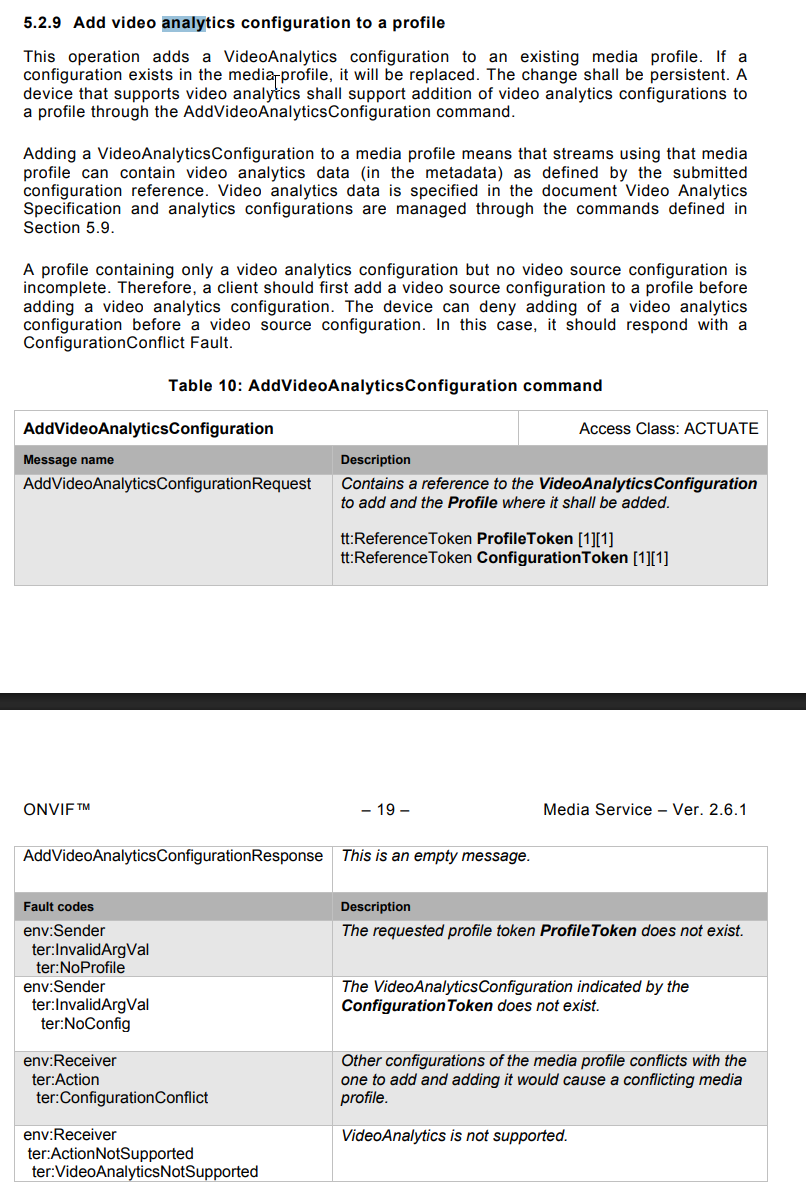
You can write your own script using https://www.onvif.org/specs/srv/media/ONVIF-Media-Service-Spec-v261.pdf (page 18)