This article is applicable for previous NetApp E2700 and models not having web Santricity.
For web based E2800 Santricity, please refer to the following article:
Nice to know: How can I find and download the Firmware for my NetApp DSA unit?
Step-by-step guide
Prerequisites:
- Santricity has been installed.
- E-Series has been scanned and added to Santricity.
Updating Controller Firmware:
- Open the Santricity software.
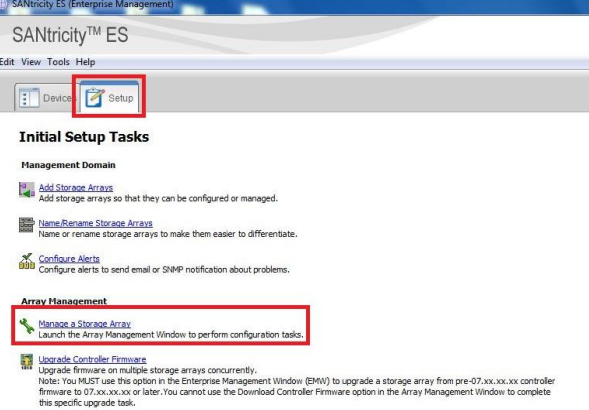
- Click on the Setup Tab.
- Click on Manage Storage Array.
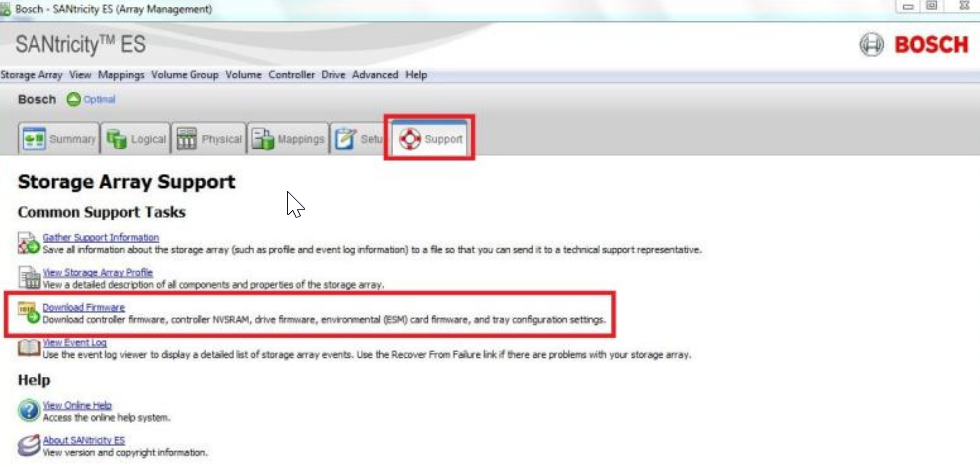
- Click on the Support Tab and select Download Firmware.
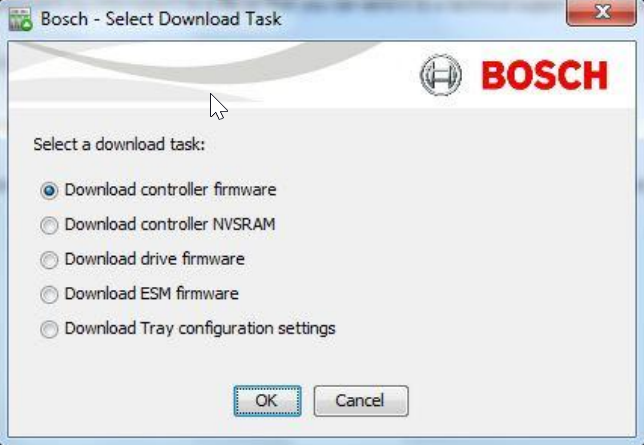
- Select the type of firmware that requires the upgrade and choose “ok”.
The system will automatically perform a “Pre-Upgrade Check” before allowing the firmware download. Select “Ok” on the
“Pre-Upgrade Check” window.
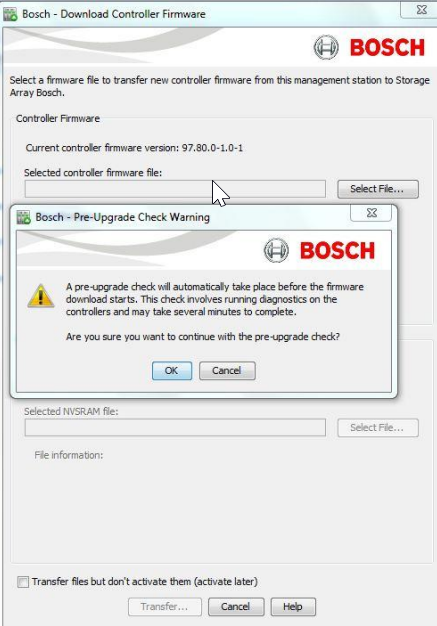
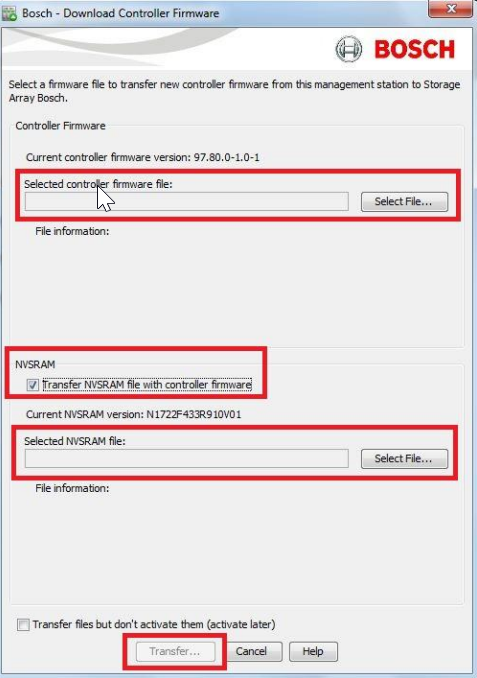
On the Firmware Download page browse to the Controller firmware file, select the “Transfer NVSRAM File with Controller
Firmware” checkbox, browse to the NVSRAM file, and select “Transfer”.
Note: Files can be activated at a later time to provide minimal peak hour downtime.