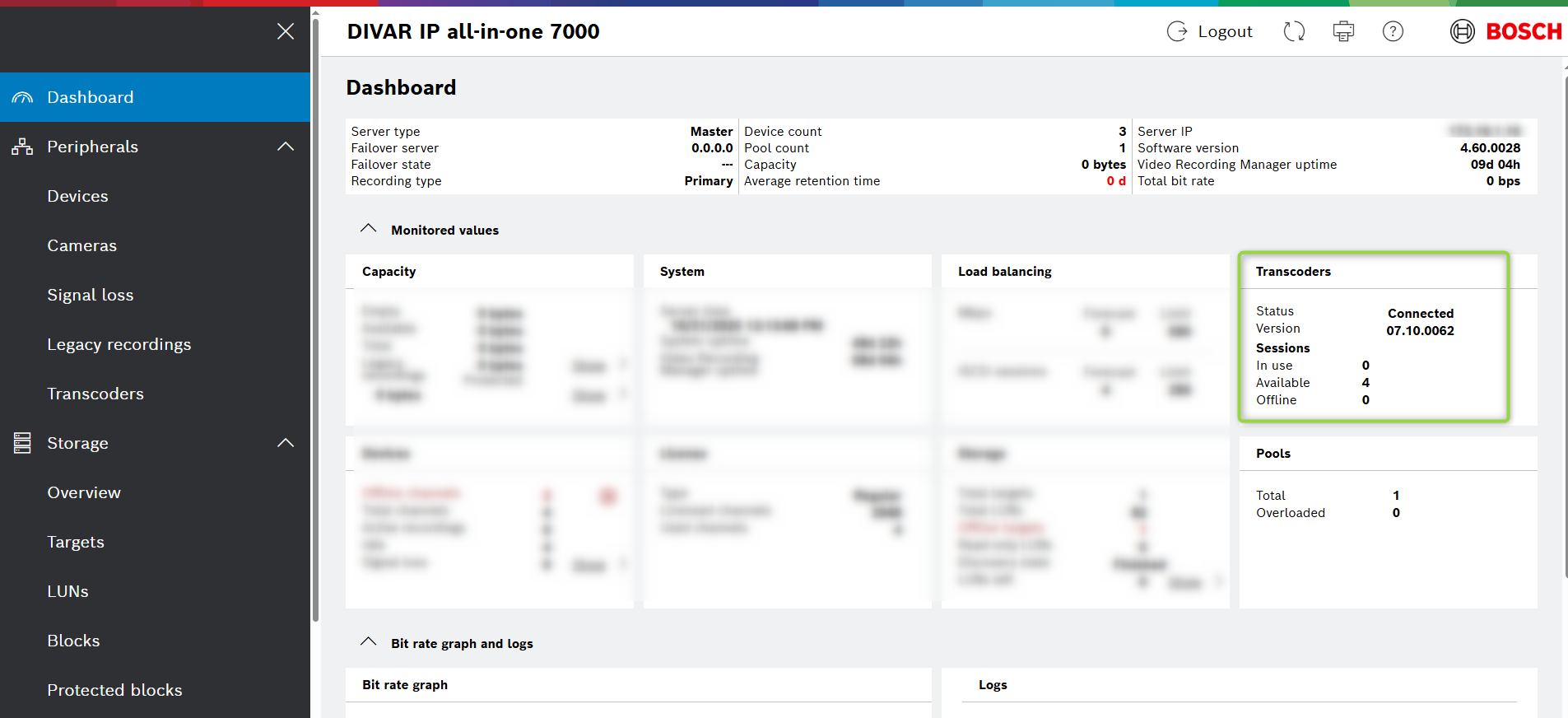
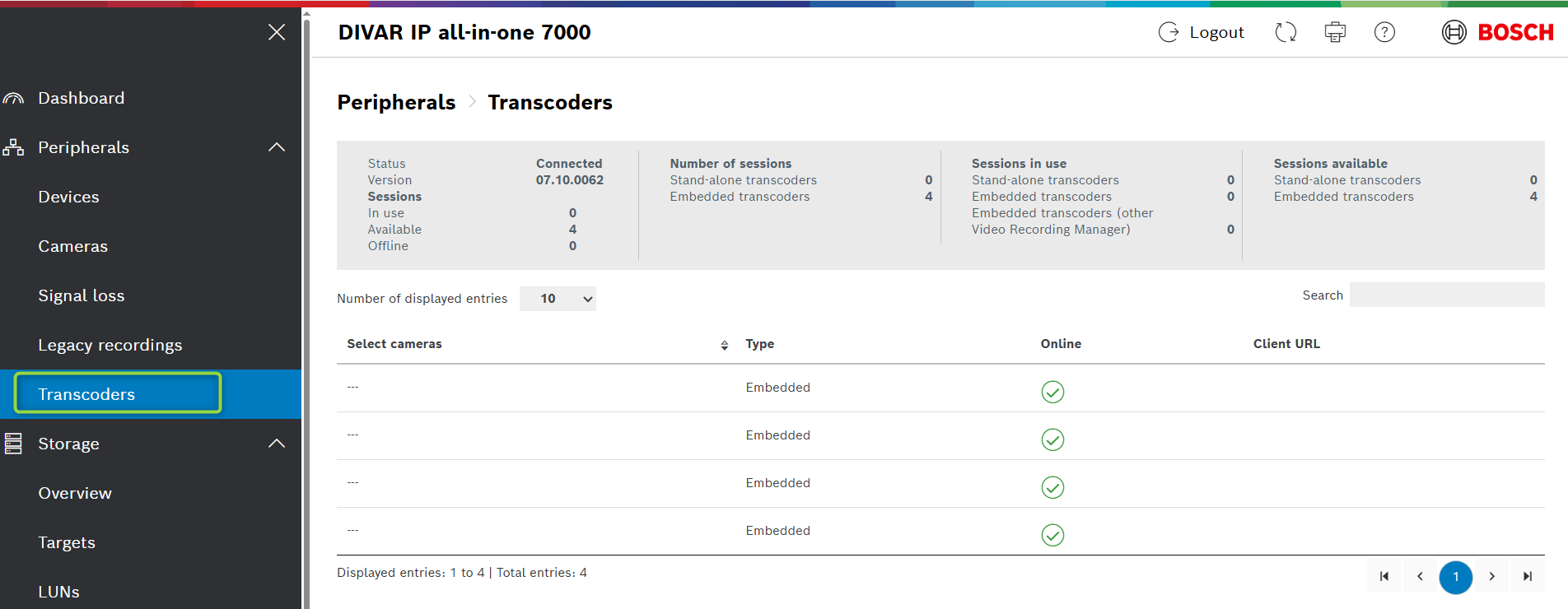
Possible causes and solution(s)
Bosch has been providing 2 types of VRM packages: a 32bit and a 64bit version. Since VRM 3.82 we are only offering the 64bit version.
As all of our released DIVAP IP units started off as 32bit VRM which includes a Transcoder service.
-
Causes
If you do not use the Start.exe included in the VRM Master Installer, you will not be offered the opportunity to also upgrade the Transcoder.
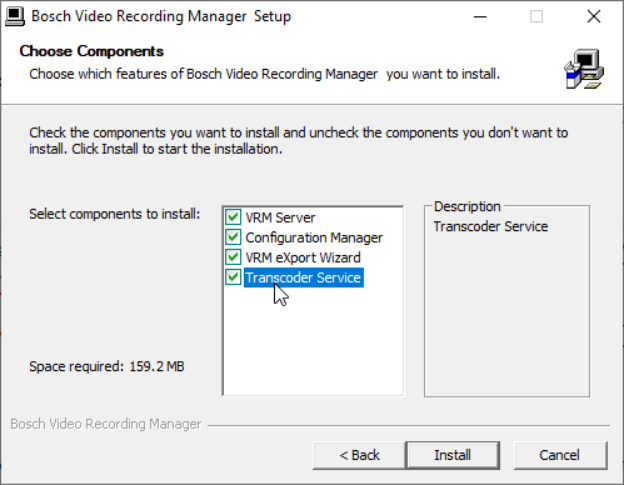
Just running the Setup_VRM_Service_<version>.exe found in the <Install\Bosch> folder, will cause the Transcoder service to stop functioning!
-
This includes if the upgrade is done via BVMS installer.
-
Since BVMS 10.0, VRM 3.82 "64bit" was implemented.
-
Due to the fact that BVMS does not manage the transcoder, it was not installed.
-
Also see Firewall settings: HowTo Configure Windows Firewall Rules, includes PS script to adjust the VRM 64bit and Transcoder rules.
-
-
Solution
-
Download the appropriate VRM version from our Downloadstore
-
Run the Start.exe
-
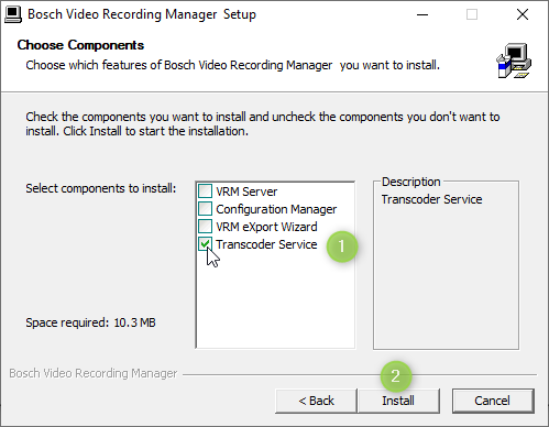
Deselect all components and choose only the Transcoder Service
-
Click on "Install"
To confirm that the Transcoder is fully functional, open your browser and navigate to the VRM Monitor:
-
https://<VRM_IP_Address>/
-
Log in with you Credentials
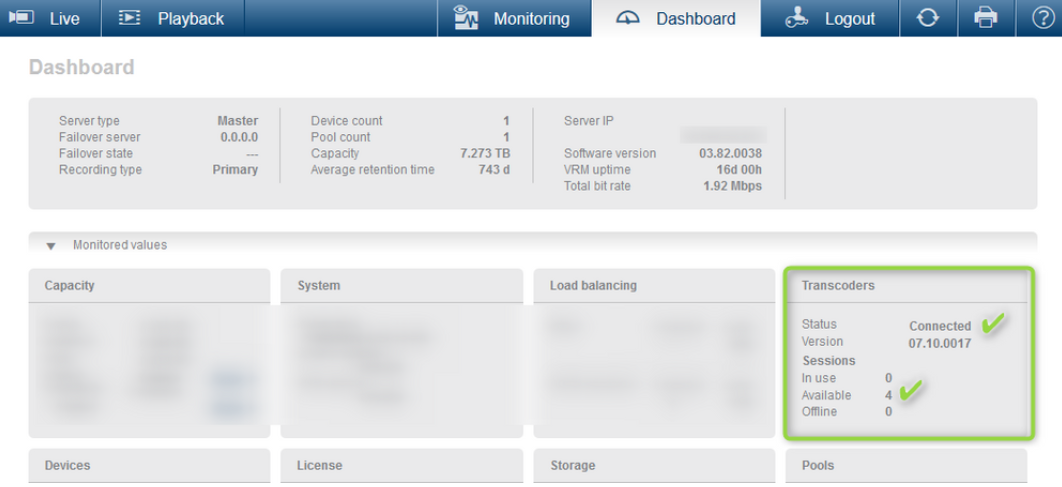
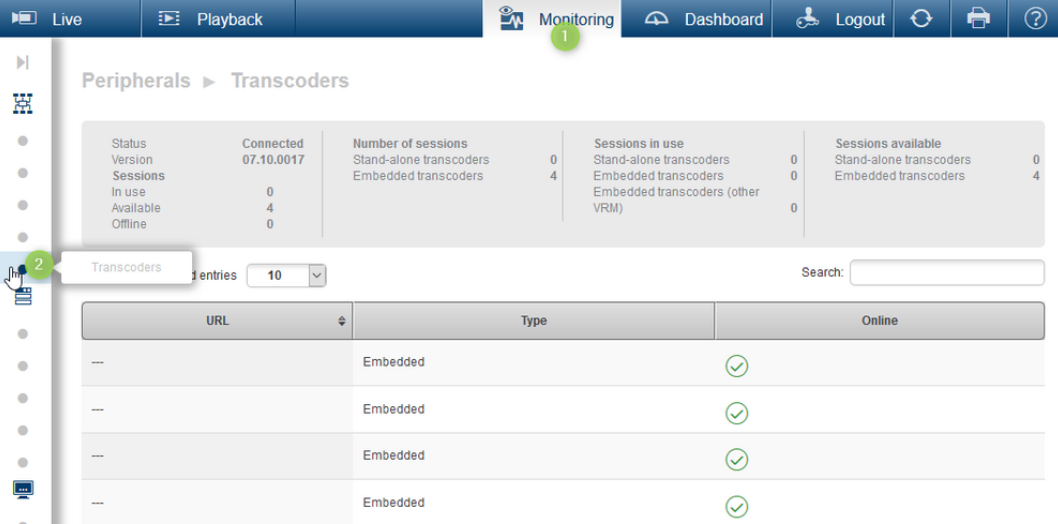
Note that the Web interface has changed in VRM version 4.00 and later.