
This article explains how you can configure the iSCSI ports of your DSA E2800 dual or single controller and afterwards configure it in BVMS Configuration Client.
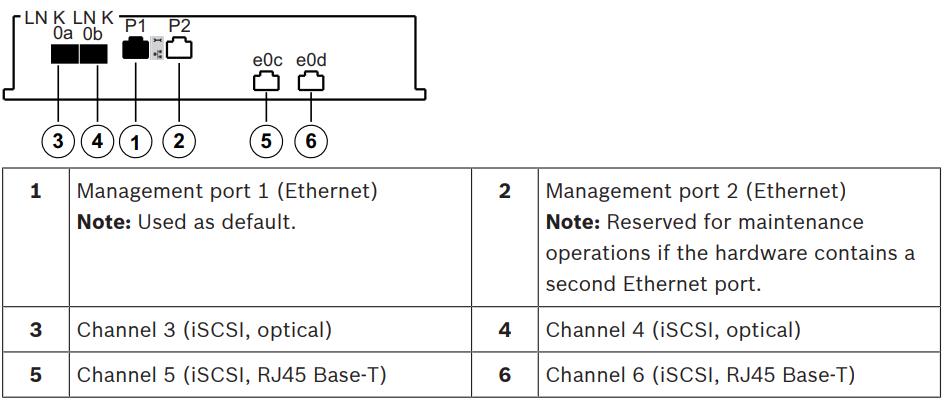
Single controller units support 2 different cabling options for the iSCSI ports.
– Default: iSCSI, RJ45 Base‑T
– Alternatively: iSCSI, optical
In this article we'll configure the network settings for Controller A port e0c and e0d.
Step-by-step guide
Configure the iSCSI ports of DSA E2800
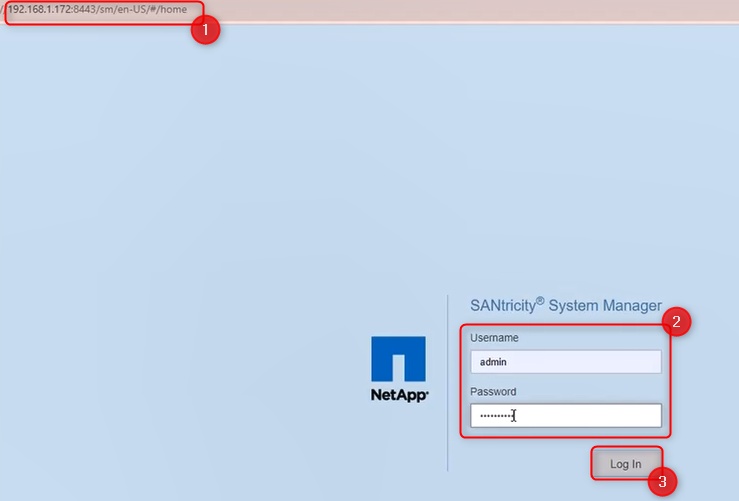
1. Open one web browser and type in the IP address of your DSA E2800 → Log In with its credentials
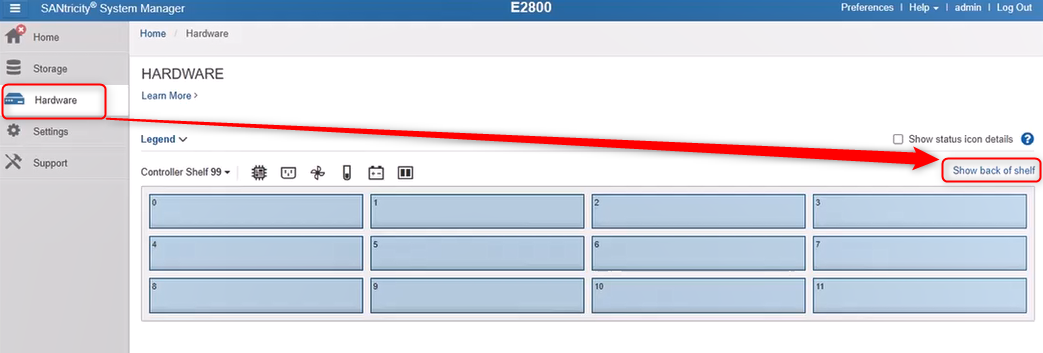
2. Go to the "Hardware" menu and click on the "Show back of shell"
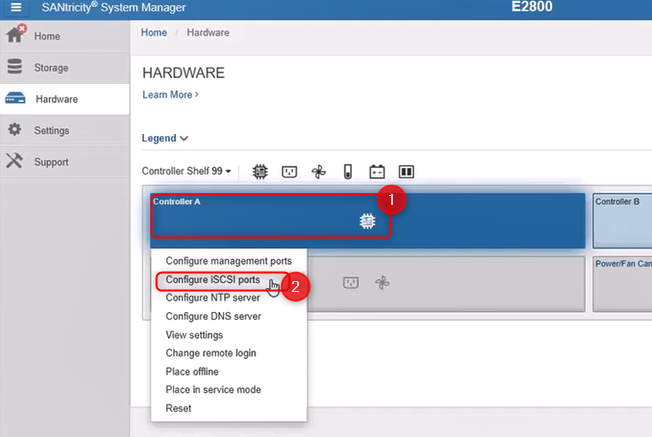
3. Click on the controller A and select "Configure iSCSI ports"
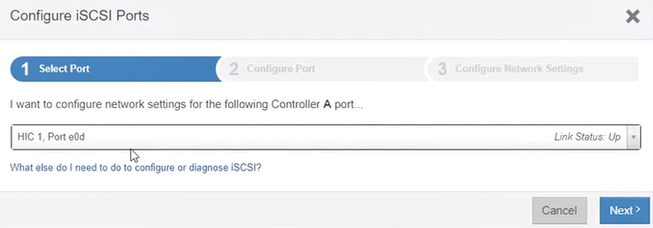
4. Expand the drop-down menu and select HIC 1, Port e0c > click Next
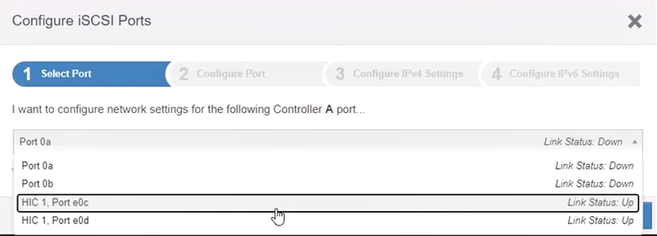
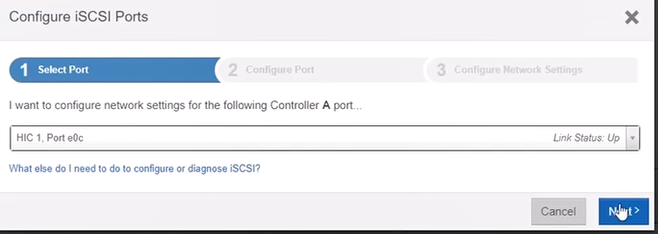
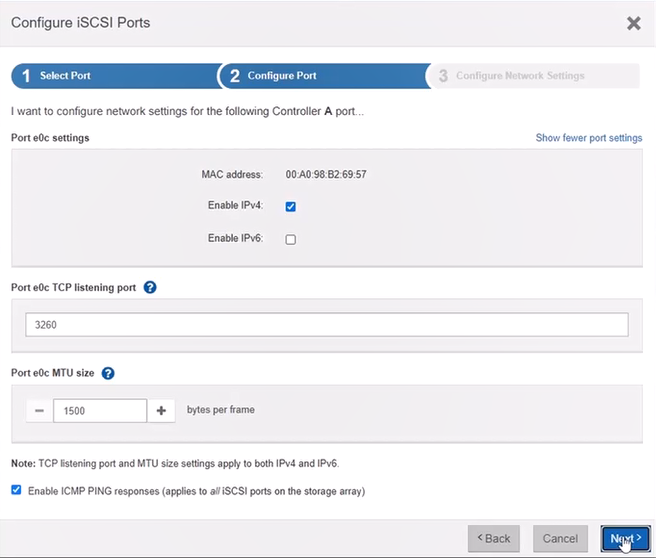
5. In this next step you can change the settings or leave the Port e0c settings as it is by default.
The default listening port is 3260, but you can change it by entering a value between 49152 and 65535.
Click Next
6. Now you will see the details of the port including the IP address assigned on it
Click Finish
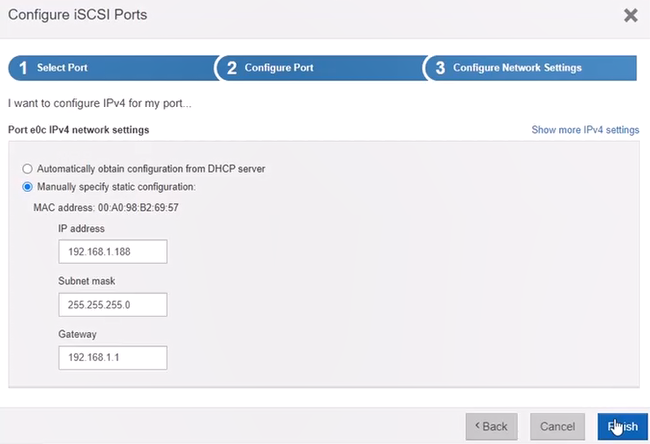
Repeat the steps 4, 5, 6 above for the other HIC 1, Port e0d:
Note: In dual controller systems the iSCSI ports should be configured in both controller A and B
Now, for DSA E2800 configuration in BVMS, you should follow the steps from this manual , starting with step 8 from page 5.