
Question
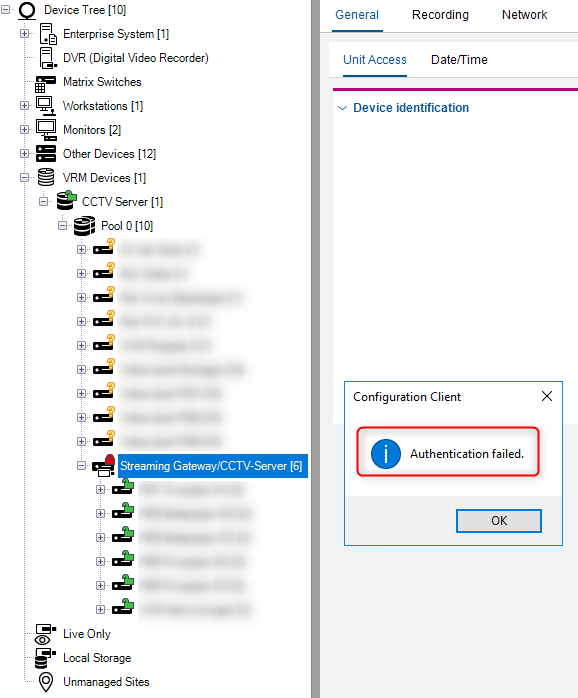
What to do when ‘Authentication failed’ message occurs when accessing VSG in BVMS v11.0?
Answer
Access Download Store [Software > Video Streaming Gateway (VSG)] where you will find the installer and release notes for VSG > v.8.0.1.2 that will address this authentication inconsistency.
After downloading the VSG > v.8.0.1.2, please deploy it.
Only in case the issue is still present, please provide the Central Technical Support team with the following:
-
detailed issue description
-
provide a new BVMS configuration collection including VSG logs, and VRM logs. Before reproducing and collecting the logs, enable:debug and RTP logsOnvif if Onvif cameras added to the VSGRCP+ if Bosch cameras added to the VSGBefore reproducing and collecting the logs, enable:debug and RCP+
Note: Do not forget to disable this logging after collecting the information, as it writes extensive amount of data.