
Question
How to find what was changed in the new Alarm Management version?
Answer
After you logged in to your Alarm Management account, click on your name on the right side of the page and you will see the Release Notes and the Alarm Management version.
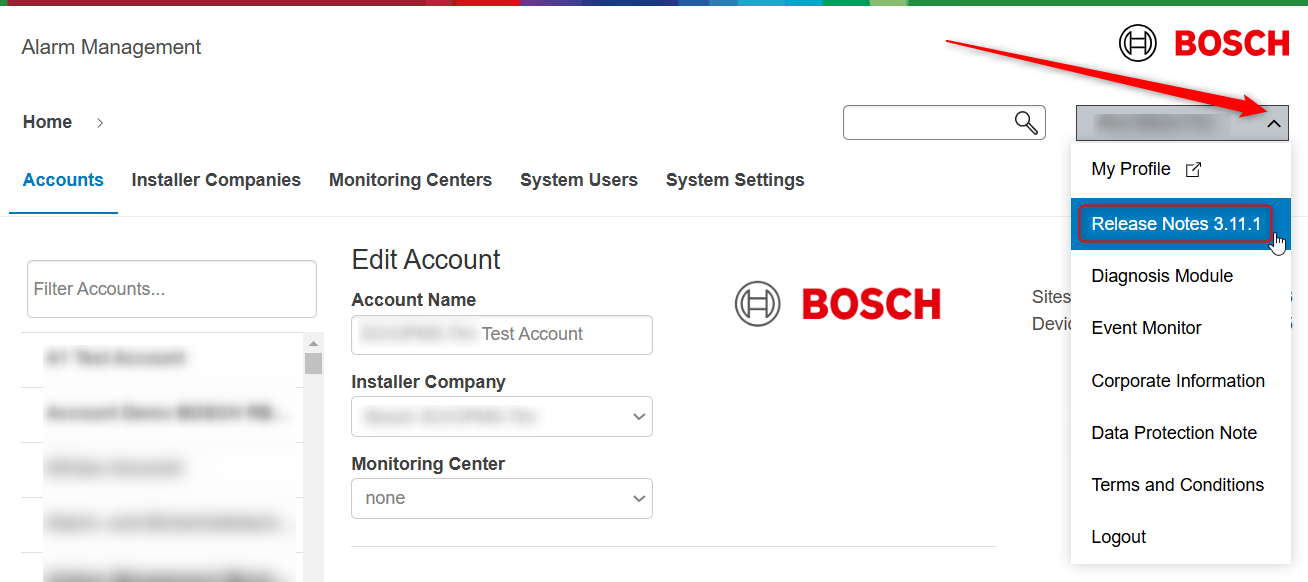
By clicking on the Release Notes option, a new page will open where you will see what was changed in the new Alarm Management version:
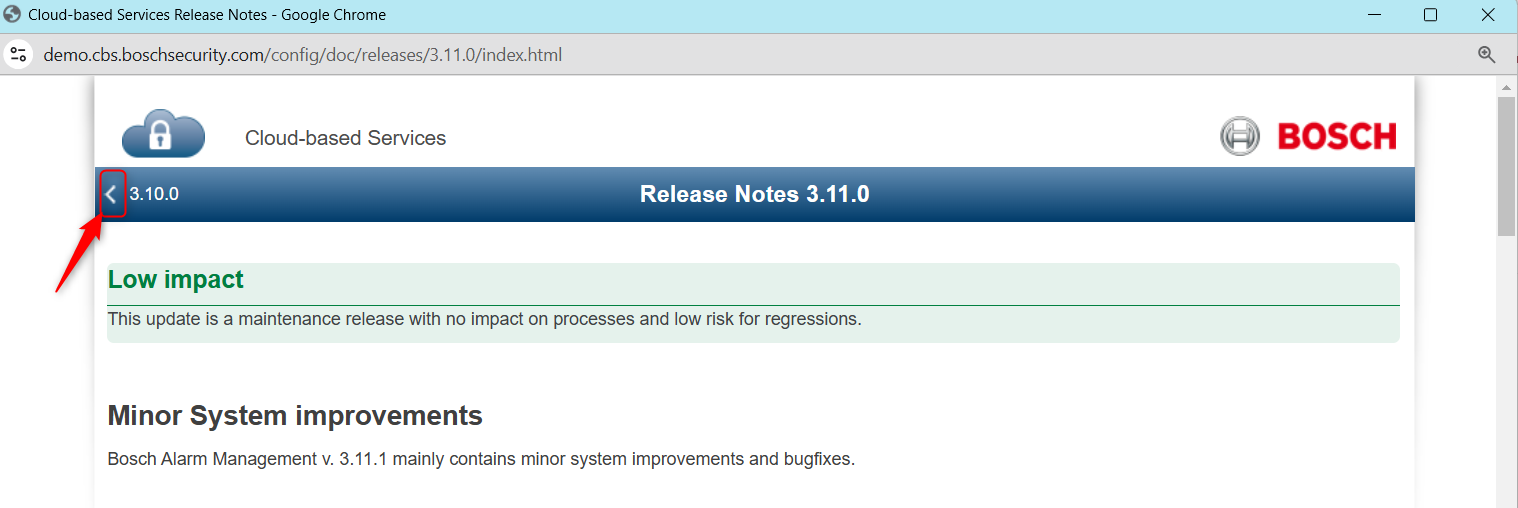
(information) Note: you can see what has changed in each version by pressing the arrow on the upper left side of the Release Notes page.