Question
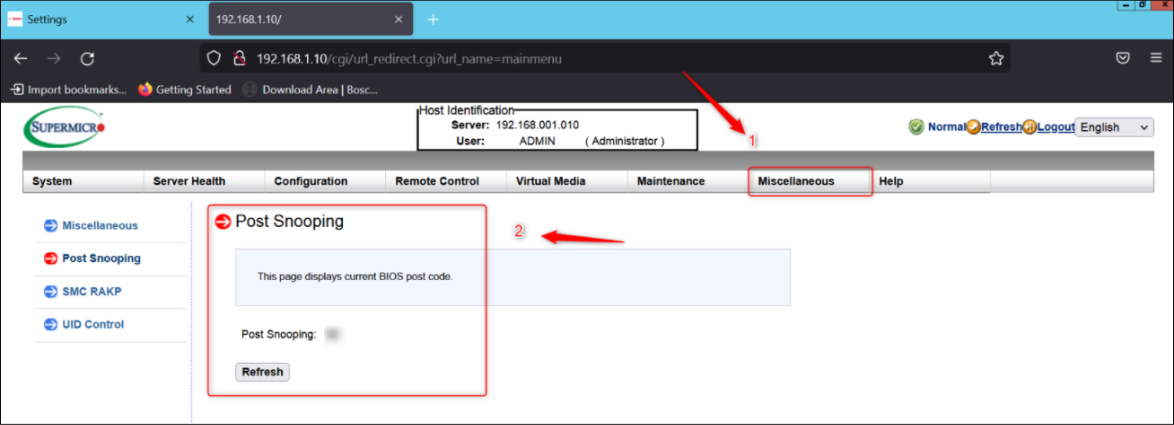
Where can I find the POST snooping code of my DIVAR IP R2?
Answer
The IPMIView software can be downloaded from here:
https://www.supermicro.com/SwDownload/SwSelect_Free.aspx?cat=IPMI
If you were asked by Central Technical Support team to provide them with the Post Snooping code, please follow the steps below:
-
Install the software and open it by selecting “Run as administrator”
-
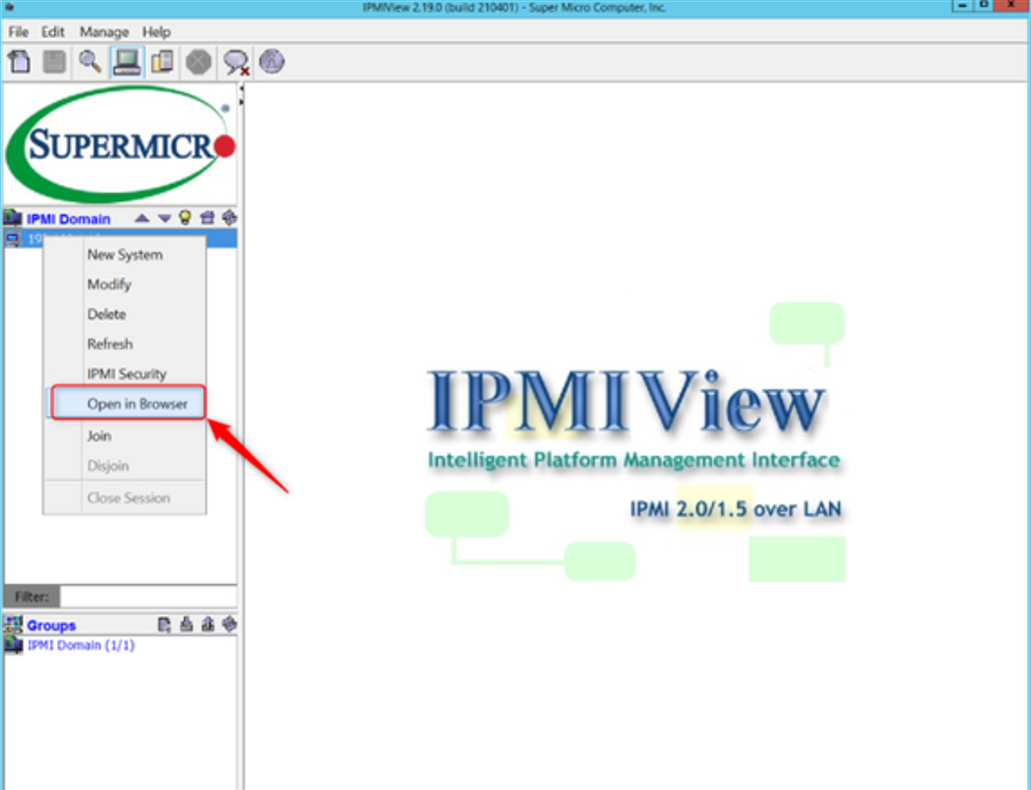
right click on the IP address from the IPMI DOMAIN → then, you will connect to the webpage of the IPMI tool
-
Go to Miscellaneous tab → The Post Snooping code will be displayed