
Step-by-step guide
Steps to focusing a Box camera:
-
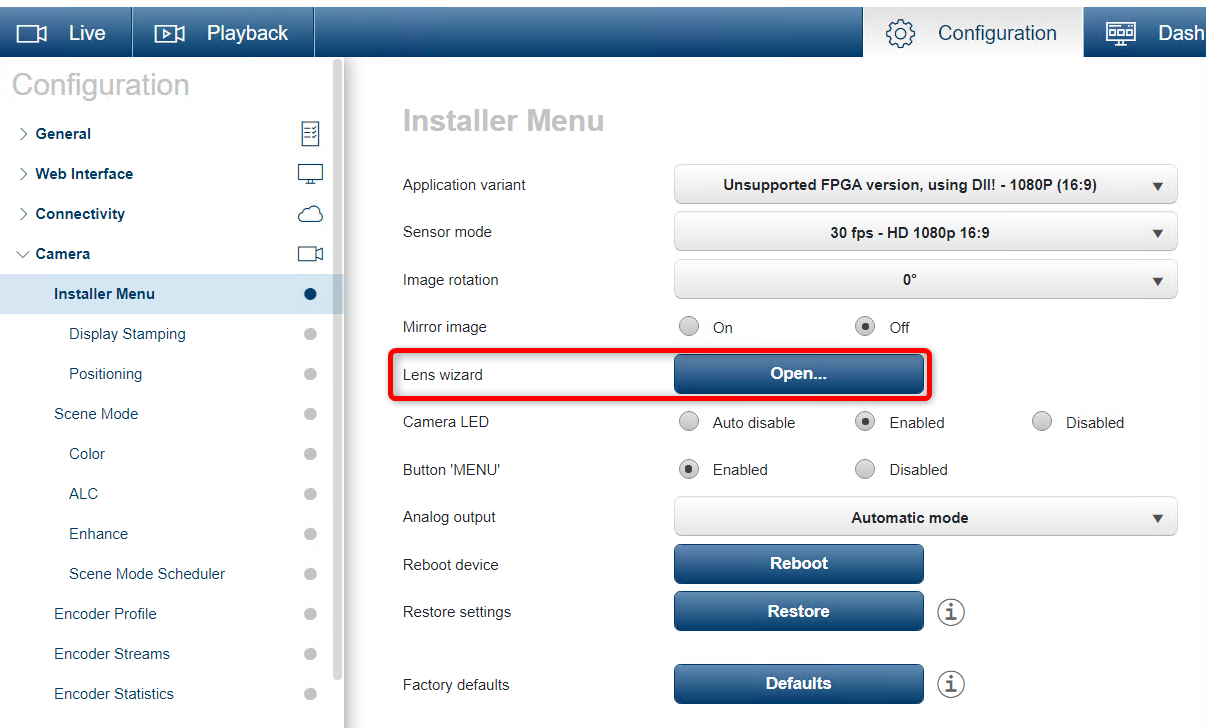
Start by opening the Lens Wizard in the Installer Menu
-
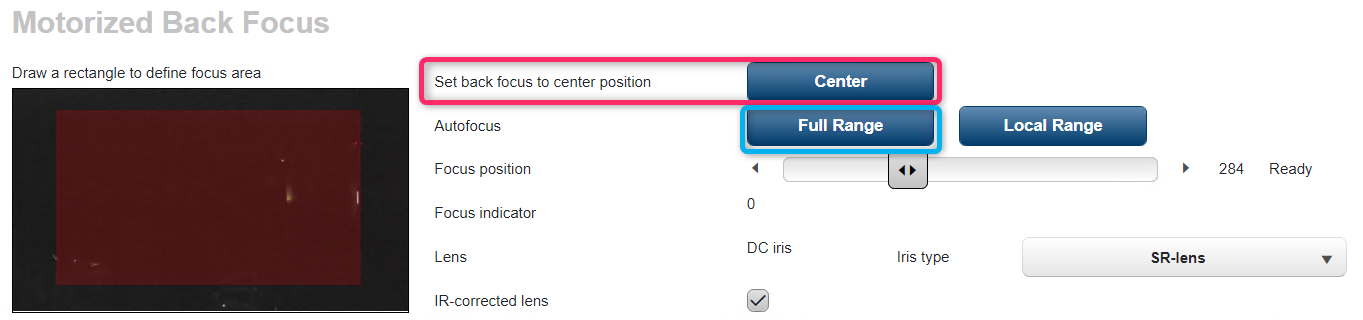
Set the Back Focus to the Center positionBy pressing Center ButtonWhen the Focus position is finished it will be centered at 500.Set the Zoom manually (Wide to Tele) to customize the image boundaries.Then focus the lens manuallyBy physically adjusting the focus on the lens body.Adjust the manual lens focus as good as physically possible.Finally, press ‘Full Range’ to allow the camera to auto focus for the optimum image focus.
-
-
-
The objective is to have the camera's focus position set near the Focus Position of 500 position.
-
If the focus position is off center like the below image, the camera/lens could have problems focusing from edge to edge.
-
-
-
-
-
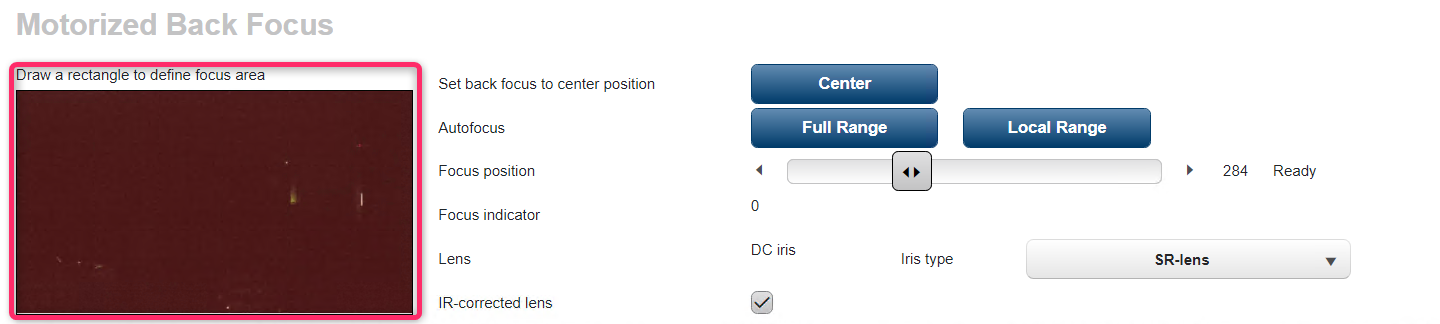
To focus on a specific area
-
Select the area by dragging the Rectangle to shade the specific area that you want to focus.
-
Then press Local Range to focus on the specific area.
-
-
The Box camera can also experience problems with focus when the tilt of the camera and the tilt of the lens react together to create focus limitation.
-
To fix this, try rotating the lens 90° or 180° and refocus the camera.