
Starting with firmware 7.10, an option to export from RAM recording buffer allows recording exports on the fly without requiring an SD card or external iSCSI storage.
Setup overview:
-
camera web browser for configuration
-
MIC IP starlight 7100i running FW v7.10 (no SD card inside)
-
an FTP server for the account creation
Step-by-step guide
-
Go to Configuration > Network > Accounts
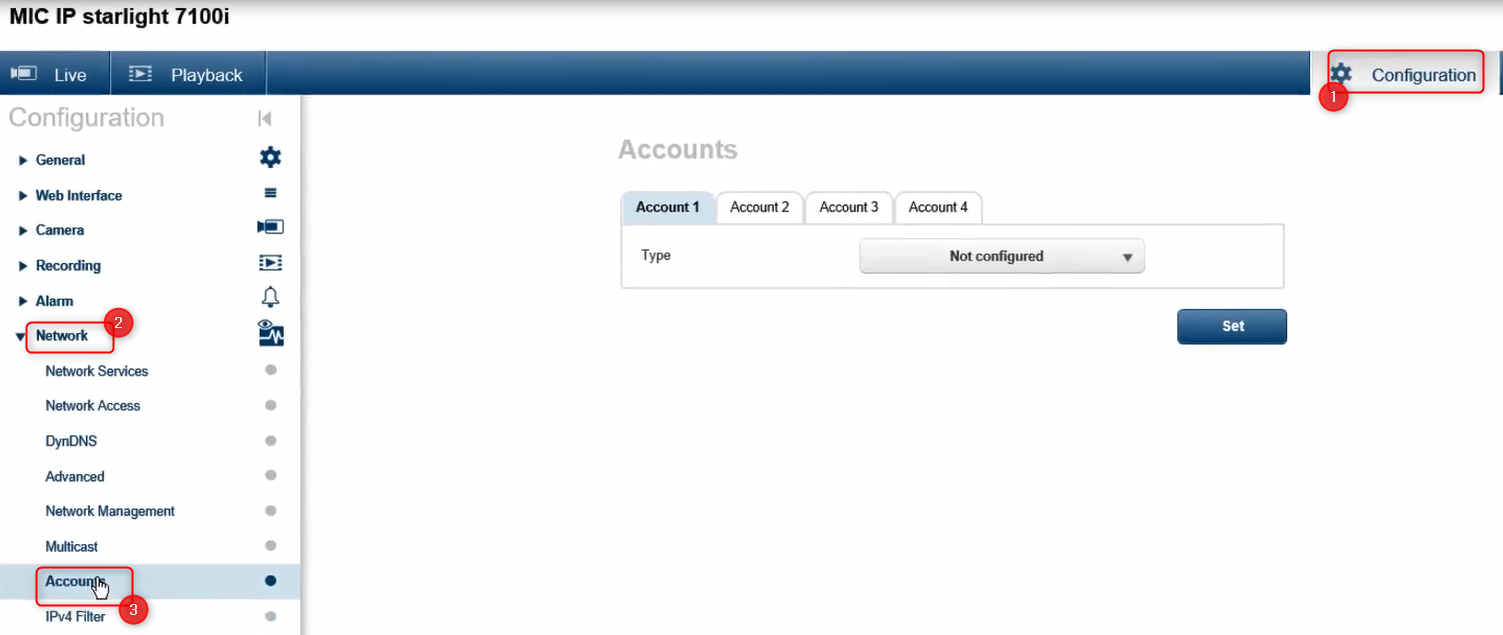
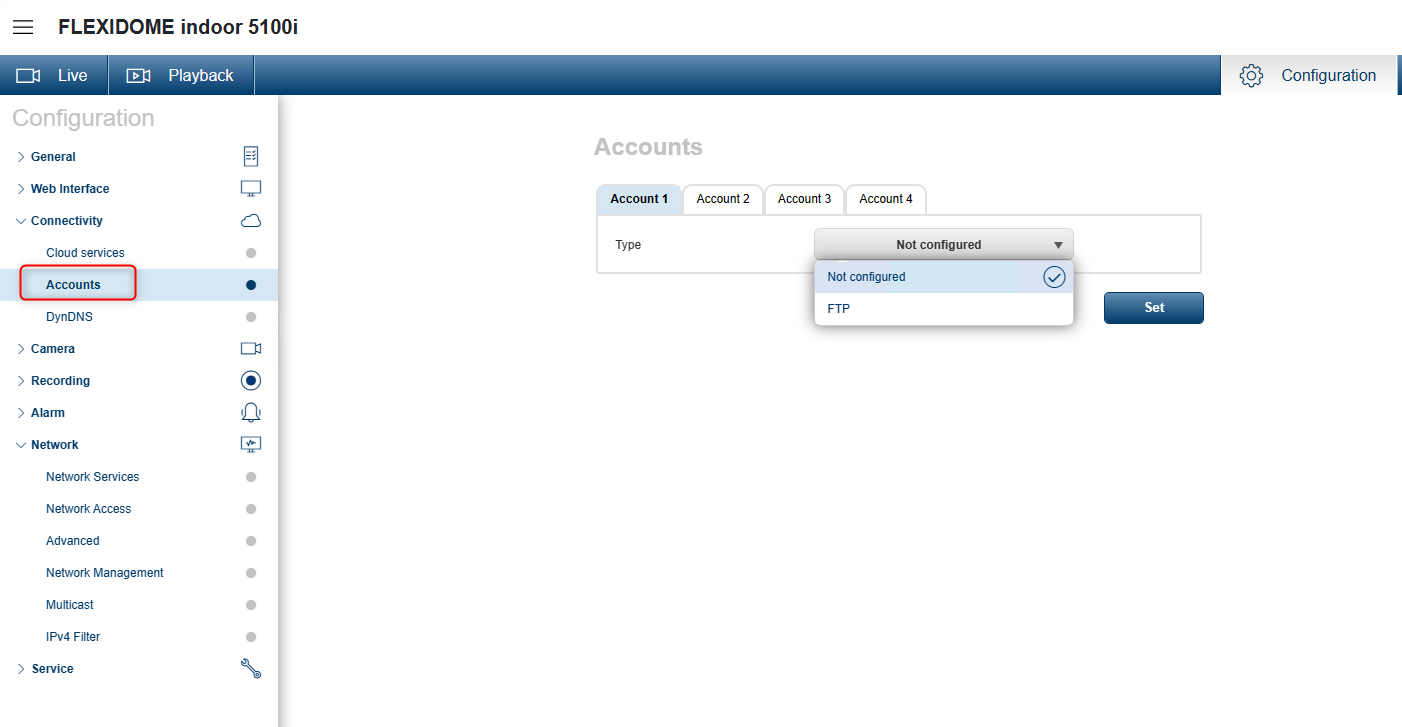
Note: In newer Firmware versions, the "Accounts" submenu can be found under the "Connectivity" menu:
-
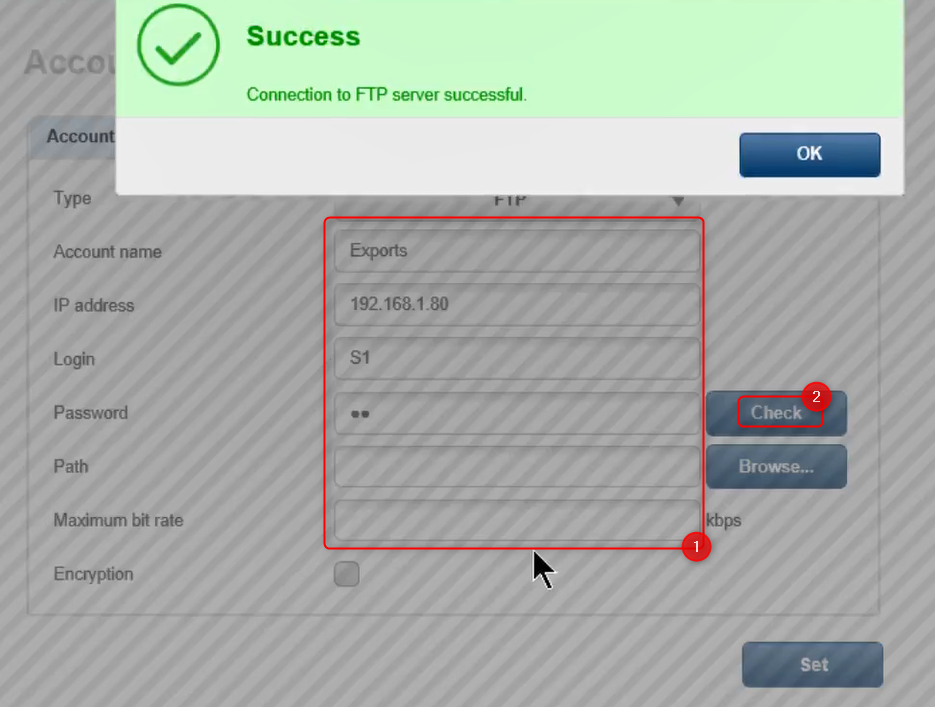
Select one account among the 4 displayed and select FTP from the drop-down list > fill in the necessary details and Check if the connection has been established by clicking on the "Check" button
Note:
-
IP address field must contain the IP address of your FTP server
-
Login and Password fields: FTP user credentials
-
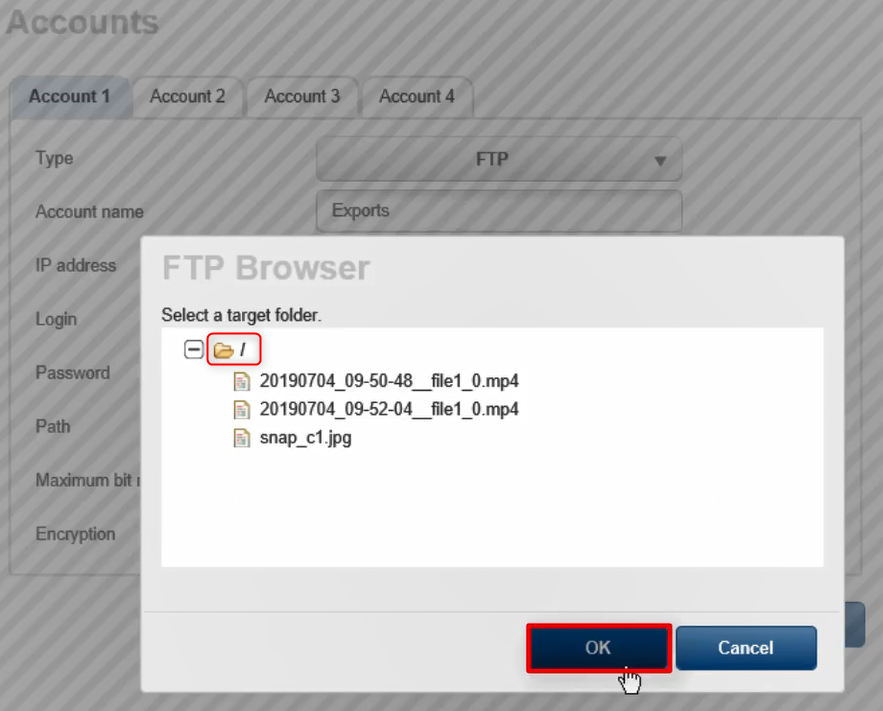
Click on the "Browse" button to select the target folder > OK
-
Click on the Set button
-
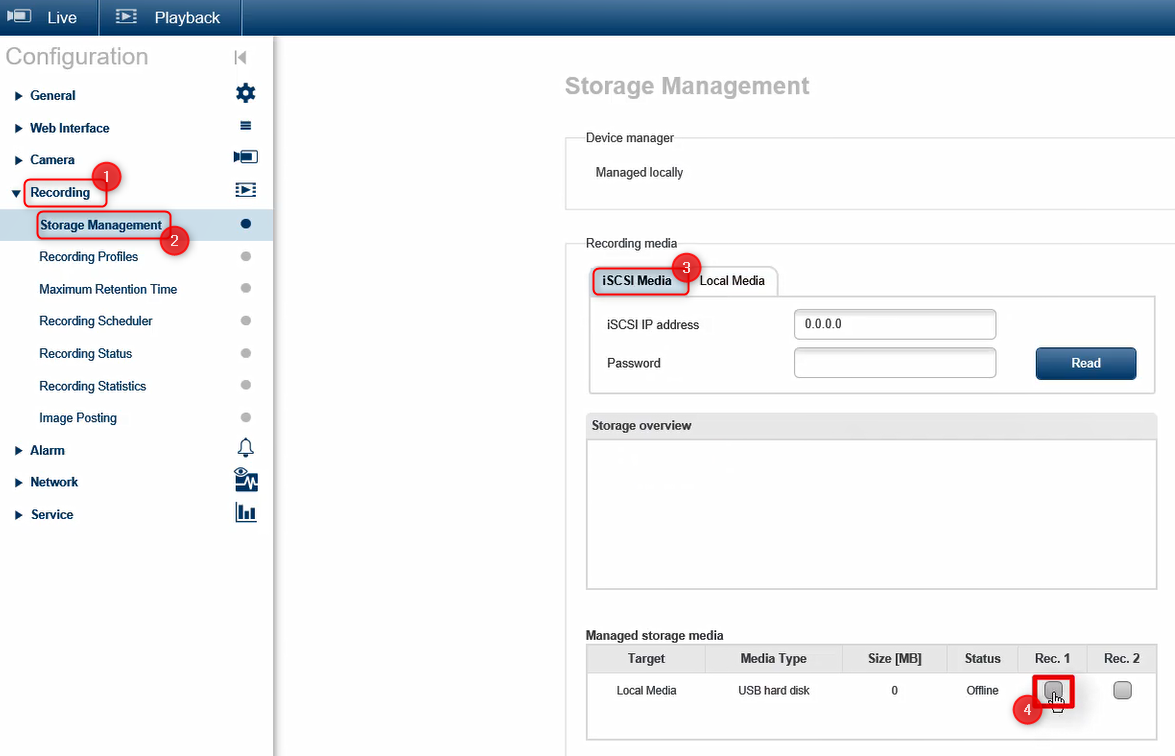
Next, go to Recording > Storage Management > select iSCS Media and tick the Rec. 1 checkbox > click Set
-
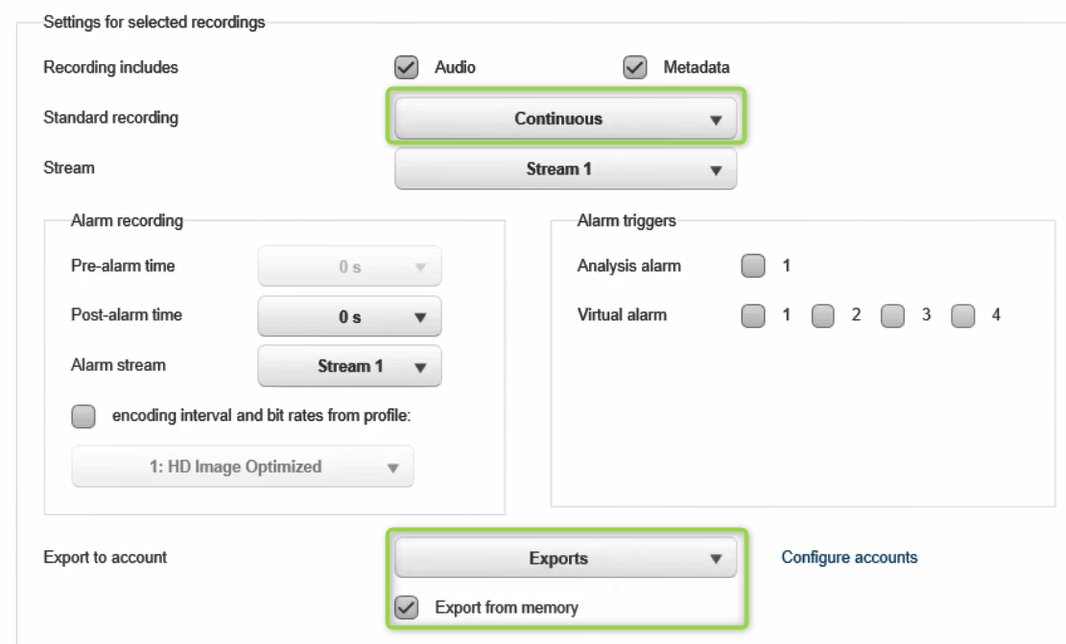
Next, go to Recording > Recording Profiles > select the Exports option from the drop-down menu, tick the "Export from memory" check box and be sure that the Standard recording is set on Continuous > click Set
-
Now, the recordings from camera will be stored in the FTP location in MP4 format.
Refer to the video below and see the steps described above: