
Possible causes and solution(s)
-
Symptoms
When integrating Intelligent Insights with a self-signed certificate, the BVMS operator client always shows an error message when opening a widget in the BVMS operator client image pane.
-
Solution
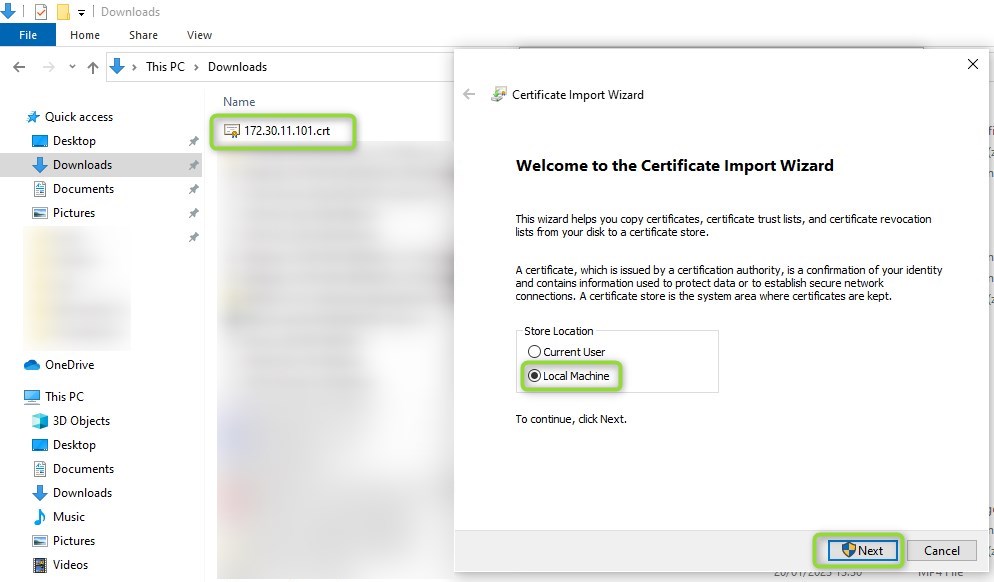
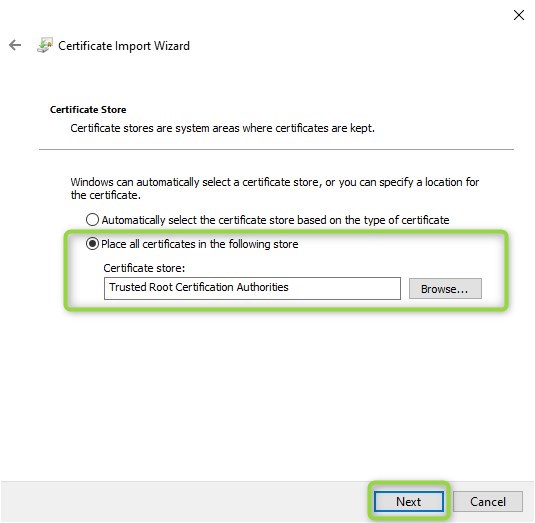
In order to solve this issue, install the self-signed certificate in the trusted root certificate store of the local machine.
If you need to create a new certificate, follow the below steps:
-
In the certificate dialog of IGI click on create new certificate.pay attention to the common nameThe common name (CN) is the computer or server name associated with your TLS/SSL certificate. For example: MyComputer. For instance, https://example.com the common name should be example.com.In this example screenshot it would be 172.30.11.101pay attention to the validity time
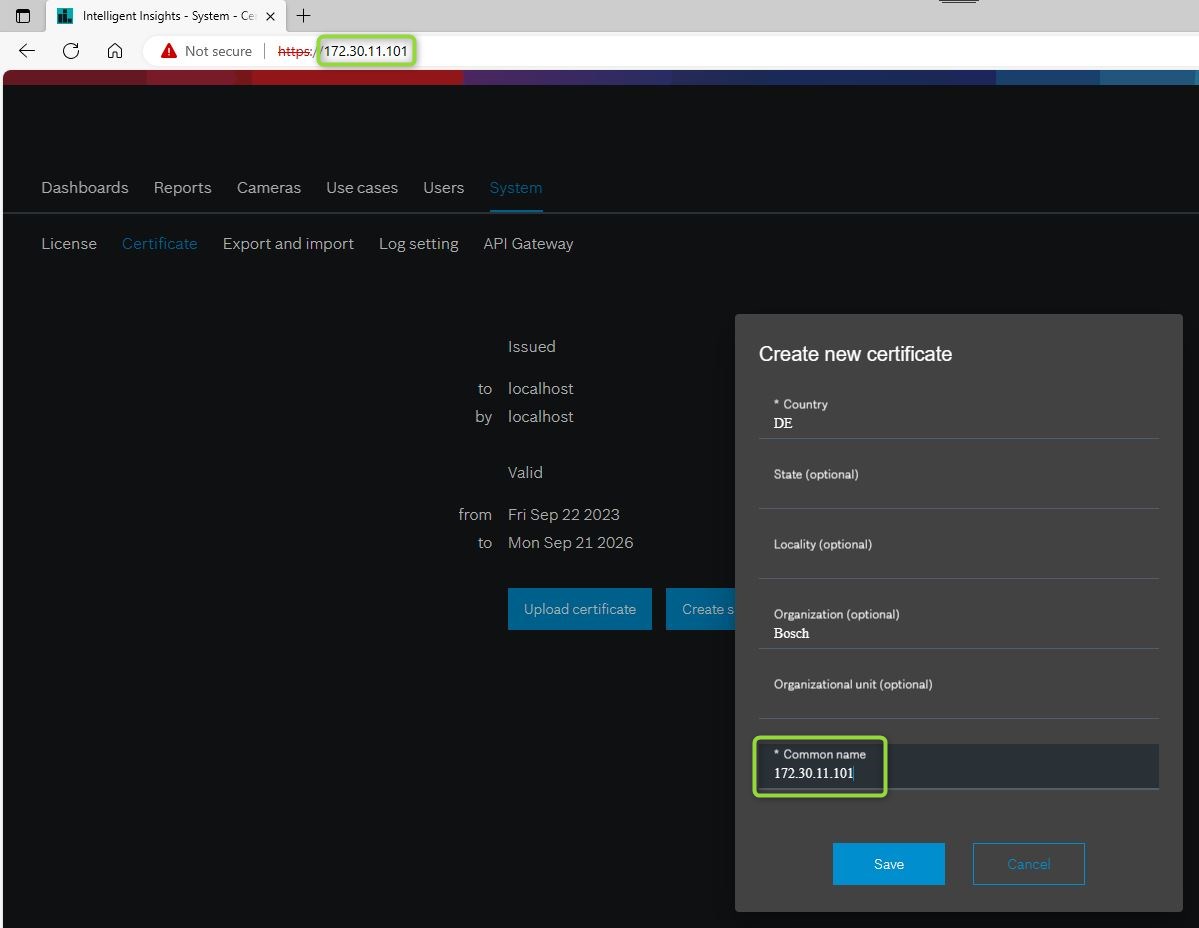
-
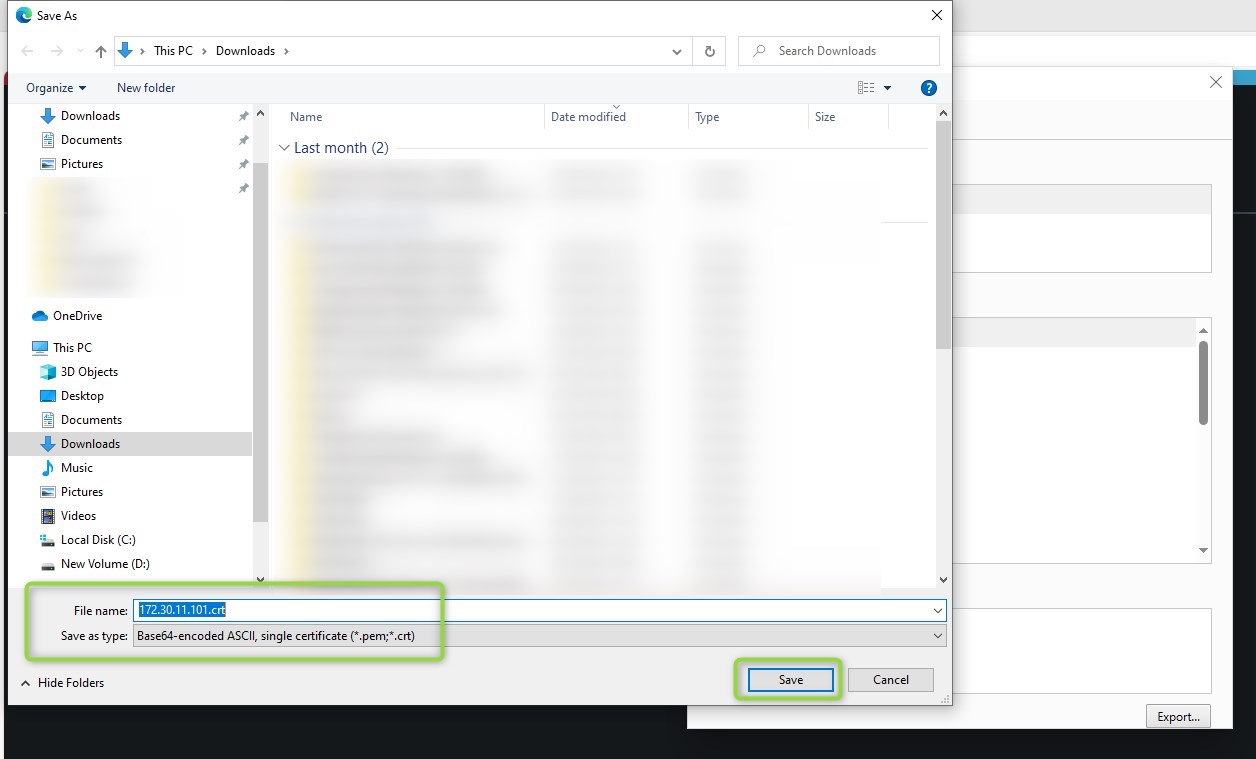
Save the certificate
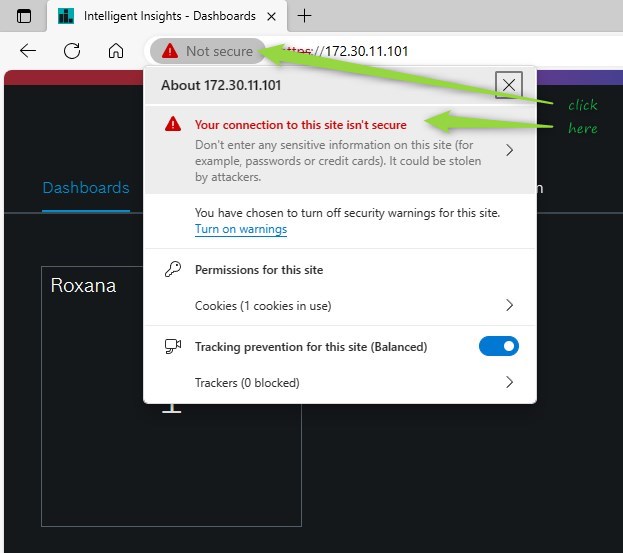
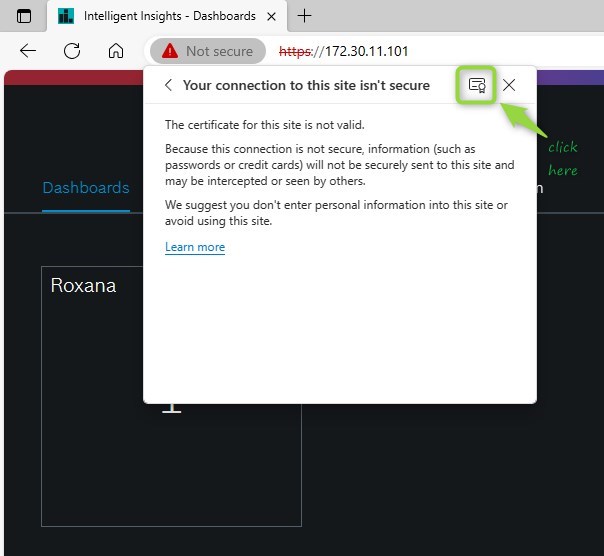
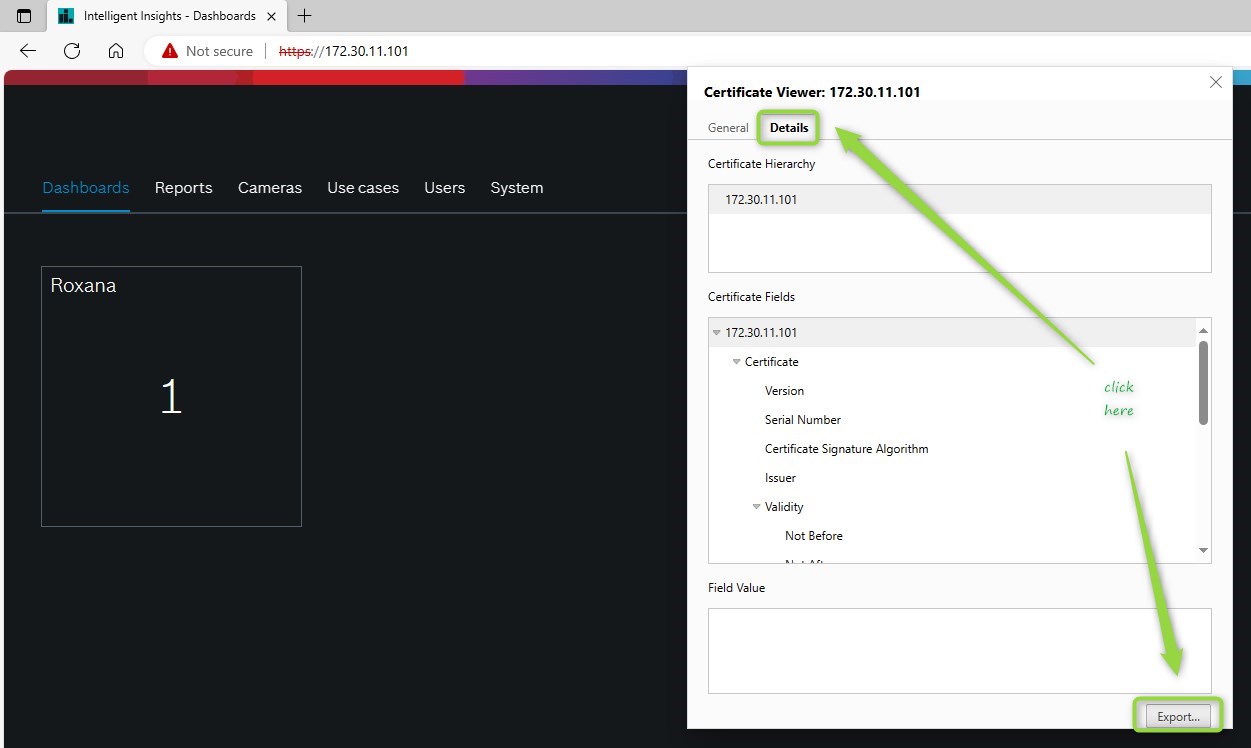
-
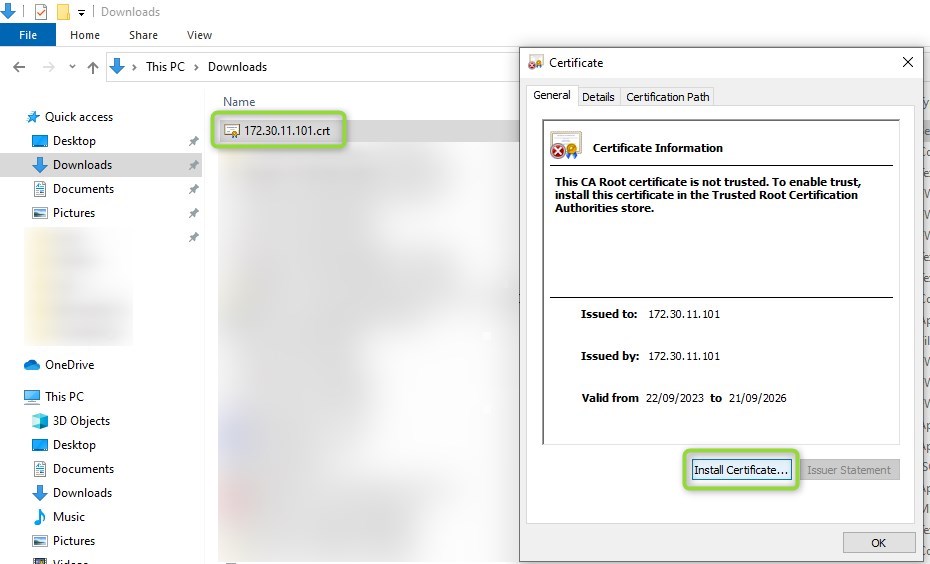
Install the certificate on the Operator Client PC in the Trusted Root Certification Authorities section:
-
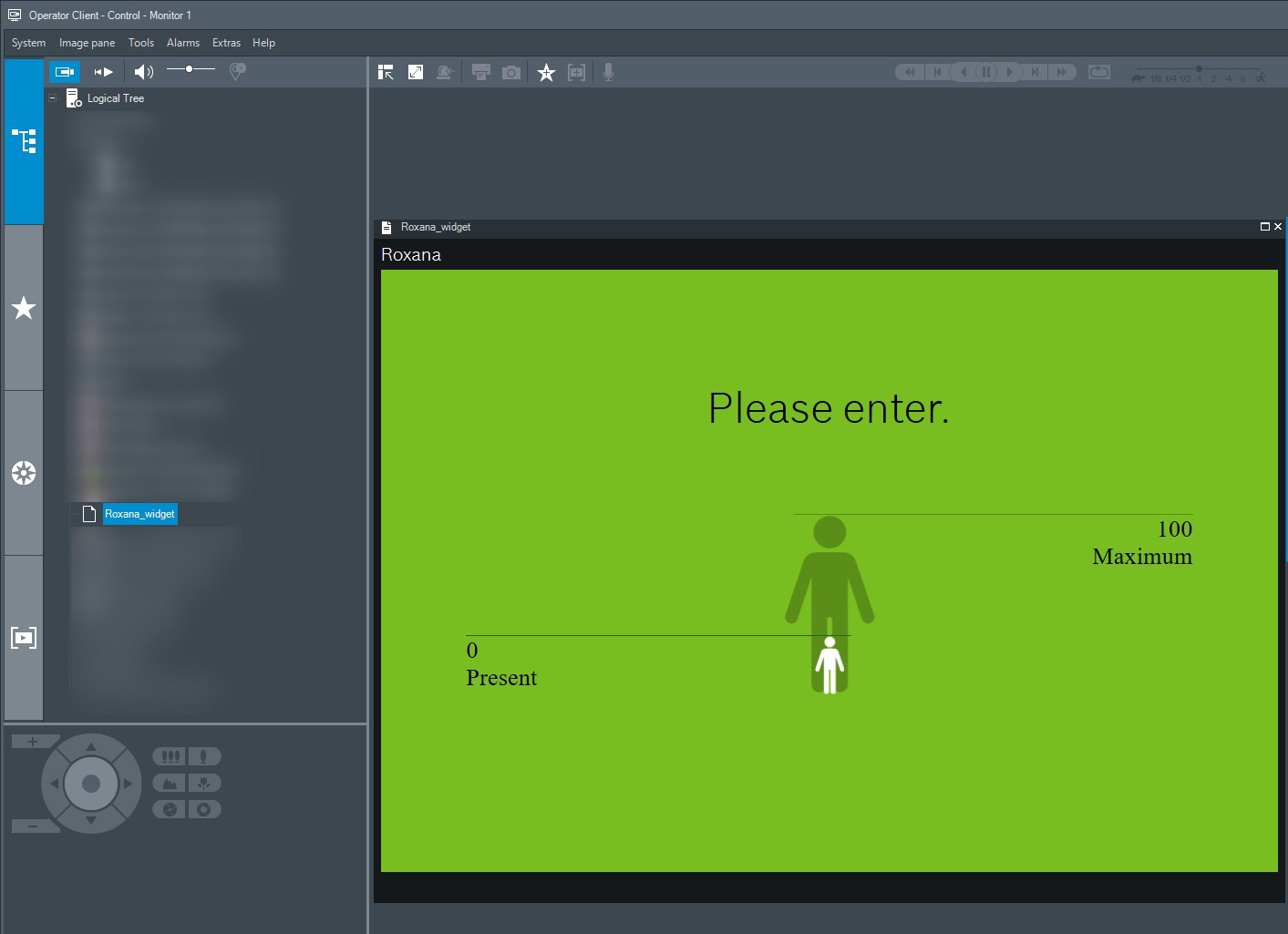
Restart you Operator Client and your widget should work

-
Are there any restrictions on using Intelligent Insights widgets in BVMS Op Client on a DIP AIO?
-
Intelligent Insights Certificate handling 1.0.2