Question
Why the "Customer" user from the Bosch Remote Portal can see only few cameras in Video Security App?
Answer
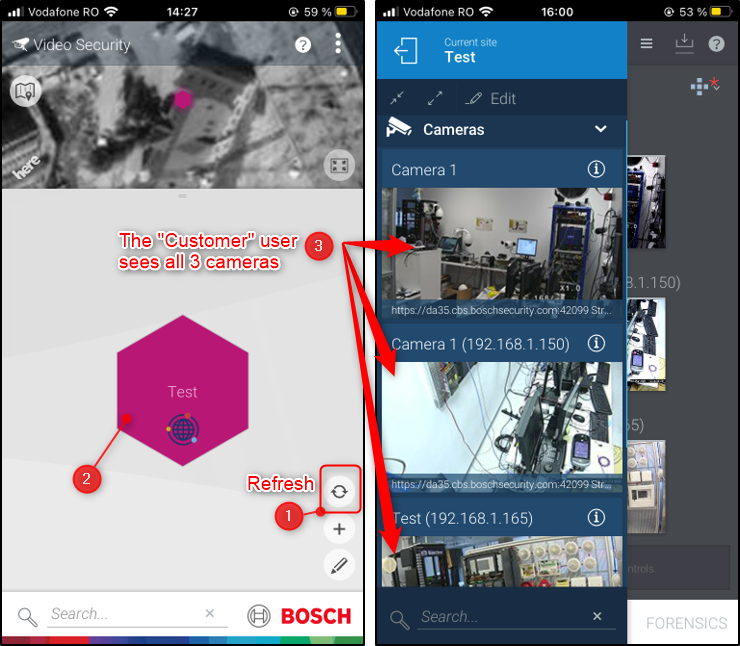
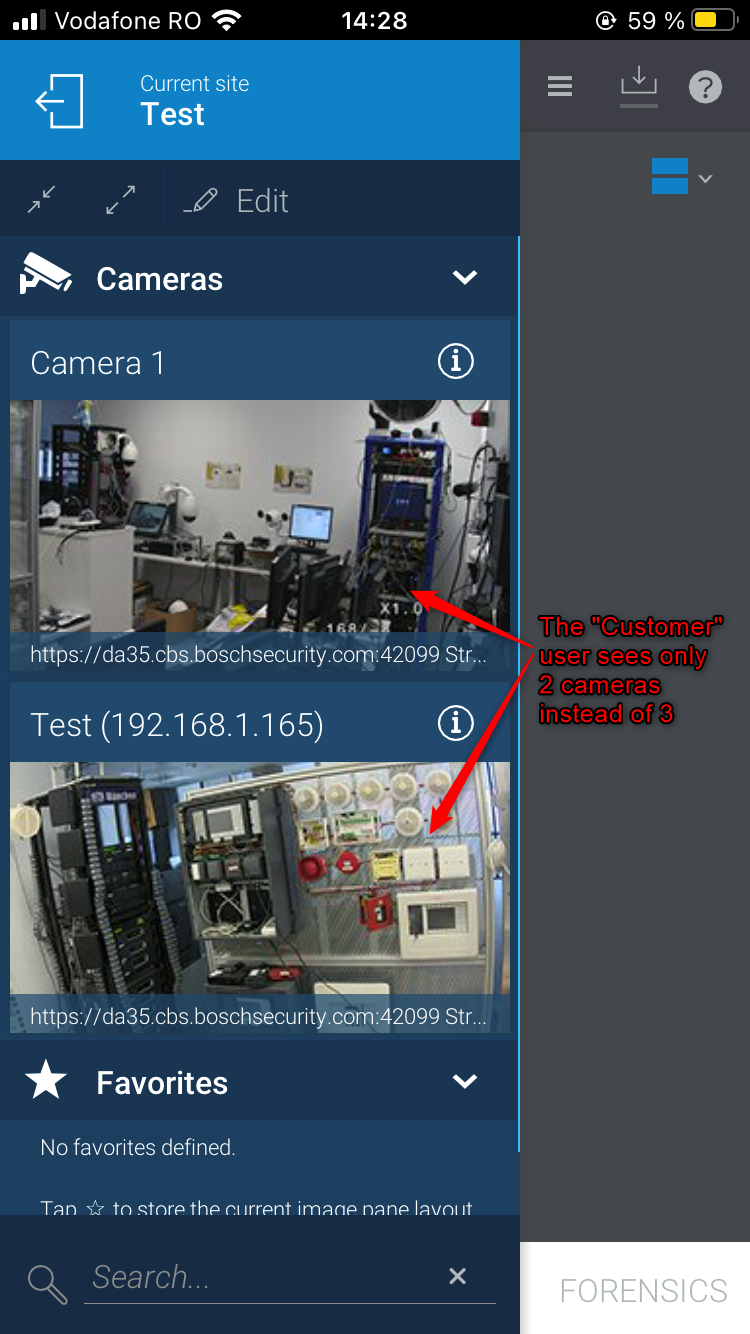
Let's suppose that the "Customer" user should see 3 cameras in the Video Security App. When logging to the App, he can see only 2 of them. Why?
This is because the "Administrator" user didn't grant rights to the "Customer" user to see the 3rd camera.
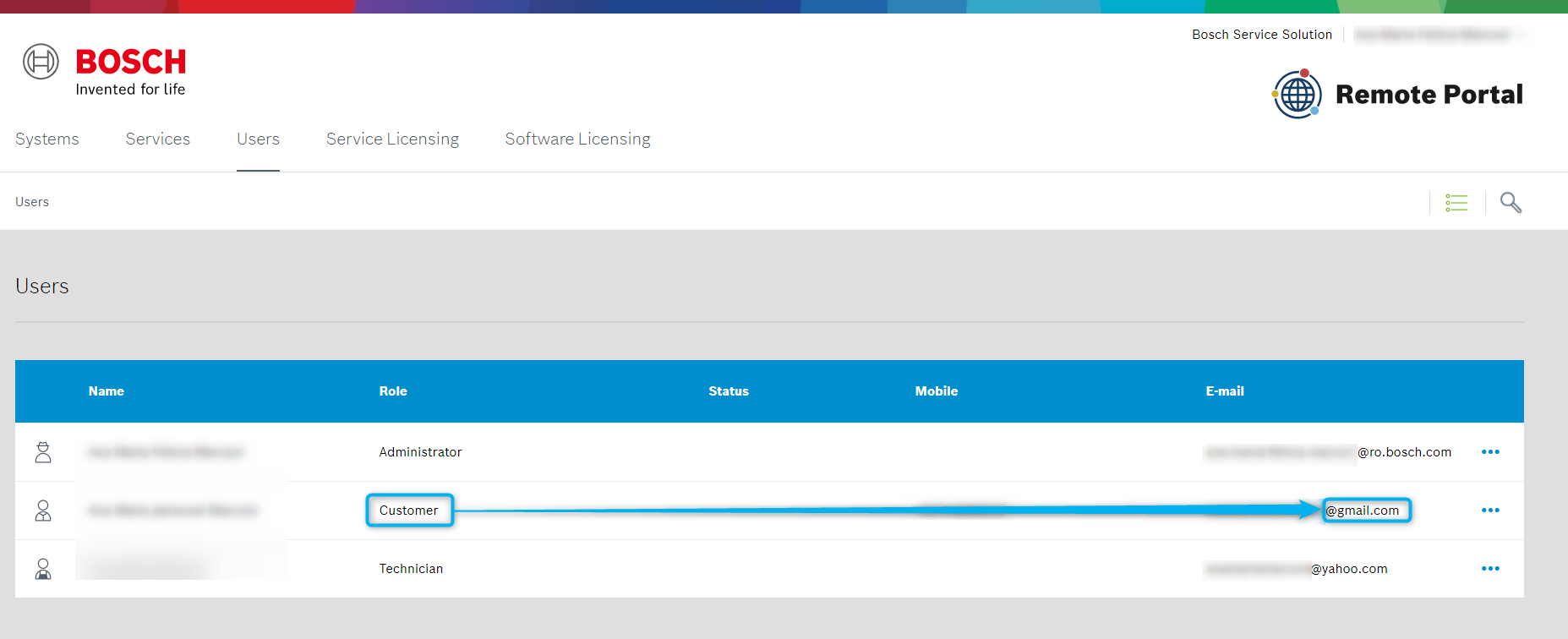
In the following example, we have 3 levels of users:
-
Administrator: @ro.bosch.com
-
Customer: @gmail.com
-
Technician: @yahoo.com
The "Administrator" user needs to login into the Bosch Remote Portal and grant the rights to the "Customer" user.
1. Login as Administrator in https://remote.boschsecurity.com/login > Go to the "Users" tab and click on the Customer row:
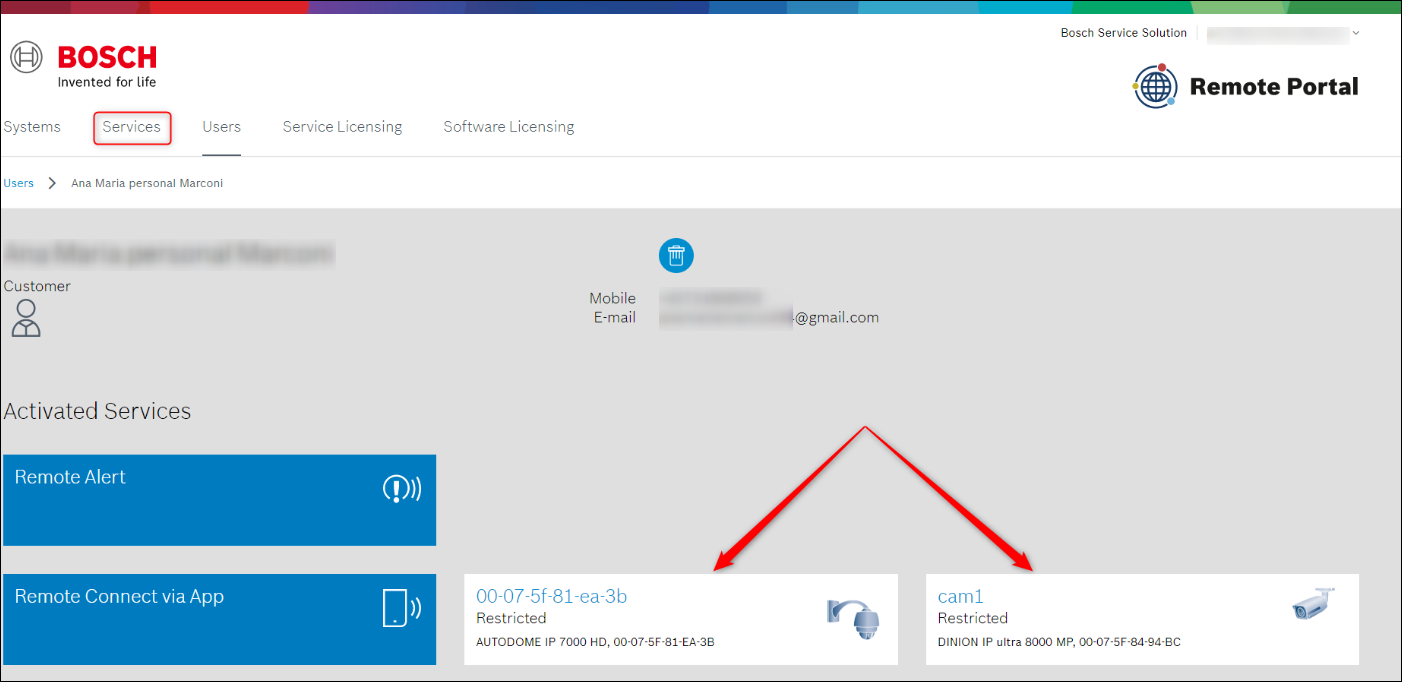
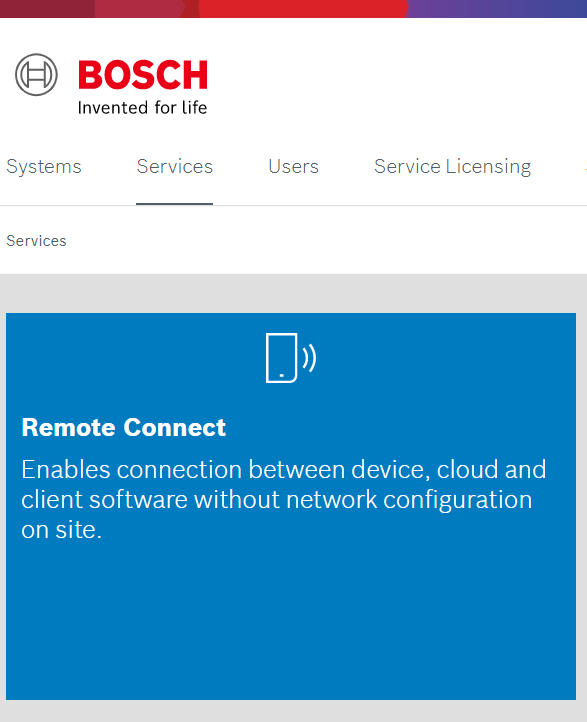
2. You will see that only 2 cameras out of 3 have been assigned to the "Customer" user. Click on the "Services" tab and select "Remote Connect" option:
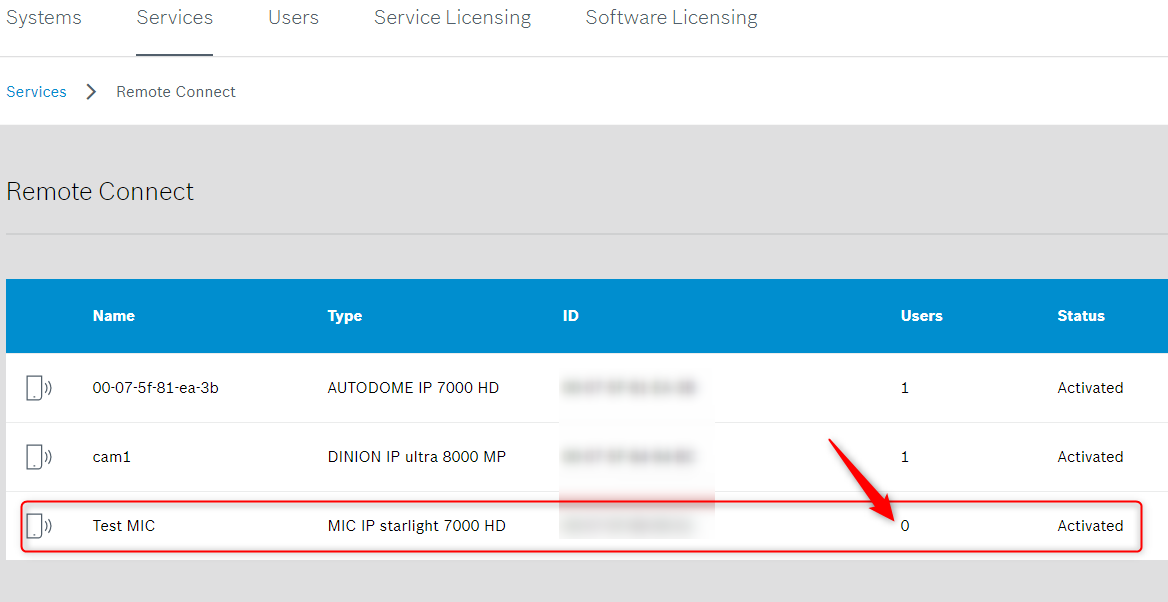
3. Identify the camera that was not assigned to the "Customer" user and click on it.
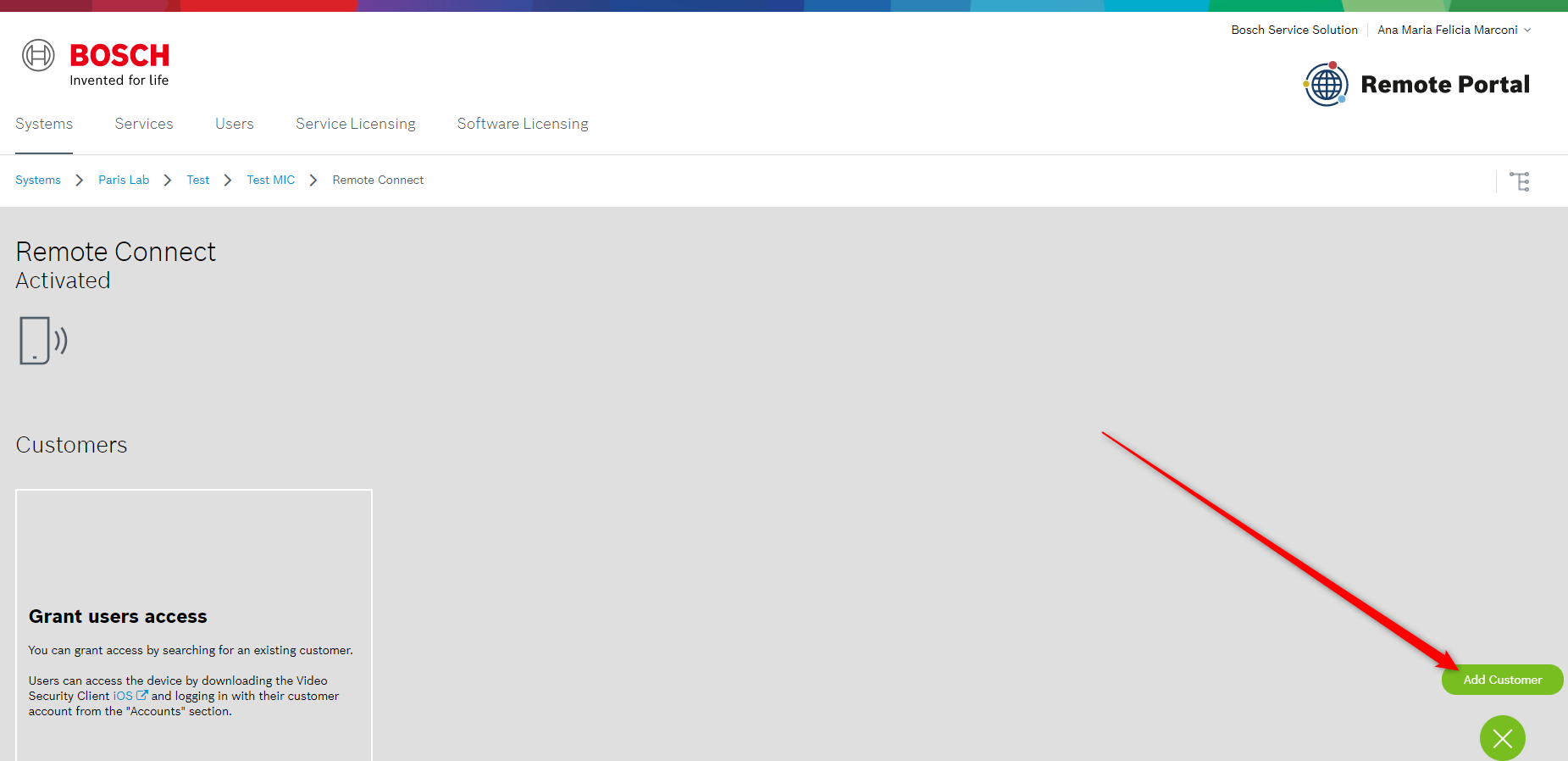
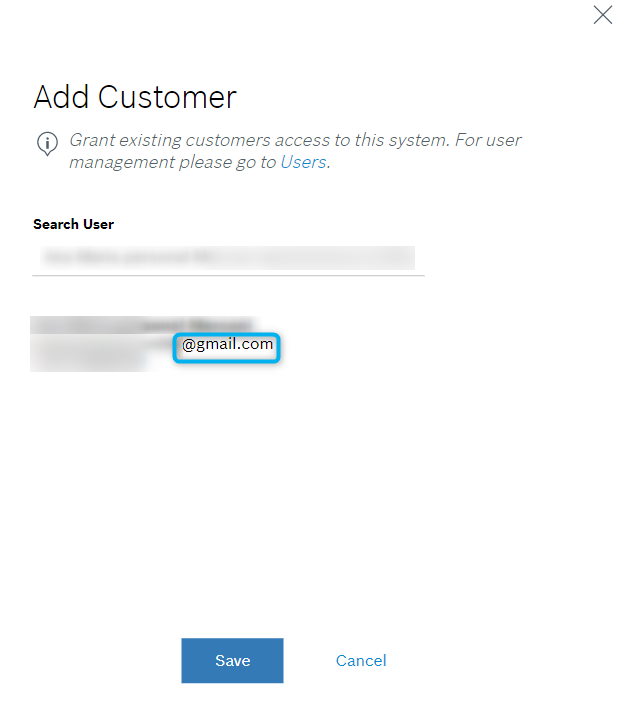
4. Click on the "Add Customer" button and fill in the details of the "Customer" user > Save
5. The message that "the <customer name user> was successfully assigned to the system" will be displayed.
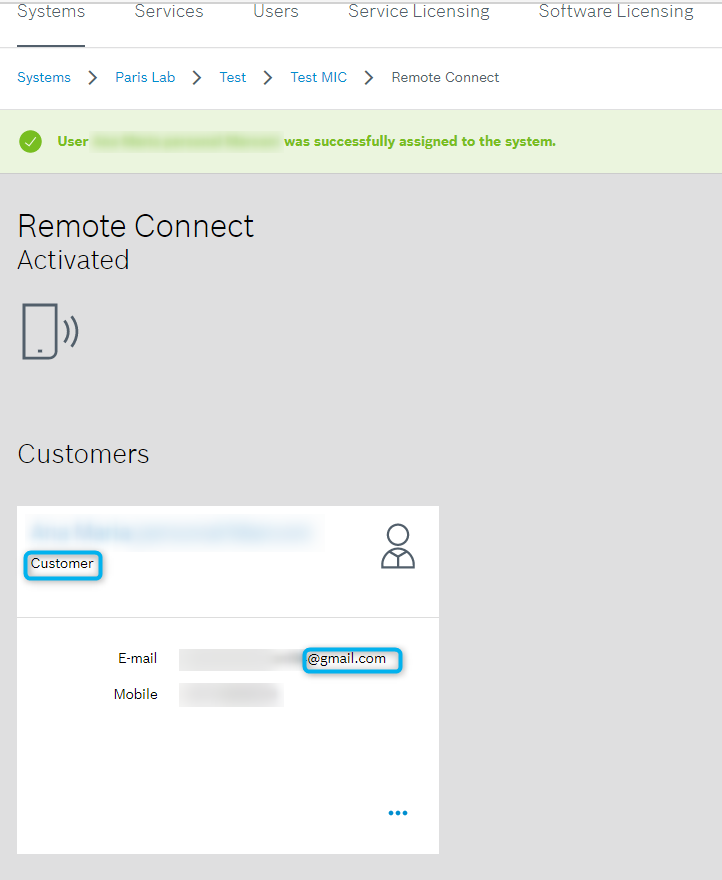
6. Now, the "Customer" user must do a refresh in the Video Security App and he will see all 3 cameras.